<?xml version="1.0" encoding="utf-8"?><feed xmlns="http://www.w3.org/2005/Atom" ><generator uri="https://jekyllrb.com/" version="3.10.0">Jekyll</generator><link href="https://noamzeise.com/feed.xml" rel="self" type="application/atom+xml" /><link href="https://noamzeise.com/" rel="alternate" type="text/html" /><updated>2026-10-05T22:18:31+00:00</updated><id>https://noamzeise.com/feed.xml</id><title type="html">NoamZeise</title><subtitle>A collection of programming projects</subtitle><entry><title type="html">Dice with Death - Duck Sace Jam 2026</title><link href="https://noamzeise.com/gamejam/2026/03/02/dice-with-death.html" rel="alternate" type="text/html" title="Dice with Death - Duck Sace Jam 2026" /><published>2026-03-02T00:00:00+00:00</published><updated>2026-03-02T00:00:00+00:00</updated><id>https://noamzeise.com/gamejam/2026/03/02/dice-with-death</id><content type="html" xml:base="https://noamzeise.com/gamejam/2026/03/02/dice-with-death.html"><![CDATA[<iframe width="560" height="315" src="https://www.youtube.com/embed/ttB3pmOMWwI?si=t3aZbf4aQYRErexm" title="YouTube video player" frameborder="0" allow="accelerometer; autoplay; clipboard-write; encrypted-media; gyroscope; picture-in-picture; web-share" referrerpolicy="strict-origin-when-cross-origin" allowfullscreen=""></iframe>

<p>The game is based on the Egyptian myth that upon death one’s soul would be weighed against a feather by the god Anubis. In this game, your soul is so heavy that Anubis takes pity on you.
By playing hands of dice poker, you can earn extra feathers to help tip the scales in your favour.
This is an endless game where the threshold for your hand score being enough becomes progressively more difficult.</p>

<!-- more -->

<p>Made in 48 Hours for <a href="https://www.ducksauce.games/duck-sauce-jam-2026">Duck Sauce Jam 2026</a>, with the theme ‘Scales’, winning ‘Best Theme Interpretation’.</p>

<p><a href="https://noamzeise.itch.io/dice-with-death">download from itch</a></p>

<p><a href="https://github.com/NoamZeise/dice-with-death">source code</a></p>

<p>The text rendering for my graphics library is not fully complete, so I intentionally tried to represent the game without text. Many players found this very confusing. Once the rules were clear it seems that people enjoyed it.</p>

<h2 id="tools">Tools</h2>

<p>Made using a framework built on my <a href="https://github.com/NoamZeise/gficl">Common Lisp graphics library</a>. 
Here is the <a href="https://github.com/NoamZeise/cl-game-template">starter code</a> I used for the project.</p>

<h2 id="implementation">Implementation</h2>

<p>The style is heavily inspired by the game Inscryption.
To achieve the look my main goal was to use shadow mapping for the effect of lighting with halftone shading on the shadows. This was an amalgamation of some techniques I had used over the course of my undergraduate dissertation project. I reimplemented shadow mapping, adjusting the parameters to work with a simplified scene and small objects on a table.</p>

<p>The halftone shading is faded in and out based on the distance from the camera. This avoids aliasing for fine grids of dots. The dots themselves are based on the uv coordinates of the object.</p>

<p>Shadows are calculated as normal, as a value from 0 to 1 for full darkness to full light.
The size of the halftone dots depends on the proportion of the area that is in shadow based on the calculated value.</p>

<p>Finally I use the metatexture effect seen in my <a href="/gamejam/2025/01/27/Bubbalah.html">global game jam submission</a> from last year, except the effect is applied to the entire screen instead of being filtered via a stencil.</p>]]></content><author><name></name></author><category term="GameJam" /><summary type="html"><![CDATA[The game is based on the Egyptian myth that upon death one’s soul would be weighed against a feather by the god Anubis. In this game, your soul is so heavy that Anubis takes pity on you. By playing hands of dice poker, you can earn extra feathers to help tip the scales in your favour. This is an endless game where the threshold for your hand score being enough becomes progressively more difficult.]]></summary><media:thumbnail xmlns:media="http://search.yahoo.com/mrss/" url="https://noamzeise.com/assets/img/posts/thumbnails/dice-with-death.png" /><media:content medium="image" url="https://noamzeise.com/assets/img/posts/thumbnails/dice-with-death.png" xmlns:media="http://search.yahoo.com/mrss/" /></entry><entry><title type="html">Blizzed - Duck Sauce Jam 2025</title><link href="https://noamzeise.com/gamejam/2025/03/04/Blizzed.html" rel="alternate" type="text/html" title="Blizzed - Duck Sauce Jam 2025" /><published>2025-03-04T00:00:00+00:00</published><updated>2025-03-04T00:00:00+00:00</updated><id>https://noamzeise.com/gamejam/2025/03/04/Blizzed</id><content type="html" xml:base="https://noamzeise.com/gamejam/2025/03/04/Blizzed.html"><![CDATA[<iframe width="560" height="315" src="https://www.youtube.com/embed/Writ8E7ZLiU?si=uceBDK1l8Fqm40D6" title="YouTube video player" frameborder="0" allow="accelerometer; autoplay; clipboard-write; encrypted-media; gyroscope; picture-in-picture; web-share" referrerpolicy="strict-origin-when-cross-origin" allowfullscreen=""></iframe>

<p>A hybrid digital / pen and paper experience about reading physical documents and drawing a map as you play .</p>

<p>You are with the 1911 British Antarctic Expedition. Captain Scott has not returned from his attept of the pole, and has surely perished. You have trekked to the last depot and found his remaining notes. You need to follow these notes to find the location of his body and ascertain whether Scott made it to the pole before Amundsen. A blizzard has hit, making navigation difficult.</p>

<p>Made in 48 Hours for <a href="https://www.ducksauce.games/duck-sauce-jam-2025">Duck Sauce Jam 2025</a>, winning ‘Best Storytelling’.</p>

<!-- more -->

<p>The inspiration for this game was the book ‘The Worst Journey in the World’ by Apsley Cherry-Garrard, a first-hand account of much of the Expedition, including the recovery of the bodies of the polar expedition crew.</p>

<p><a href="https://noamzeise.itch.io/blizzed">download from itch</a></p>

<p><a href="https://github.com/NoamZeise/blizzed">source code</a></p>

<h2 id="tools">Tools</h2>

<p>Written in Common Lisp, and on paper.</p>

<p>Made using my <a href="https://github.com/NoamZeise/graphics-experiments.git">disseration project</a> graphics framework.</p>

<h2 id="implementation">Implementation</h2>

<p>The game is intentionally very fuzzy and difficult to visually parse. the idea is to make it easy for the player to get lost, and to simulte the feeling of being stuck in a blizzard desperately trying to navigate without clear visual signposts.</p>

<p>I clearly tooks creative liberties with the compass. The game takes place close to the south pole, so a compass does not work as expected. I don’t account for this, instead opting to make it more helpful for people drawing maps.</p>

<p>The map has a grid structure, and the player can only rotate 90 degrees or walk one tile forward. This reduced player motion makes it much easier to produce a map of the game while playing.</p>

<p>There are six different tile types, each being a 3D model made in blender. Some are traversible, others block the path or make the sledgemeter (like a stamina bar) go down quicker.
As each piece is the same size, I can render the surrounding tiles aligned to a grid.</p>

<h2 id="feedback">Feedback</h2>

<p>The game was played live in front of me by a few different people, and I also got online feedback. Two players managed to discover the bodies (the objective of the game), and interestingly produced very different looking maps. Others did not map their surroundings properly and were convinced they were stuck in a dead end.</p>

<p>It was very interesting to compare different people’s approaches to mapping. Some were very abstract and quick to make, while others took time to accurately reproduce their surroundings.</p>

<p>The main issue with the game was the lack of usefulness of the lob book i included. I intentionally wrote with an old fashion hand and was vague about the route to the bodies. This meant that noone actually used it as intended.</p>]]></content><author><name></name></author><category term="GameJam" /><summary type="html"><![CDATA[A hybrid digital / pen and paper experience about reading physical documents and drawing a map as you play . You are with the 1911 British Antarctic Expedition. Captain Scott has not returned from his attept of the pole, and has surely perished. You have trekked to the last depot and found his remaining notes. You need to follow these notes to find the location of his body and ascertain whether Scott made it to the pole before Amundsen. A blizzard has hit, making navigation difficult. Made in 48 Hours for Duck Sauce Jam 2025, winning ‘Best Storytelling’.]]></summary><media:thumbnail xmlns:media="http://search.yahoo.com/mrss/" url="https://noamzeise.com/assets/img/posts/thumbnails/blizzed.png" /><media:content medium="image" url="https://noamzeise.com/assets/img/posts/thumbnails/blizzed.png" xmlns:media="http://search.yahoo.com/mrss/" /></entry><entry><title type="html">Bubbalah - Global Game Jam 2025</title><link href="https://noamzeise.com/gamejam/2025/01/27/Bubbalah.html" rel="alternate" type="text/html" title="Bubbalah - Global Game Jam 2025" /><published>2025-01-27T00:00:00+00:00</published><updated>2025-01-27T00:00:00+00:00</updated><id>https://noamzeise.com/gamejam/2025/01/27/Bubbalah</id><content type="html" xml:base="https://noamzeise.com/gamejam/2025/01/27/Bubbalah.html"><![CDATA[<iframe width="560" height="315" src="https://www.youtube.com/embed/lIjHHu4CWoQ?si=_VHh4kGTbLuuHoLb" title="YouTube video player" frameborder="0" allow="accelerometer; autoplay; clipboard-write; encrypted-media; gyroscope; picture-in-picture; web-share" referrerpolicy="strict-origin-when-cross-origin" allowfullscreen=""></iframe>

<p>Fling a cat fairy around the sea of dreams, enter dream portals and collect bubbles.</p>

<p>Made in 48 Hours for Global Game Jam 2025
using <a href="https://github.com/NoamZeise/gficl">gficl</a> my graphics library built in Common Lisp using OpenGL.</p>

<!-- more -->

<p><a href="https://noamzeise.itch.io/bubbalah">download from itch</a></p>

<p><a href="https://github.com/NoamZeise/GGJ2025">source code</a></p>

<h2 id="thoughts">Thoughts</h2>

<p>I used the ‘framework’ library I am writing for my <a href="experiments">dissertation project</a> as a starting point, which makes setting up render pipelines very easy. This library and gficl are very low level, so it was difficult to do the initial setup. For example I needed to add mouse support to gficl, as well as setting up a post processing pass for blitting the game’s native resolution to whatever the game window is sized to. This led to not making as much progress as I would have hoped, and so the resulting game lacks any clear objective or win conditions.</p>

<p>This was my first game jam using lisp, and overall it was a delight. Interactive development with live recompiling code makes iterating on and experimenting easy. This fits a fast paced development that you have in game jams very well. The main downside is a larger binary that my other games as lisp packs the whole language runtime into the compiled executables.</p>

<h2 id="ripple-effect">Ripple Effect</h2>

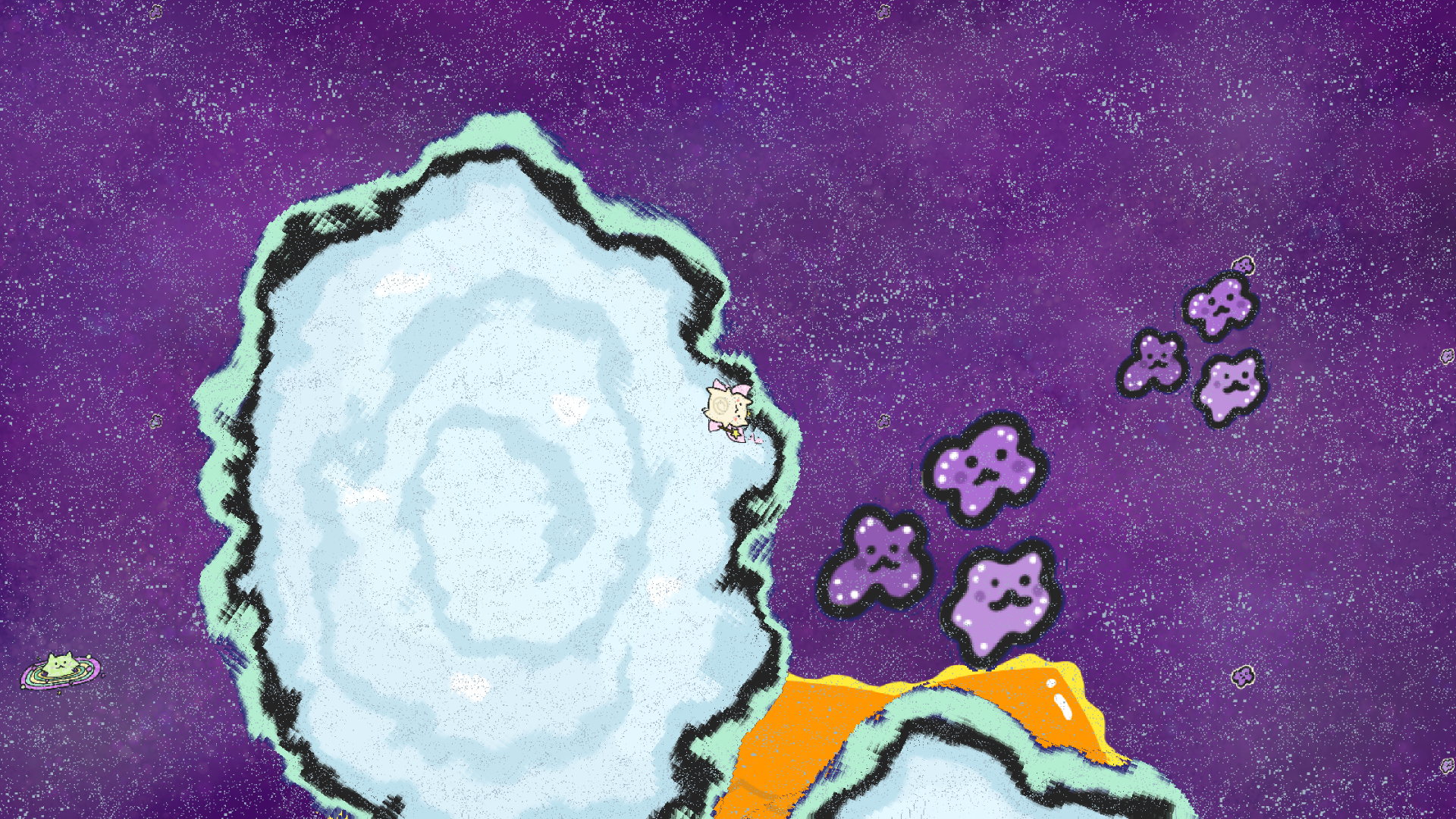
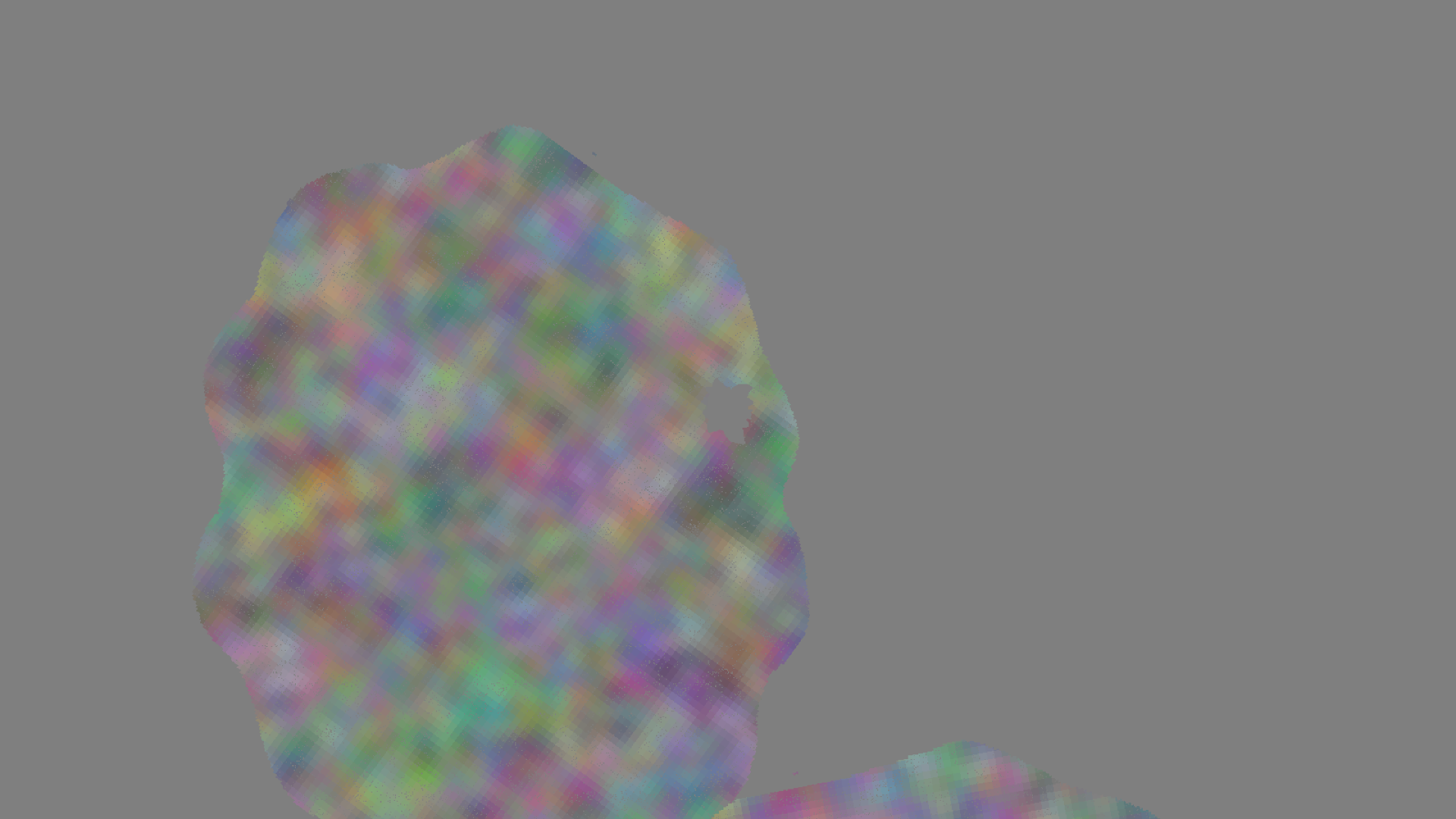
<p>I had lots of fun with the post processing. I am planning to write about a technique called ‘metatextures’ which can be used for papery edges in 3d rendering (the paper on it is <a href="https://research.google/pubs/real-time-non-photorealistic-animation-for-immersive-storytelling-in-age-of-sail/">here</a>). 
I took the noise texturing part of the technique and used it for a warping effect on the dream portals and the dream world.</p>

<div class="container">
<div class="item">
  <img src="/assets/img/posts/ggj2025/final.png" />
  <h3>Final Render</h3>
</div>
<div class="item">
  <img src="/assets/img/posts/ggj2025/noise.png" />
  <h3>Noise Buffer</h3>
</div>
</div>

<p>It works by displacing the pixels based on the value of the pixel in the noise buffer. The scene is rendered to a framebuffer with two colour attachments. By default the second attachment has the colour <code class="language-plaintext highlighter-rouge">(0.5, 0.5, 0.5, 1)</code>, which means a displacement of 0.</p>

<p>Any game objects that are of type <code class="language-plaintext highlighter-rouge">noise</code> sample their textures when rendered, and if the alpha value is 0, the fragment is discarded. Otherwise we use their uv coordinates to sample a noise texture, which is given an offset based on time for a ripple effect. This means any noise objects are drawn to the noise buffer with the same shape as their base texture.</p>

<p>In the post processing step the uv used to sample the colour buffer is offset by the value of the noise buffer (rescaled to the range <code class="language-plaintext highlighter-rouge">[-1, 1]</code>).</p>]]></content><author><name></name></author><category term="GameJam" /><summary type="html"><![CDATA[Fling a cat fairy around the sea of dreams, enter dream portals and collect bubbles. Made in 48 Hours for Global Game Jam 2025 using gficl my graphics library built in Common Lisp using OpenGL.]]></summary><media:thumbnail xmlns:media="http://search.yahoo.com/mrss/" url="https://noamzeise.com/assets/img/posts/thumbnails/ggj2025.png" /><media:content medium="image" url="https://noamzeise.com/assets/img/posts/thumbnails/ggj2025.png" xmlns:media="http://search.yahoo.com/mrss/" /></entry><entry><title type="html">Real Time Graphics Demos in Lisp</title><link href="https://noamzeise.com/demo/2024/09/19/lisp-graphics-examples.html" rel="alternate" type="text/html" title="Real Time Graphics Demos in Lisp" /><published>2024-09-19T00:00:00+00:00</published><updated>2024-09-19T00:00:00+00:00</updated><id>https://noamzeise.com/demo/2024/09/19/lisp-graphics-examples</id><content type="html" xml:base="https://noamzeise.com/demo/2024/09/19/lisp-graphics-examples.html"><![CDATA[<p>I’m working on a graphics library for common lisp and have built some short example programs to test features as they are added.
I present a collection of these demos and their source code below.</p>

<p>The library is designed to simplify some parts of opengl by wrapping common resources (textures, framebuffers, shaders …) in a class that makes creating, using, and freeing opengl resources easier and more consistent.
The library also supplies linear algebra types (vectors, matrices, quaternions) and common functions for them. 
Matrix and vector data can be passed to shaders easily.</p>

<!-- more -->

<p><a href="https://github.com/NoamZeise/gficl">Source code for the library on GitHub</a></p>

<h1 id="minimal-triangle">Minimal Triangle</h1>

<p><img src="/assets/img/posts/gficl-demos/triangle.png" alt="Triangle Example Screenshot" /></p>

<details>
<summary> source code for this example </summary>
<pre class="highlight"> <code>
(in-package :gficl-examples/minimum)

(defparameter *vert* "
#version 330
layout (location = 0) in vec2 vertex;

void main() {
  gl_Position = vec4(vertex, 0, 1);
}")
(defparameter *frag* "
#version 330
out vec4 colour;

void main() {
  colour = vec4(
    gl_FragCoord.x / 500, 
    gl_FragCoord.y / 300, 
    1, 1);
}")

(defun run ()
  (gficl:with-window (:title "minimum")
    (let 
      ;; setup resources	 
      ((shader (gficl:make-shader *vert* *frag*))
       (data (gficl:make-vertex-data
         (gficl:make-vertex-form 
           (list (gficl:make-vertex-slot 2 :float)))
          '(((0 0.9)) ((-0.9 -0.9)) ((0.9 -0.9))))))
		  
      (gficl:bind-gl shader)
      ;; main loop	  
      (loop until (gficl:closedp)
        ;; update
	    do (gficl:with-render ()
		 (gl:clear :color-buffer)
		 (gficl:draw-vertex-data data))
        ;; draw
	    do (gficl:with-update ()
		 (gficl:map-keys-pressed 
           (:escape (glfw:set-window-should-close)))))
		   
      ;; cleanup resources
      (gficl:delete-gl shader)
      (gficl:delete-gl data))))
</code></pre></details>

<p>This gives the most basic usage of the library and shows a general update/draw loop.
The program compiles a shader from vertex and fragment code and creates vertex data from hardcoded points.</p>

<p><code class="language-plaintext highlighter-rouge">with-window</code> wraps the function in a glfw window context. <code class="language-plaintext highlighter-rouge">delete-gl</code> is used to delete any opengl resource created with <code class="language-plaintext highlighter-rouge">make-xxx</code>. <code class="language-plaintext highlighter-rouge">bind-gl</code> can be used on any resource with which it makes sense, ie shaders, framebuffers, vertex data, textures.</p>

<h1 id="spinning-square">Spinning Square</h1>

<iframe width="560" height="315" src="https://www.youtube.com/embed/2GTn9IAMN3k?si=BMVG5k4tusJUWiXD" title="YouTube video player" frameborder="0" allow="accelerometer; autoplay; clipboard-write; encrypted-media; gyroscope; picture-in-picture; web-share" referrerpolicy="strict-origin-when-cross-origin" allowfullscreen=""></iframe>

<details>
<summary> source code for this example </summary>
<pre class="highlight"> <code>
(in-package :gficl-examples.quad-spin)

(defparameter *samples* 1)

(defparameter *fb-attachments*
  (list (gficl:make-attachment-description :color-attachment0)
	(gficl:make-attachment-description :depth-stencil-attachment)))
(defparameter *fb* nil)

;; shader
(defparameter *shader* nil)
;; shader input
(defparameter *vertex-format*
  (gficl:make-vertex-form
   (list (gficl:make-vertex-slot 2 :float)
	 (gficl:make-vertex-slot 2 :float))))
;; shader code
(defparameter *vert-shader*
  "#version 330
layout (location = 0) in vec2 vertex;
layout (location = 1) in vec2 inTexCoords;

out vec2 TexCoords;

uniform mat4 model;
uniform mat4 projection;

void main() {
    TexCoords = inTexCoords;
    gl_Position = projection * model * vec4(vertex, 0, 1);
}")
(defparameter *frag-shader*
  "#version 330

in vec2 TexCoords;
out vec4 colour;

uniform sampler2D tex;

void main() {
  colour = texture(tex, TexCoords);
}")
;; shader data
(defparameter *projection* nil)

;; object data
(defparameter *quad* nil)

(defparameter *tex* nil)
(defparameter *model* nil)
(defparameter *rot* nil)

(defparameter *bg-tex* nil)
(defparameter *bg-model* nil)

(defun setup ()
  (setf *shader* (gficl:make-shader *vert-shader* *frag-shader*))
  (gl:clear-color 0 0 0 0)
  (setf *samples* (min 16 (gl:get-integer :max-samples)))
  (if (&gt; *samples* 1) (gl:enable :multisample))
  (setf *fb* nil)
  
  (resize (gficl:window-width) (gficl:window-height))
  (gl:enable :depth-test)
  
  (setf *quad*
	(gficl:make-vertex-data
	 *vertex-format*
	 '(((0 0) (0 0))
	   ((1 0) (1 0))
	   ((1 1) (1 1))
	   ((0 1) (0 1)))
	 '(0 3 2 2 1 0)))
  (setf *tex*
	(gficl:make-texture-with-fn
	 10 10
	 #'(lambda (x y) (list (floor (* 255 (/ x 10))) (floor (* 255 (/ y 10))) 255 255))))
  (setf *bg-tex*
	(gficl:make-texture-with-fn
	 1000 1000
	 #'(lambda (x y)
	     (list (floor (* 200 (abs (sin (* x 0.002))))) (floor (* 200 (abs (cos (* y 0.002)))))
		   200 255))))
  
  (setf *model* (gficl:make-matrix))
  (setf *rot* 0))

(defun resize (w h)
  (if *fb* (gficl:delete-gl *fb*))
  (setf *fb* (gficl:make-framebuffer *fb-attachments* w h *samples*))
  (setf *bg-model* (gficl:scale-matrix (list w h 1)))
  (setf *projection* (gficl:screen-orthographic-matrix
    (gficl:window-width) (gficl:window-height))))

(defun cleanup ()
  (gficl:delete-gl *tex*)
  (gficl:delete-gl *bg-tex*)
  (gficl:delete-gl *shader*)
  (if *fb* (gficl:delete-gl *fb*))
  (gficl:delete-gl *quad*))

(defun render ()
  (gficl:with-render   
   (gficl:bind-gl *fb*)
   (gl:clear :color-buffer :depth-buffer)
   
   (gficl:bind-gl *shader*)
   (gl:active-texture :texture0)
   (gficl:bind-matrix *shader* "projection" *projection*)
   (gficl:bind-matrix *shader* "model" *model*)
   (gficl:bind-gl *tex*)
   (gficl:draw-vertex-data *quad*)
   (gficl:bind-matrix *shader* "model" *bg-model*)
   (gficl:bind-gl *bg-tex*)
   (gficl:draw-vertex-data *quad*)

   (gficl:blit-framebuffers *fb* 0 (gficl:window-width) (gficl:window-height))))

(defun update ()
  (gficl:with-update (dt)
    (if (gficl:key-pressed :escape) (glfw:set-window-should-close))		     
    (if (gficl:key-pressed :f) (gficl:toggle-fullscreen))
    (setf *rot* (+ *rot* (* dt 1)))
    (setf *model*
	  (let* ((w (gficl:window-width))
		 (h (gficl:window-height))
		 (size (* 0.7 (min w h)))
		 (half (/ size 2)))
	    (gficl:*mat
	     (gficl:translation-matrix (list (- (/ w 2) half) (- (/ h 2) half) 0.1))
	     (gficl:translation-matrix (list half half 0))
	     (gficl:2d-rotation-matrix *rot*)
	     (gficl:translation-matrix (list (- half) (- half) 0))
	     (gficl:scale-matrix (list size size 1)))))))

(defun run ()
  (gficl:with-window
   (:title "spinning quad" :width 500 :height 500 :resize-callback #'resize)
   (setup)
    (loop until (gficl:closed-p)
	  do (update)
	  do (render))
    (cleanup)))
</code></pre></details>

<p>This demo is used to show the creation and loading of a 2d
texture to the gpu. The texture is then applied to a quad.
It also showcases matrices and a multisampled framebuffer.</p>

<h1 id="3d-waves">3D Waves</h1>

<iframe width="560" height="315" src="https://www.youtube.com/embed/TmYnBcqdzwE?si=AMYwcXk7-Oaje-jX" title="YouTube video player" frameborder="0" allow="accelerometer; autoplay; clipboard-write; encrypted-media; gyroscope; picture-in-picture; web-share" referrerpolicy="strict-origin-when-cross-origin" allowfullscreen=""></iframe>

<details>
<summary> source code for this example </summary>
<pre class="highlight"> <code>
(in-package :gficl-examples.cube-wave)

(defparameter *cube-data*
  (list :verts
	'(((-1 -1 -1))
	  ((-1 -1  1))
	  ((-1  1 -1))
	  ((-1  1  1))
	  (( 1 -1 -1))
	  (( 1 -1  1))
	  (( 1  1 -1))
	  (( 1  1  1)))
	:indices
	'(2 1 0 1 2 3
	  4 5 6 7 6 5
	  0 1 4 5 4 1
	  6 3 2 3 6 7
	  4 2 0 2 4 6
	  1 3 5 7 5 3)))

(defparameter *main-vert-code*
  "#version 330
layout (location = 0) in vec3 vertex;

out vec3 pos;
out vec3 localpos;

uniform mat4 model;
uniform mat4 view;
uniform mat4 projection;

uniform int dim;
uniform float time;

float height(float x, float y) {
 return 0.4*length(vec3(x, 0, y))
      + 0.4*cos(4*time + (x * 0.7))
      + 0.4*sin(4*time + (y * 0.7)) 
      + 1*sin(1*time + (x * 0.3))
      + 3*sin(0.4*time + (x * 0.1))
      + 3*cos(0.4*time + (y * 0.1))
      - 14;
}

void main() {
 localpos = vec3(model * vec4(vertex, 1));
 int x = 2 * (gl_InstanceID / dim) - dim;
 int y = 2 * (gl_InstanceID % dim) - dim;
 pos = vec3(x, height(x, y), y) + localpos;
 gl_Position = projection * view * vec4(pos, 1);}")

(defparameter *main-frag-code*
  "#version 330
in vec3 pos;
in vec3 localpos;
out vec4 colour;

void main() {
  colour = vec4(localpos.y * 0.2 - 0.45);
  colour += vec4(sin(0.05*pos.x), 2*sin(0.02*pos.y), sin(0.05*pos.z), 1);
  colour *= sinh(localpos.x - localpos.z)*0.04 + 1;}")

(defparameter *cube* nil)
(defparameter *fb* nil)
(defparameter *main-shader* nil)

(defparameter *view* nil)

;; camera
(defparameter *forward* nil)
(defparameter *position* nil)
(defparameter *target* nil)
(defparameter *world-up* nil)

(defparameter *time* nil)
(defparameter *cubes-dim* nil)

(defun setup ()
  (setf *cube* (gficl:make-vertex-data
		(gficl:make-vertex-form (list (gficl:make-vertex-slot 3 :float)))
		(getf *cube-data* :verts) (getf *cube-data* :indices)))
  (setf *main-shader* (gficl:make-shader *main-vert-code* *main-frag-code*))
  (setf *cubes-dim* 50)
  (gficl:bind-gl *main-shader*)
  (gl:uniformi (gficl:shader-loc *main-shader* "dim") *cubes-dim*)
  (gficl:bind-matrix *main-shader* "model" (gficl:scale-matrix '(1 5 1)))
  
  (setf *fb* nil)
  (resize (gficl:window-width) (gficl:window-height))
  (setf *view* (gficl:make-matrix))

  (setf *world-up* (gficl:make-vec '(0 1 0)))
  (setf *position* (gficl:make-vec'(20 14 20)))
  (setf *target* (gficl:make-vec '(0 -20 0)))
  (setf *time* 0)
  (update-view 0)
  (gl:enable :cull-face :depth-test :multisample))

(defun resize (w h)
  (gficl:bind-gl *main-shader*)
  (gficl:bind-matrix *main-shader* "projection"
    (gficl::screen-perspective-matrix w h (* pi 0.4) 0.1))
  (if *fb* (gficl:delete-gl *fb*))
  (setf *fb* (gficl:make-framebuffer
	      (list (gficl:make-attachment-description :color-attachment0)
		    (gficl:make-attachment-description :depth-stencil-attachment))
	      w h (min 4 (gl:get-integer :max-samples)))))

(defun cleanup ()
  (gficl:delete-gl *cube*)
  (gficl:delete-gl *main-shader*)
  (gficl:delete-gl *fb*))

(defun update-view (dt)
  (setf *position*
	(gficl:quat-conjugate-vec (gficl:make-unit-quat (* 0.1 dt) *world-up*) *position*))
  (setf *forward* (gficl:-vec *target* *position*))
  (setf *view* (gficl::view-matrix *position* *forward* *world-up*)))

(defun update ()
  (gficl:with-update (dt)
    (setf *time* (+ *time* dt))
    
    (gficl:map-keys-pressed
     ((:escape (glfw:set-window-should-close))
      (:f (gficl:toggle-fullscreen))))
    
    (gficl:map-keys-down
     ((:up (setf *position*   (gficl:+vec *position* (gficl:*vec (*  0.2 dt) *forward*))))	
      (:down (setf *position* (gficl:+vec *position* (gficl:*vec (* -0.2 dt) *forward*))))
      (:space
       (setf *position*
	     (gficl:+vec *position*
			 (gficl:*vec (* 0.3 dt (gficl:magnitude *forward*)) *world-up*))))
      (:left-shift
       (setf *position*
	     (gficl:+vec *position*
			 (gficl:*vec (* -0.3 dt (gficl:magnitude *forward*)) *world-up*))))))      
    (update-view dt)))

(defun draw ()
  (gficl:with-render
   (gficl:bind-gl *fb*)
   (gl:clear :color-buffer :depth-buffer)
   (gficl:bind-gl *main-shader*)
   (gficl:bind-matrix *main-shader* "view" *view*)
   (gl:uniformf (gficl:shader-loc *main-shader* "time") *time*)
   (gficl:draw-vertex-data *cube* :instances (* *cubes-dim* *cubes-dim*))
   (gficl:blit-framebuffers *fb* 0 (gficl:window-width) (gficl:window-height))))

(defun run ()
  (gficl:with-window
   (:title "cube-waves" :width 600 :height 400 :resize-callback #'resize)
   (setup)
   (loop until (gficl:closed-p)
	 do (update)
	 do (draw))
   (cleanup)))
</code></pre></details>

<p>This demo uses a 3d camera with perspective projection, and instance rendered cubes. 
For this demo I expanded matrix functionality and implemented
a perspective projection matrix function.
The cube field undulates using a series of trig functions with time as it parameter.</p>

<p>Youtube compresses this demo badly, 
heres a screenshot for a better picture.</p>

<p><img src="/assets/img/posts/gficl-demos/cube-wave.png" alt="cube wave screenshot" /></p>

<h1 id="post-processing">Post Processing</h1>

<iframe width="560" height="315" src="https://www.youtube.com/embed/4DxTZkbhUhw?si=fqvUKl2Ully45i6-" title="YouTube video player" frameborder="0" allow="accelerometer; autoplay; clipboard-write; encrypted-media; gyroscope; picture-in-picture; web-share" referrerpolicy="strict-origin-when-cross-origin" allowfullscreen=""></iframe>

<details>
<summary> source code for this example </summary>
<pre class="highlight"> <code>
(in-package :gficl-examples.post-processing)

(defparameter *main-vert*
  "#version 330
layout (location = 0) in vec3 position;

uniform mat4 model;
uniform mat4 view;
uniform mat4 projection;

out vec3 pos;

void main() {
  pos = position;
  gl_Position = projection * view * model * vec4(pos, 1);
}")

(defparameter *main-frag*
  "#version 330
in vec3 pos;
out vec4 colour;

void main() {
   vec3 p = (pos + vec3(3)) * 0.2;
   colour = vec4(p.x, p.y, p.z, 1);
}")

(defparameter *post-vert*
  "#version 330
out vec2 uv;
uniform mat4 transform;
void main() {
  uv = vec2((gl_VertexID &lt;&lt; 1) &amp; 2, gl_VertexID &amp; 2);
  gl_Position = transform * vec4(uv * 2.0f - 1.0f, 0.0f, 1.0f);
}")

(defparameter *post-frag*
  "#version 330
in vec2 uv;
out vec4 colour;
uniform sampler2D screen;
void main() { 
  if(uv.x &gt; 1 || uv.y &gt; 1 || uv.x &lt; 0 || uv.y &lt; 0) discard;

  // posterise
  colour = texture(screen, uv);
  int colour_count = 8;
  colour *= colour_count;
  for(int i = 0; i &lt; 4; i++)
    colour[i] = floor(colour[i]);
  colour /= colour_count;
  
  // edge detection
  mat3 edge_ker = mat3(
      1,  1, 1,
      1, -8, 1,
      1,  1, 1
  );  
  float offset = 1.0/200;
  float edge_intensity = 0;
  for(int x = 0; x &lt; 3; x++) {
    for(int y = 0; y &lt; 3; y++) {
      vec4 col = texture(screen, uv + (x-1) * vec2(offset,0) 
                                    + (y-1) * vec2(0,offset));
      edge_intensity += ((col.r + col.g + col.b)/3) * edge_ker[x][y];
    }
  } 
  edge_intensity = step(0.1, edge_intensity);
  colour *= vec4(1) - vec4(edge_intensity);

  // dot pattern
  float amount = 800;
  colour *= 1.1;
  colour += 0.1f;
  colour *= step(0.1, sin(uv.x*amount*1.4) + cos(uv.y*amount))*0.6 + 0.4;
}")

(defparameter *cube-data*
  (list :verts
	'(((-1 -1 -1))
	  ((-1 -1  1))
	  ((-1  1 -1))
	  ((-1  1  1))
	  (( 1 -1 -1))
	  (( 1 -1  1))
	  (( 1  1 -1))
	  (( 1  1  1)))
	:indices
	'(2 1 0 1 2 3
	  4 5 6 7 6 5
	  0 1 4 5 4 1
	  6 3 2 3 6 7
	  4 2 0 2 4 6
	  1 3 5 7 5 3)))

(defparameter *samples* nil)

;; normal render
(defparameter *target-width* 1000)
(defparameter *target-height* 700)
(defparameter *fixed-target* nil)
(defparameter *offscreen-w* nil)
(defparameter *offscreen-h* nil)
(defparameter *main-shader* nil)
(defparameter *offscreen-fb* nil)
(defparameter *resolve-fb* nil)

;; post-processing 
(defparameter *dummy-vert* nil)
(defparameter *post-shader* nil)

;; scene
(defparameter *cube* nil)
(defparameter *world-up* (gficl:make-vec '(0 0 1)))
(defparameter *position* nil)
(defparameter *target* nil)

(defun setup ()
  (setf *fixed-target* t)
  (setf *resolve-fb* nil)
  (setf *offscreen-fb* nil)
  (setf *samples* (min 8 (gl:get-integer :max-samples)))  
  (setf *main-shader* (gficl:make-shader *main-vert* *main-frag*))
  (gficl:bind-gl *main-shader*)
  (gficl:bind-matrix *main-shader* "model" (gficl:make-matrix))

  (setf *cube* (gficl:make-vertex-data
		(gficl:make-vertex-form (list (gficl:make-vertex-slot 3 :float)))
		(getf *cube-data* :verts) (getf *cube-data* :indices)))
  
  (setf *post-shader* (gficl:make-shader *post-vert* *post-frag*))
  (gficl:bind-gl *post-shader*)
  (gl:uniformi (gficl:shader-loc *post-shader* "screen") 0)

  (setf *dummy-vert*
	(gficl:make-vertex-data (gficl:make-vertex-form (list (gficl:make-vertex-slot 1 :int)))
				'(((0))) '(0 0 0)))

  (setf *position* (gficl:make-vec '(5 2 3)))
  (setf *target* (gficl:make-vec '(0 0 0)))
  (if *fixed-target* (make-offscreen *target-width* *target-height*))
  (resize (gficl:window-width) (gficl:window-height)))

(defun resize (w h)
  (if (not *fixed-target*) (make-offscreen w h))
  (gficl:bind-gl *post-shader*)
  (gficl:bind-matrix *post-shader* "transform"
		     (gficl:target-resolution-matrix *offscreen-w* *offscreen-h* w h)))

(defun make-offscreen (w h)
  (setf *offscreen-w* w)
  (setf *offscreen-h* h)
  (if *resolve-fb* (gficl:delete-gl *resolve-fb*))
  (setf *resolve-fb* nil)
  (if (&gt; *samples* 1)
      (setf *resolve-fb*
	    (gficl:make-framebuffer
	     (list (gficl:make-attachment-description :color-attachment0 :texture))
	     w h)))
  (if *offscreen-fb* (gficl:delete-gl *offscreen-fb*))
  (setf *offscreen-fb* nil)
  (setf *offscreen-fb*
	(gficl:make-framebuffer
	 (list (gficl:make-attachment-description :color-attachment0
						  (if *resolve-fb* :renderbuffer :texture))
	       (gficl:make-attachment-description :depth-stencil-attachment))
	 w h *samples*))
  (gficl:bind-gl *main-shader*)
  (gficl:bind-matrix *main-shader* "projection"
		     (gficl:screen-perspective-matrix w h 1 0.1)))

(defun cleanup ()
  (gficl:delete-gl *cube*)
  (if *resolve-fb* (gficl:delete-gl *resolve-fb*))
  (gficl:delete-gl *offscreen-fb*)  
  (gficl:delete-gl *main-shader*)
  (gficl:delete-gl *post-shader*)
  (gficl:delete-gl *dummy-vert*))

(defun update ()
  (gficl:with-update (dt)
    (gficl:map-keys-pressed
     ((:escape (glfw:set-window-should-close))
      (:f (gficl:toggle-fullscreen))))
    (gficl:bind-gl *main-shader*)
    (setf *position* (gficl:rotate-vec *position* (* dt 0.3) *world-up*))    
    (gficl:bind-matrix *main-shader* "view"
		       (gficl:view-matrix *position* (gficl:-vec '(0 0 0) *position*) *world-up*))))

(defun draw ()
  (gficl:with-render
   (draw-offscreen)
   (draw-post)))

(defun draw-offscreen ()
  (gficl:bind-gl *offscreen-fb*)
  (gl:viewport 0 0 *offscreen-w* *offscreen-h*)
  (gl:clear-color 0.4 0.5 0 0)
  (gl:clear :color-buffer :depth-buffer)
  (gl:enable :depth-test)
  (if *resolve-fb* (gl:enable :multisample))
  (gficl:bind-gl *main-shader*)
  (gficl:draw-vertex-data *cube*)
  (if *resolve-fb*
      (gficl:blit-framebuffers *offscreen-fb* *resolve-fb* *offscreen-w* *offscreen-h*)))

(defun draw-post ()
  (gl:bind-framebuffer :framebuffer 0)
  (gl:viewport 0 0 (gficl:window-width) (gficl:window-height))
  (gl:clear-color 0 0 0 0)
  (gl:clear :color-buffer)
  (gl:disable :depth-test :multisample)
  (gficl:bind-gl *post-shader*)
  (gl:active-texture :texture0)
  (gl:bind-texture :texture-2d
		   (gficl:framebuffer-texture-id (if *resolve-fb* *resolve-fb* *offscreen-fb*) 0))
  (gficl:bind-gl *dummy-vert*)
  (gl:draw-arrays :triangles 0 3))

(defun run ()
  (gficl:with-window
   (:title "post processing"
	   :width *target-width* :height *target-height* :resize-callback #'resize)
   (setup)
   (loop until (gficl:closed-p)
	 do (update)
	 do (draw))
   (cleanup)))
</code></pre></details>

<p>This demo uses a framebuffer texture as a render target,
which is then rendered onto the final screen backbuffer.
The final pass adds a posterisation and edge detection effect,
as well as a dot effect. It also boosts the saturation and brightness.
For this demo I added framebuffer texture targets.</p>

<p>The post process buffer uses dummy vertex data, the shader renders a single triangle using the vertex_id to calculate the position and uv coords.</p>

<div class="container">
<div class="item">
  <img src="/assets/img/posts/gficl-demos/pp-base.png" />
  <h3>Base Image</h3>
</div>
<div class="item">
  <img src="/assets/img/posts/gficl-demos/pp-posterise.png" />
  <h3>Posterised</h3>
</div>
<div class="item">
  <img src="/assets/img/posts/gficl-demos/pp-outline.png" />
  <h3>Outline</h3>
</div>
<div class="item">
  <img src="/assets/img/posts/gficl-demos/pp-outline-combined.png" />
  <h3>Base with Outline</h3>
</div>
<div class="item">
  <img src="/assets/img/posts/gficl-demos/pp-dots.png" />
  <h3>Dots</h3>
</div>
<div class="item">
  <img src="/assets/img/posts/gficl-demos/pp-final.png" />
  <h3>Final Combined Image</h3>
</div>
</div>

<h1 id="model-with-gooch-shading">Model With Gooch Shading</h1>

<iframe width="560" height="315" src="https://www.youtube.com/embed/7oUUJJcnfLg?si=GZyqjJKK29EUcSJz" title="YouTube video player" frameborder="0" allow="accelerometer; autoplay; clipboard-write; encrypted-media; gyroscope; picture-in-picture; web-share" referrerpolicy="strict-origin-when-cross-origin" allowfullscreen=""></iframe>

<details>
<summary> source code for this example </summary>
<pre class="highlight"> <code>
(in-package :gficl-examples.model-loading)

(defparameter *bunny-path* #p"examples/assets/bunny.obj")

(defparameter *vertex-data-form*
	      (gficl:make-vertex-form
	       (list (gficl:make-vertex-slot 3 :float)
		     (gficl:make-vertex-slot 3 :float))))

(defparameter *main-vert-code*
	      "#version 330
layout (location = 0) in vec3 vertex;
layout (location = 1) in vec3 normal;

out vec3 pos;
out vec3 normal_vec;

uniform mat4 model;
uniform mat4 normal_mat;
uniform mat4 view;
uniform mat4 projection;

void main() {
 vec4 world_pos = model * vec4(vertex, 1);
 pos = vec3(world_pos);
 normal_vec = vec3(normal_mat * vec4(normal, 1));
 gl_Position = projection * view * world_pos;}")

(defparameter *main-frag-code*
  "#version 330
in vec3 pos;
in vec3 normal_vec;
out vec4 colour;

uniform vec3 cam;

void main() {
  // shading constants
  vec3 object_colour = vec3(1);
  vec3 cool = vec3(0.2, 0, 0.55) + 0.25*object_colour;
  vec3 warm = vec3(0.5, 0.3, 0) + 0.5*object_colour;
  vec3 highlight = vec3(1, 0.8, 0.2);
  float specular = 30.0f;
  
  vec3 n = normalize(normal_vec);
  vec3 l = -vec3(0, 0.2, -1); // light direction
  vec3 v = normalize(cam - pos);

  // gooch shading
  float t = (dot(n,l) + 1)/2.0;
  vec3 r = -reflect(l,n);
  float s = clamp(pow(dot(r,v), specular), 0, 1);
  vec3 base = mix(cool, warm,  t);
  vec3 shaded = mix(base, highlight, s);
  
  // edge outline
  float edge_amount = dot(n, v);
  float thickness = 0.23;
  edge_amount = clamp(edge_amount, 0, thickness)*(1/thickness);
  vec3 edge = vec3(edge_amount);

  colour = vec4(shaded*edge, 1);
}")

(defparameter *bunny* nil)
(defparameter *fb* nil)
(defparameter *main-shader* nil)

(defparameter *view* nil)

;; camera
(defparameter *forward* nil)
(defparameter *position* nil)
(defparameter *target* nil)
(defparameter *world-up* nil)

(defun setup ()
  (let* ((bunny-mesh (car (obj:extract-meshes (obj:parse (probe-file *bunny-path*))))))
    (setf *bunny* (gficl:make-vertex-data-from-vectors
		   *vertex-data-form*
		   (obj:vertex-data bunny-mesh)
		   (obj:index-data bunny-mesh))))
  (setf *main-shader* (gficl:make-shader *main-vert-code* *main-frag-code*))
  (gl:clear-color 0.8 0.5 0 0)
  (gficl:bind-gl *main-shader*)
  (let ((mat (gficl:scale-matrix '(5 5 5))))
    (gficl:bind-matrix *main-shader* "model" mat)
    (gficl:bind-matrix *main-shader* "normal_mat"
		       (gficl:transpose-matrix
			(gficl:inverse-matrix mat))))
  
  (setf *fb* nil)
  (resize (gficl:window-width) (gficl:window-height))
  (setf *view* (gficl:make-matrix))

  (setf *world-up* (gficl:make-vec '(0 1 0)))
  (setf *position* (gficl:make-vec'(5 1 5)))
  (setf *target* (gficl:make-vec '(0 0 0)))
  (update-view 0)
  (gl:enable :cull-face :depth-test :multisample)
  (gl:cull-face :front))

(defun resize (w h)
  (gficl:bind-gl *main-shader*)
  (gficl:bind-matrix *main-shader* "projection"
    (gficl::screen-perspective-matrix w h (* pi 0.4) 0.1))
  (if *fb* (gficl:delete-gl *fb*))
  (setf *fb* (gficl:make-framebuffer
	      (list (gficl:make-attachment-description :color-attachment0)
		    (gficl:make-attachment-description :depth-stencil-attachment))
	      w h (min 4 (gl:get-integer :max-samples)))))

(defun cleanup ()
  (gficl:delete-gl *bunny*)
  (gficl:delete-gl *main-shader*)
  (gficl:delete-gl *fb*))

(defun update-view (dt)
  (setf *position*
	(gficl:quat-conjugate-vec (gficl:make-unit-quat (* 0.1 dt) *world-up*) *position*))
  (setf *forward* (gficl:-vec *target* *position*))
  (setf *view* (gficl::view-matrix *position* *forward* *world-up*)))

(defun update ()
  (gficl:with-update (dt)
    
    (gficl:map-keys-pressed
     ((:escape (glfw:set-window-should-close))
      (:f (gficl:toggle-fullscreen))))
    
    (gficl:map-keys-down
     ((:up (setf *position*   (gficl:+vec *position* (gficl:*vec (*  0.2 dt) *forward*))))	
      (:down (setf *position* (gficl:+vec *position* (gficl:*vec (* -0.2 dt) *forward*))))
      (:space
       (setf *position*
	     (gficl:+vec *position*
			 (gficl:*vec (* 0.3 dt (gficl:magnitude *forward*)) *world-up*))))
      (:left-shift
       (setf *position*
	     (gficl:+vec *position*
			 (gficl:*vec (* -0.3 dt (gficl:magnitude *forward*)) *world-up*))))))      
    (update-view dt)))

(defun draw ()
  (gficl:with-render
   (gficl:bind-gl *fb*)
   (gl:clear :color-buffer :depth-buffer)
   (gficl:bind-gl *main-shader*)
   (gficl:bind-matrix *main-shader* "view" *view*)
   (gficl::internal-bind-vec *main-shader* "cam" *position*)
   (gficl:draw-vertex-data *bunny*)
   (gficl:blit-framebuffers *fb* 0 (gficl:window-width) (gficl:window-height))))

(defun run ()
  (gficl:with-window
   (:title "bunny viewer" :width 600 :height 400 :resize-callback #'resize)
   (setup)
   (loop until (gficl:closed-p)
	 do (update)
	 do (draw))
   (cleanup)))
</code></pre></details>

<p>This example loads a wavefront model using a library,
and renders it using gooch shading with an outline effect based on surfae normal direction.
For this example I added the ability to invert and transpose matrices.
This is because surface normals need to be transformed 
by the transpose of the inverse of the model matrix to avoid deformation.</p>

<p>Gooch shading is a simple rendering method for technical illustraction. The paper introducing the technique can be found <a href="pre-window-fn">here</a>.</p>]]></content><author><name></name></author><category term="Demo" /><summary type="html"><![CDATA[I’m working on a graphics library for common lisp and have built some short example programs to test features as they are added. I present a collection of these demos and their source code below. The library is designed to simplify some parts of opengl by wrapping common resources (textures, framebuffers, shaders …) in a class that makes creating, using, and freeing opengl resources easier and more consistent. The library also supplies linear algebra types (vectors, matrices, quaternions) and common functions for them. Matrix and vector data can be passed to shaders easily.]]></summary><media:thumbnail xmlns:media="http://search.yahoo.com/mrss/" url="https://noamzeise.com/assets/img/posts/thumbnails/gficl-demos.png" /><media:content medium="image" url="https://noamzeise.com/assets/img/posts/thumbnails/gficl-demos.png" xmlns:media="http://search.yahoo.com/mrss/" /></entry><entry><title type="html">A Mini Monitor for a Pi</title><link href="https://noamzeise.com/2024/07/05/mini-monitor.html" rel="alternate" type="text/html" title="A Mini Monitor for a Pi" /><published>2024-07-05T00:00:00+00:00</published><updated>2024-07-05T00:00:00+00:00</updated><id>https://noamzeise.com/2024/07/05/mini-monitor</id><content type="html" xml:base="https://noamzeise.com/2024/07/05/mini-monitor.html"><![CDATA[<iframe width="560" height="315" src="https://www.youtube.com/embed/gbHuuyuoWV4?si=4B0SEbSTGQN93xAy" title="YouTube video player" frameborder="0" allow="accelerometer; autoplay; clipboard-write; encrypted-media; gyroscope; picture-in-picture; web-share" referrerpolicy="strict-origin-when-cross-origin" allowfullscreen=""></iframe>

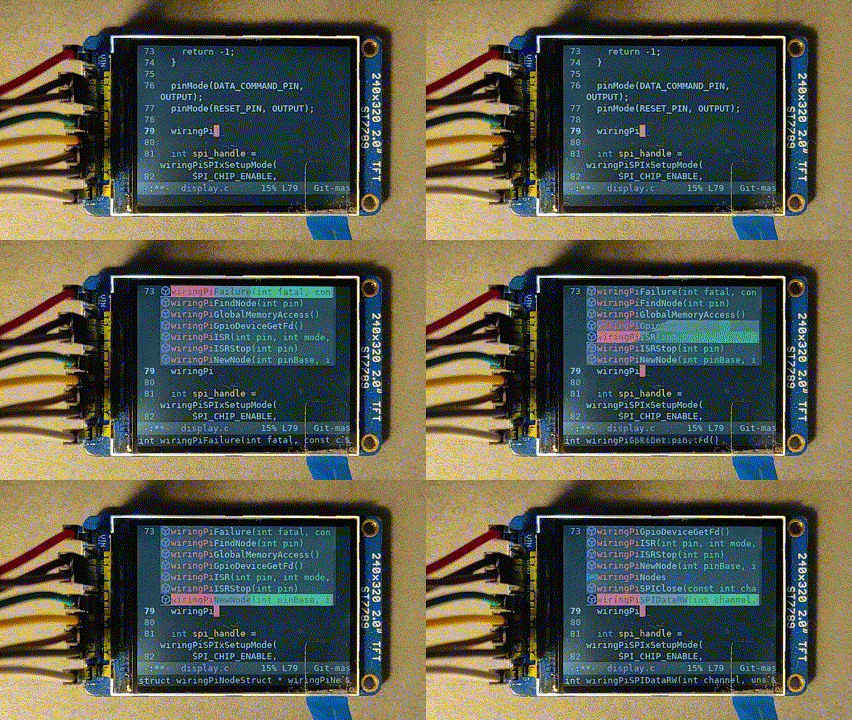
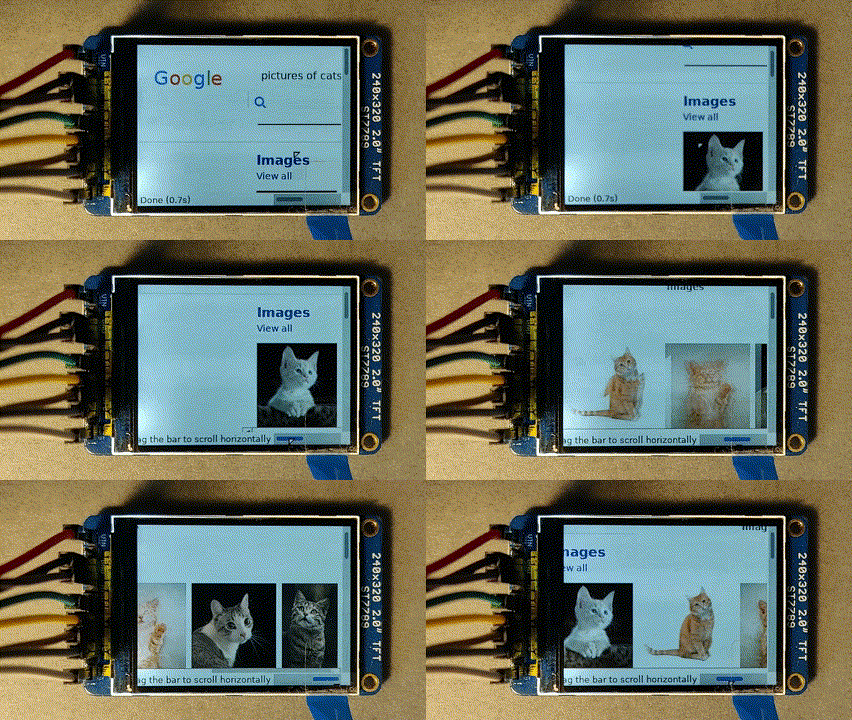
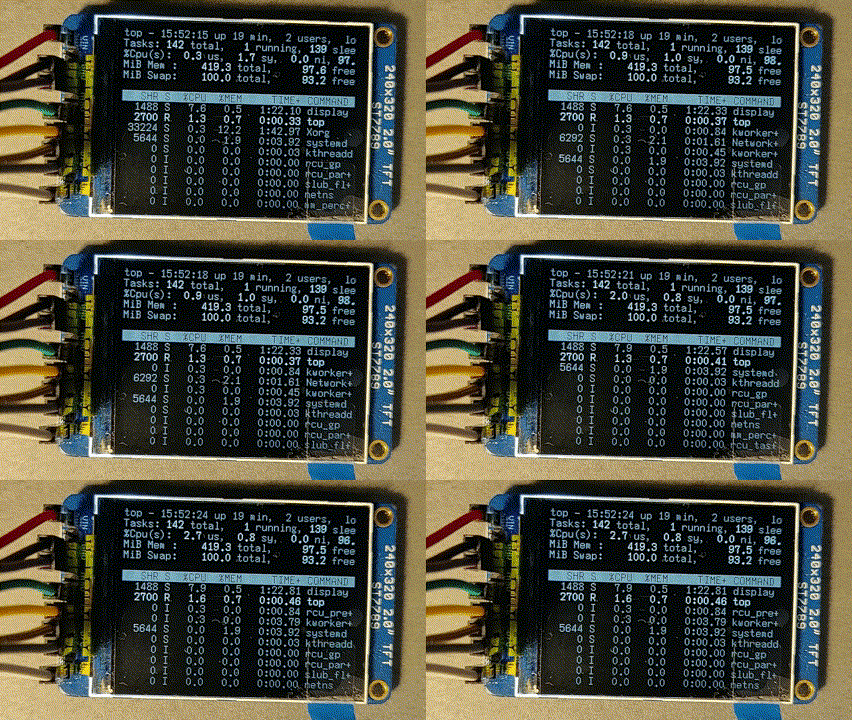
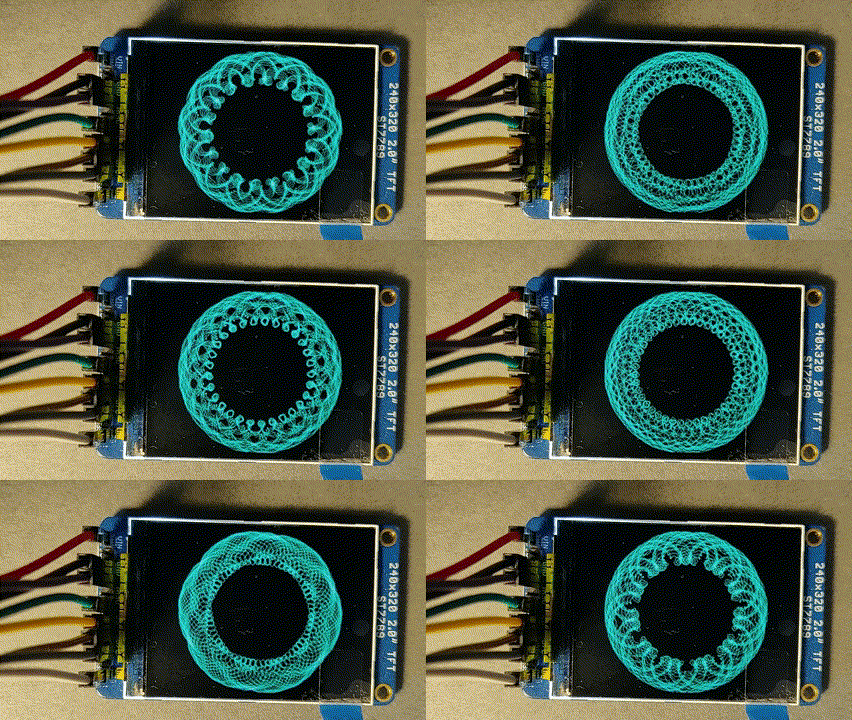
<p>This post outlines how I used a small 2 inch display as a
monitor for my pi. Where it can display tty terminals and 
X desktops and applications as if it was a normal screen
connected over hdmi.</p>

<p>My overall goal is to have a sort of handheld “console” that I 
can connect a keyboard to and use as a normal computer.
This post implements the display functionality needed to
fulfill part of the goal.</p>

<p>I lay out the steps needed for interacting with the display over
spi and the issues I encountered trying to use it like a monitor. 
The end result is a system service that runs
on startup, consuming 2.5 mb of ram and ~2% of the CPU.
It also respects the X display power management system (dpms) to
save on battery life by going to sleep and turning the backlight off.</p>

<!-- more -->

<div class="container">
<div class="item">
  <img src="/assets/img/posts/tft-display/x-screensaver.gif" />
  <p>an x screensaver</p>
</div>
<div class="item">
  <img src="/assets/img/posts/tft-display/using-emacs.gif" />
  <p>code editing</p>
</div>
<div class="item">
  <img src="/assets/img/posts/tft-display/browsing-web.gif" />
  <p>web browsing</p>
</div>
<div class="item">
  <img src="/assets/img/posts/tft-display/using-top.gif" />
  <p>using the terminal</p>
</div>
</div>

<p><a href="https://github.com/NoamZeise/pi-spi-display/tree/master">Source code</a> for the display mirroring program.</p>

<p>Below I outline the journey of how I created the mirroring program.
At the end I also include instructions so you can set up your hardware in the same way.</p>

<h2 id="hardware">Hardware</h2>

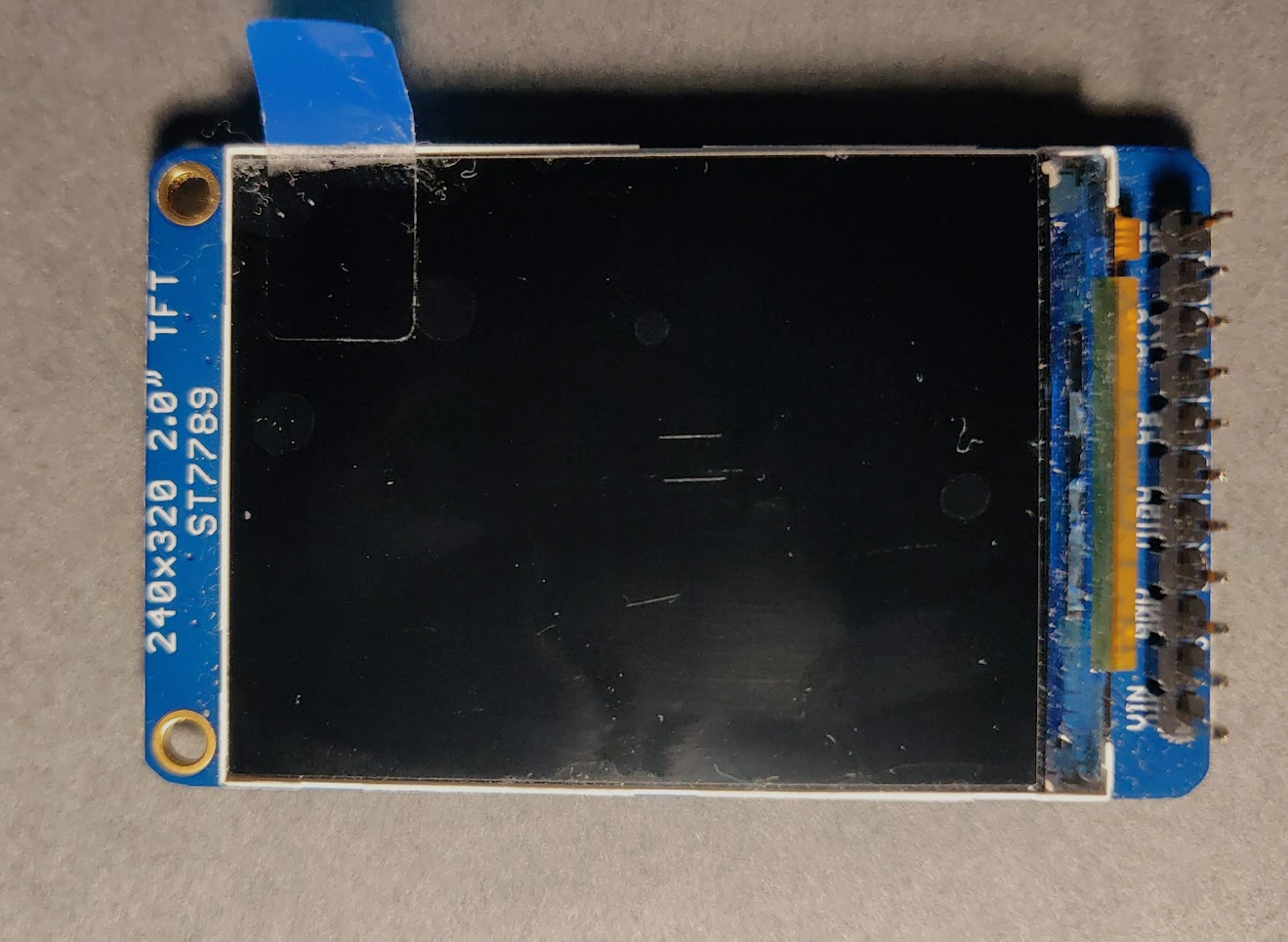
<p>I have a 2 inch 240x320 ips tft display sold by adafruit, driven by an ST7789 controller by Sitronix. It cost around £20 when I bought it.</p>

<p><img src="/assets/img/posts/tft-display/display.jpg" alt="The tft display from the front" /></p>

<p>The info on how to interact with the display with commands and 
data, is in <a href="https://www.buydisplay.com/download/ic/ST7789.pdf">the display datasheet</a>.
Which was my source of information for writing the code which interacts with the display.
Adafruit also has some docs, but they are unspecific and don’t say very much.</p>

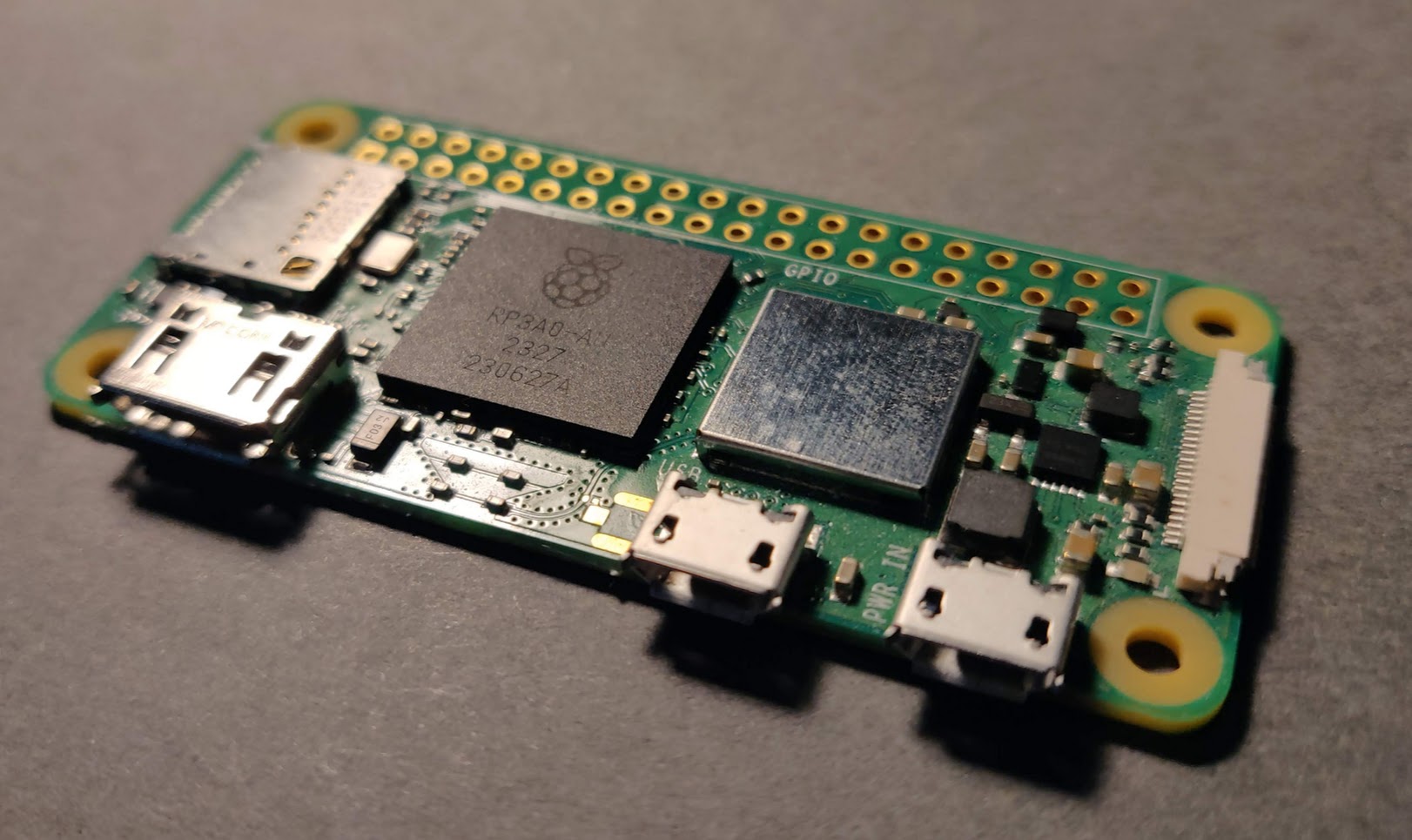
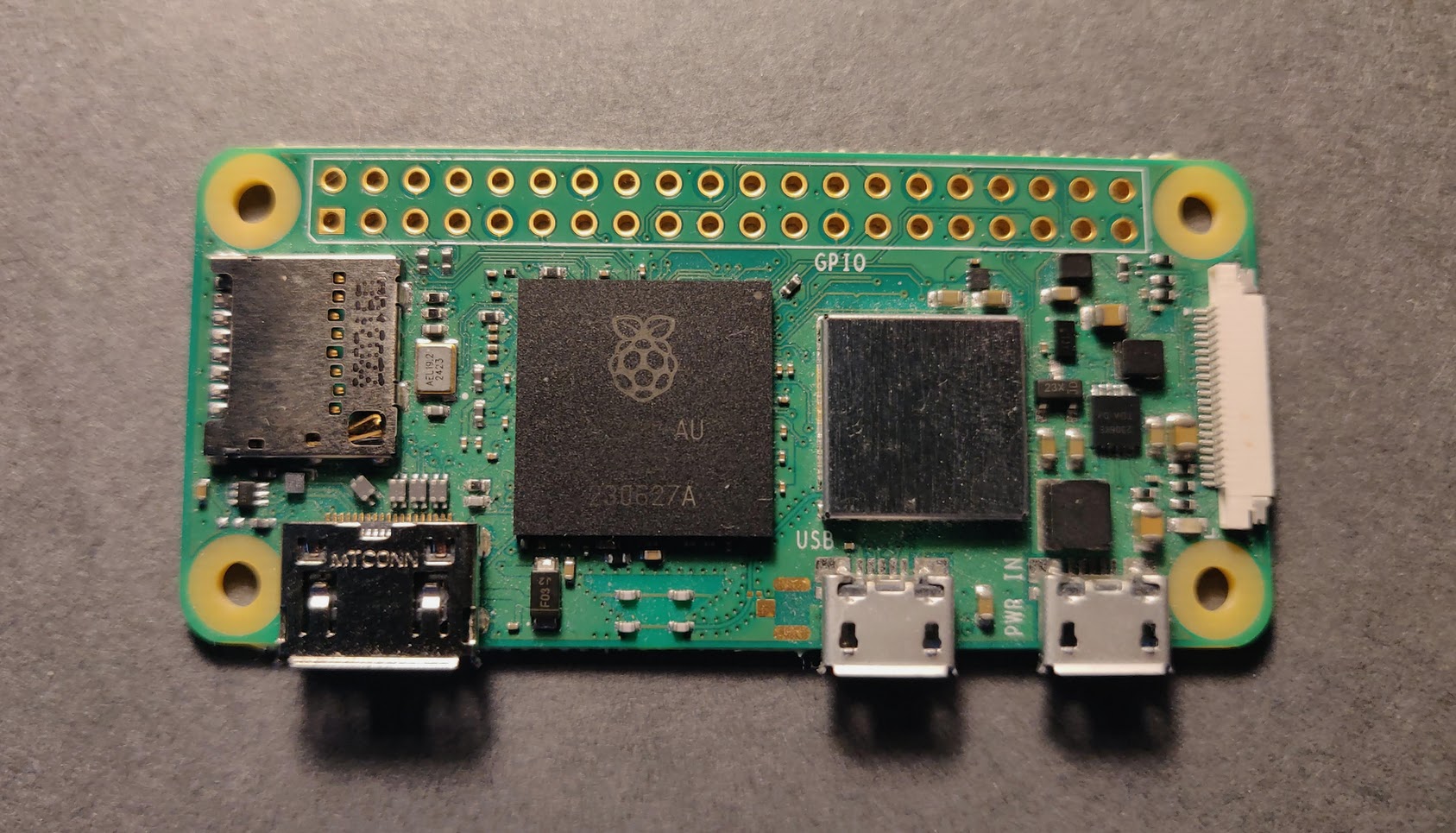
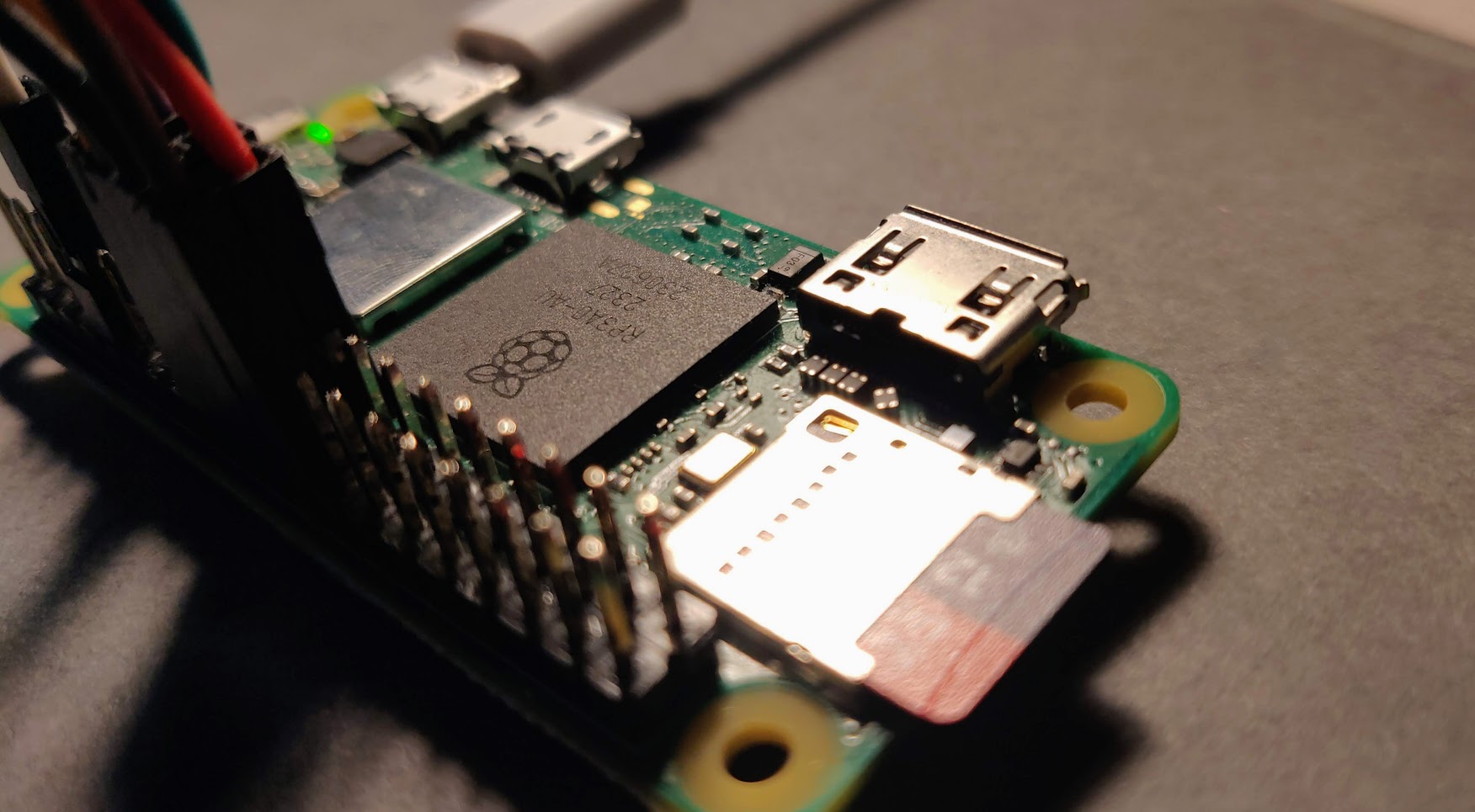
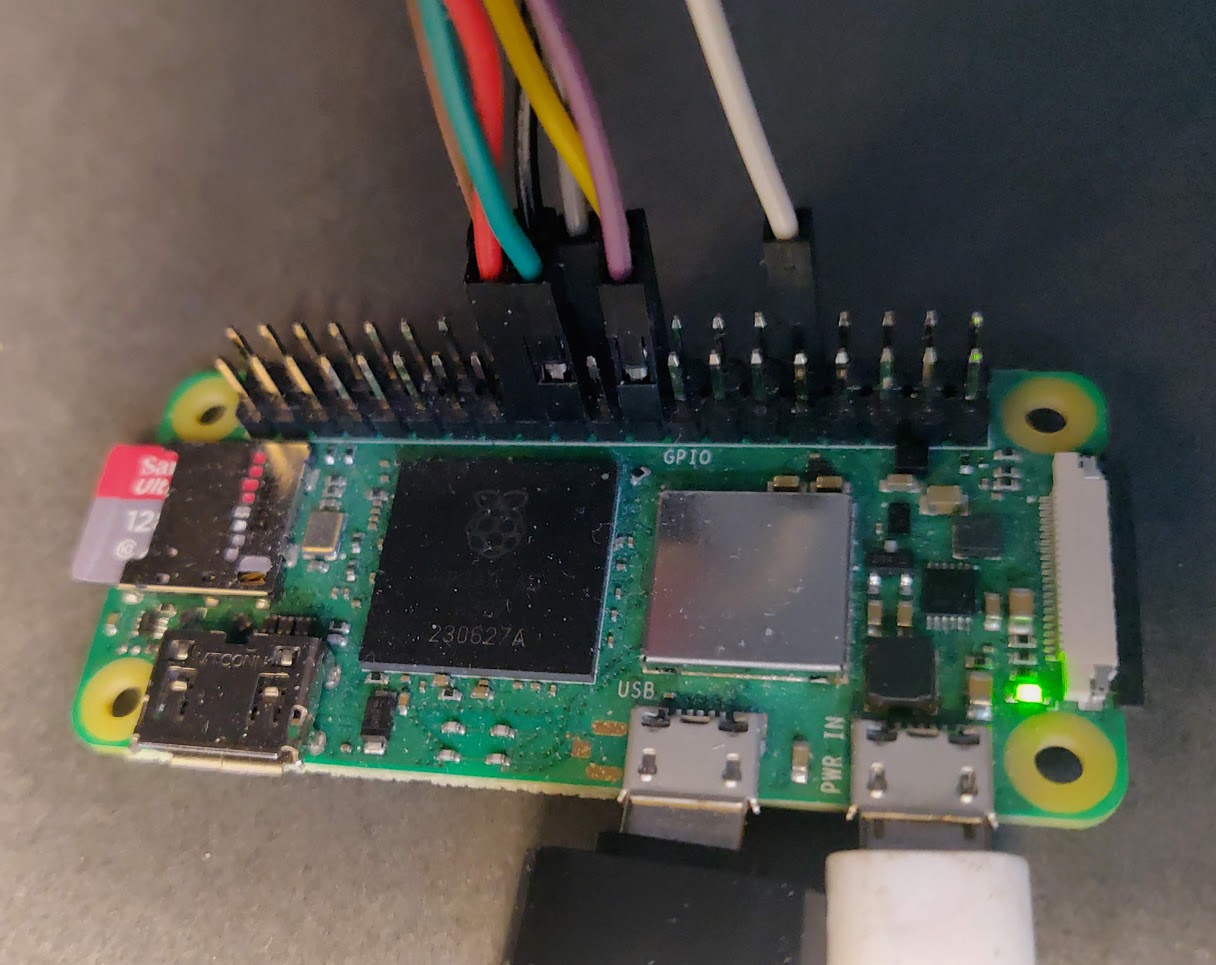
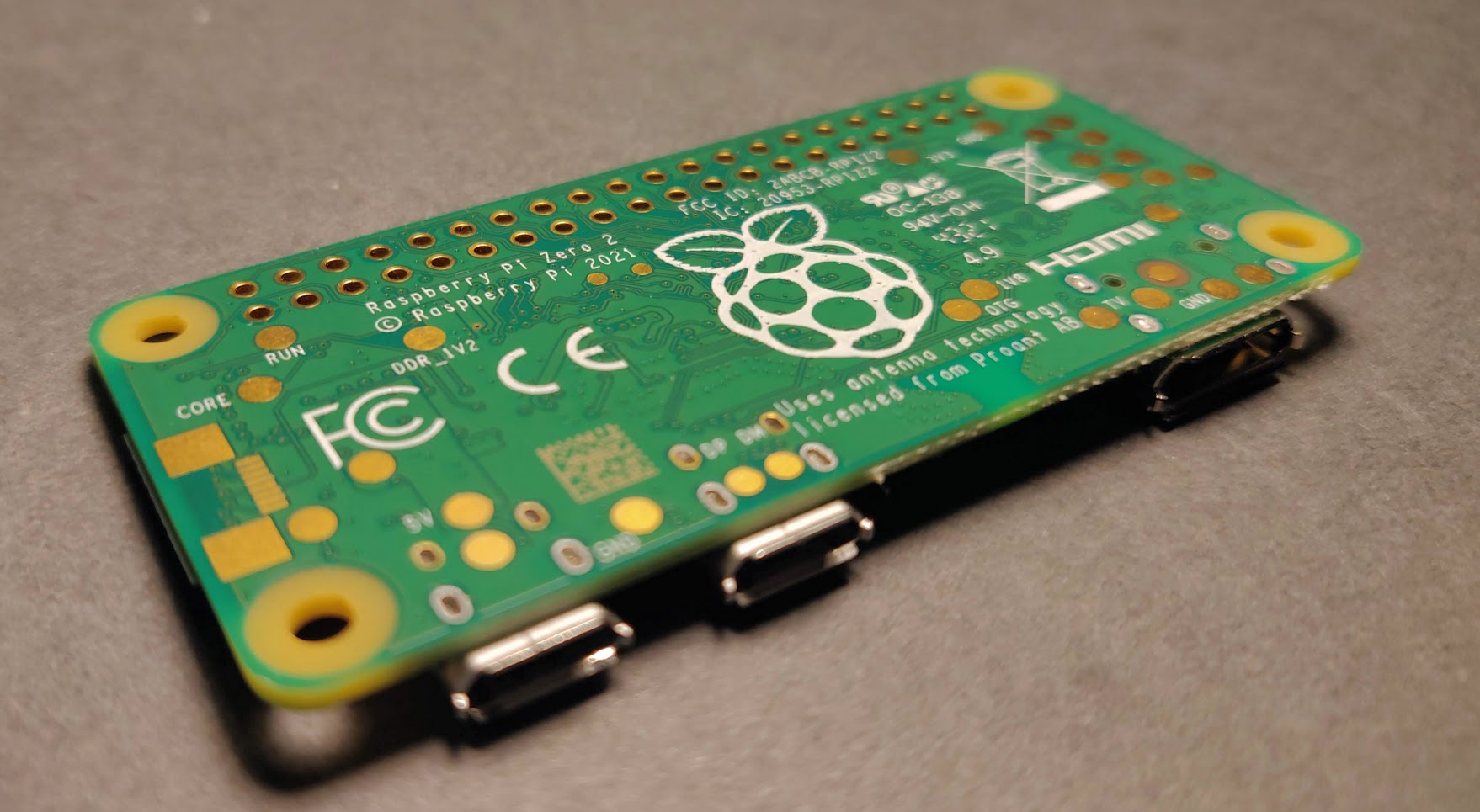
<p>For a computer, I’m using a Raspberry pi zero 2 w. It costs around £15.
This has the same processor as the pi 3, but only 500mb of ram.
The software/setup should work with any pi.</p>

<p><img src="/assets/img/posts/tft-display/pi-front.jpg" alt="image of the pi zero 2 w from the front" /></p>

<p>None of the pins came with headers presoldered for the pi and the display, so to 
make it easier to wire and prototype I recommend soldering on headers and using dupont wires
for connecting the circuit together.</p>

<h3 id="wiring">Wiring</h3>

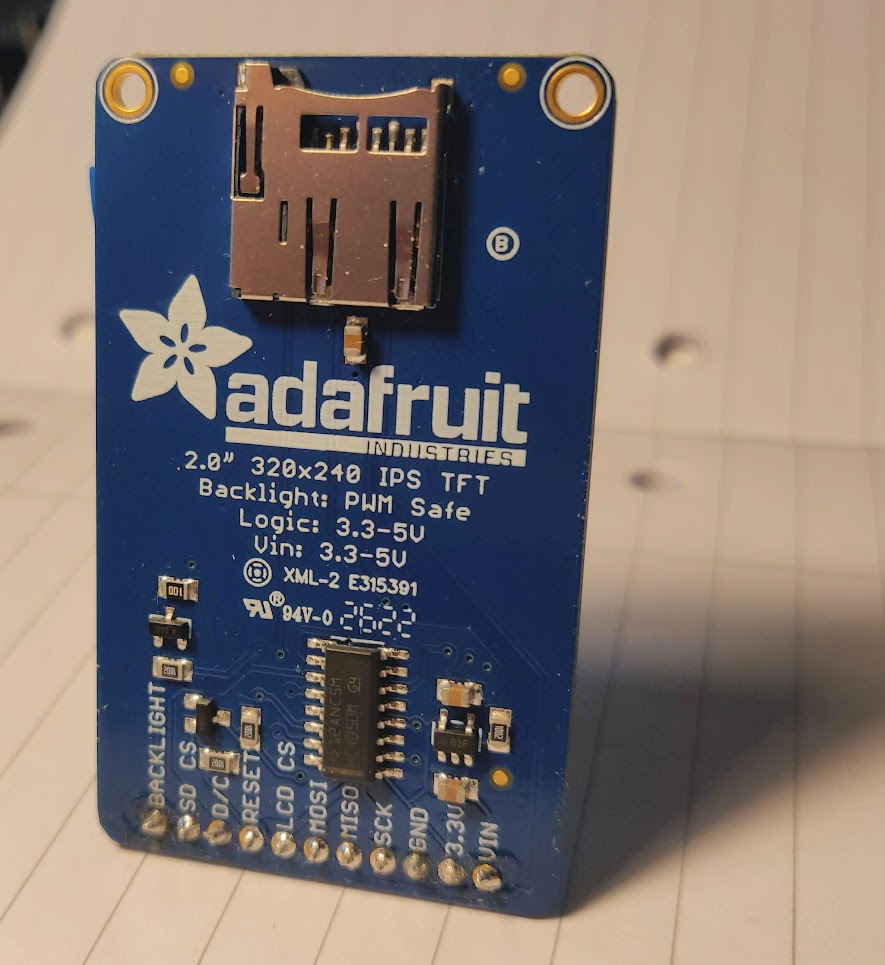
<p>I wired the display with 8 wires, we have two wires for power,
three for spi, and three for the data/command, backlight, and reset.</p>

<p>Spi uses one pin for chip select, which tells the device when
to listen to the data and clock lines (This allows multiple
devices to share the same spi wires).
It uses one pin for a clock, which synchronises communication,
and two pins for back and forth communication (MOSI/MISO).
It seems the adafruit display only uses the MISO pin for reading
from the sd card on the board.
This means none of the ST7789 read commands can be used,
but it means we have one less wire to worry about.</p>

<p><img src="/assets/img/posts/tft-display/display-back.jpg" alt="The tft display from the back" /></p>

<p>The data/command wire is used in conjunction with spi
to tell the display if the data being send is a command (low)
or the data (high) associated with it.</p>

<p>There is a reset pin, that completely hardware resets the display.
This is optional, as there is also a software reset command.</p>

<p>Finally there is the backlight pin, which determines the brightness
of the display. The backlight is either on (high) or off (low).
Brightness levels can be controlled using pulse width modulation (pwm).
This means the backlight is rapidly turned on and off to simulate
different brightness levels. This is supported by the pi hardware.</p>

<p><img src="/assets/img/posts/tft-display/pi-top.jpg" alt="The pi display from the top" /></p>

<h2 id="communicating-with-the-display">Communicating With the Display</h2>

<p>The display has a list of commands that it accepts, and arguments that can be passed
with those commands. 
Each command is a byte. Some commands take any number of arguments. 
To communicate with the display the data/command pin is pulled low,
a bytes is sent for the command, then the data/command pin is pulled
high and the argument data is sent.</p>

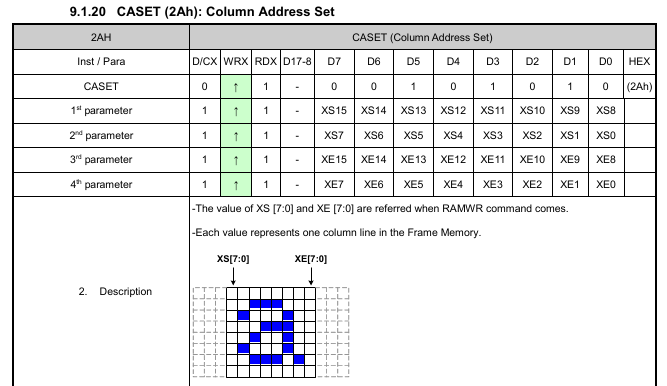
<p>For example the command to set the column address takes 5 bytes.</p>

<p><img src="/assets/img/posts/tft-display/column-set-command.png" alt="column address set command" /></p>

<p>Where the command has a hex value of <code class="language-plaintext highlighter-rouge">2A</code>, and the start and end address are
two bytes each.</p>

<p>Before drawing can commence, the display needs to be taken out of sleep mode;
display mode must be enabled; and the column and row addresses must be set. 
Finally a draw command followed by the colour data will make colour appear
on the display. I experimented a while trying to get the monitor to show something.</p>

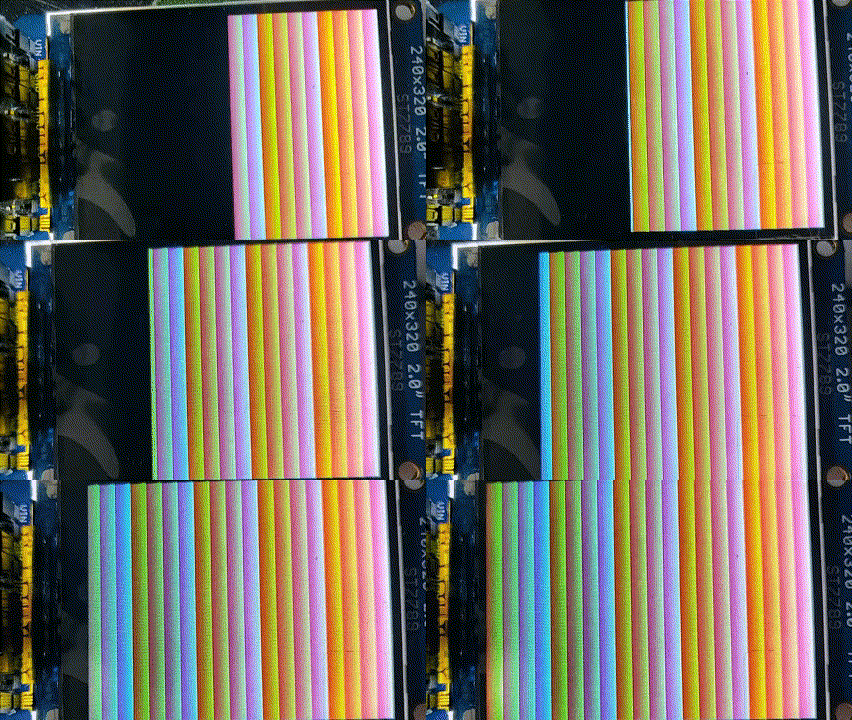
<p><img src="/assets/img/posts/tft-display/colour-lines-tft.gif" alt="colour lines on display" /></p>

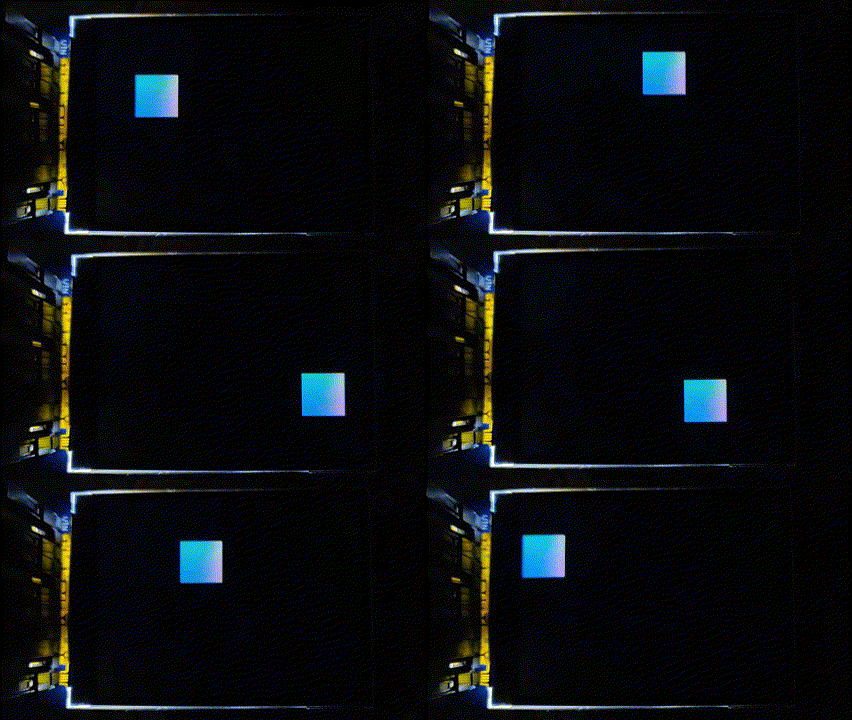
<p>After some tinkering, I could address specific sections of the display properly.</p>

<p><img src="/assets/img/posts/tft-display/bouncing-square-tft.gif" alt="bouncing square on display" /></p>

<p>The way display can be addressed can be modified with commands.
How an image is show can be mirrored and flipped and rotated along any direction.
The format of the colour data sent to the display can also be modified,
such as the data’s endianness and colour order, as well as the colour depth.</p>

<p>The display supports 12, 16 and 18 bit colour data.</p>

<div class="language-plaintext highlighter-rouge"><div class="highlight"><pre class="highlight"><code>pixel size | r-g-b bits
-----------------------
 12 bits   | 4-4-4
 16 bits   | 5-6-5
 18 bits   | 8-8-8
</code></pre></div></div>
<p>Where 18 bit only uses the first 6 bits of each byte.</p>

<h3 id="display-c-api">Display C Api</h3>

<p>I bundled up the code for interacting with the monitor into a 
<a href="https://github.com/NoamZeise/pi-spi-display/blob/master/src/display.h">c api</a>
so that I could more easily write programs that used the display and encapsulates
it’s state into a nice wrapper with some sanity checks.</p>

<p>One thing the library does is to break into chunks the data sent to the display.
The spi device has a max buffer of 65536 bytes (default is 4096), so
any writes to the buffer greater than that are quietly discarded.
The screen is 320x240, so a write the size of the whole screen would
exceed the spi buffer size, therefore chunking the sent data is essential.
This means the display api will work as expected without the user having
to worry about the amount of data being sent.</p>

<p>As an example, if you wanted to setup the display with 16 bit colour little endian;
using the long side as the horizontal; and blank it with white, you would write.</p>
<pre><code class="language-C">  display_hardware_reset();
  display_sleep(DISPLAY_DISABLE);
  
  display_set_colour_format(
      COLOUR_FORMAT_16_BIT);
  display_set_address_options(
      ADDRESS_FLIP_HORIZONTAL |
      ADDRESS_HORIZONTAL_ORIENTATION |
      ADDRESS_COLOUR_LITTLE_ENDIAN);
  
  // invert on gives 0xFFFF as white
  display_invert(DISPLAY_ENABLE);
  
  const int SIZE = 240*320*2;
  uint8_t colour_data[SIZE];
  memset(colour_data, 0xFF, SIZE);
  
  display_set_draw_area_full();
  display_draw(colour_data, SIZE, 0);
  
  display_on(DISPLAY_ENABLE);
  display_brightness(MAX_BRIGHTNESS/1.5);
</code></pre>

<p>As setup is usually the same, this is equivalent to 
using the combined setup function.</p>

<div class="language-plaintext highlighter-rouge"><div class="highlight"><pre class="highlight"><code>  display_combined_setup(
      COLOUR_FORMAT_16_BIT,
      ADDRESS_FLIP_HORIZONTAL | 
      ADDRESS_HORIZONTAL_ORIENTATION | 
      ADDRESS_COLOUR_LITTLE_ENDIAN);
	  
  display_draw(colour_data, SIZE, 0);
  display_brightness(MAX_BRIGHTNESS/1.5);
</code></pre></div></div>

<h1 id="using-the-display-as-a-monitor">Using the Display as a Monitor</h1>

<p>My goal is to be able to use the display as if it was a normal hdmi monitor. 
To do this we essentially force the pi to think it is outputting
to a monitor with the same resolution as the tft display, then copy
the framebuffer data over via spi. This allows us to use the 
gpu to render programs as normal without extra effort.</p>

<p>I set up the memory addresses so that the framebuffer could 
be copied directly onto the display.
I went with 16 bit colour as it the native format
used by the framebuffer. It also uses 1.5 times fewer bytes than
18 bit without a big drop in quality.
The display address mode was set so the rows and columns of the 
framebuffer data matched how the display interprets the pixel data.</p>

<h2 id="terminal-tty-display">Terminal tty Display</h2>

<p>Reading from <code class="language-plaintext highlighter-rouge">/dev/fb0</code> one can get the video output for the tty terminal.
This is in the same 16-bit format as the display supports, so we can
just mmap the buffer, and copy it to the display every frame if it
is the correct resolution.</p>

<p>To get the right display resolution, some more tweaks need to 
be made to the pi’s settings.
By default the pi will only use the framebuffer when a monitor
is plugged in. To get over this we set force hotplug to 1.
We also set the resolution to <code class="language-plaintext highlighter-rouge">320x240</code> to match the tft.</p>

<p>Then I made a loop which copies the framebuffer data to an array
and sends it to the display.</p>

<div class="language-plaintext highlighter-rouge"><div class="highlight"><pre class="highlight"><code>memcpy(screen_data, framebuffer_mmap, BUFF_SIZE);
display_draw(screen_data, BUFF_SIZE, 0);
</code></pre></div></div>

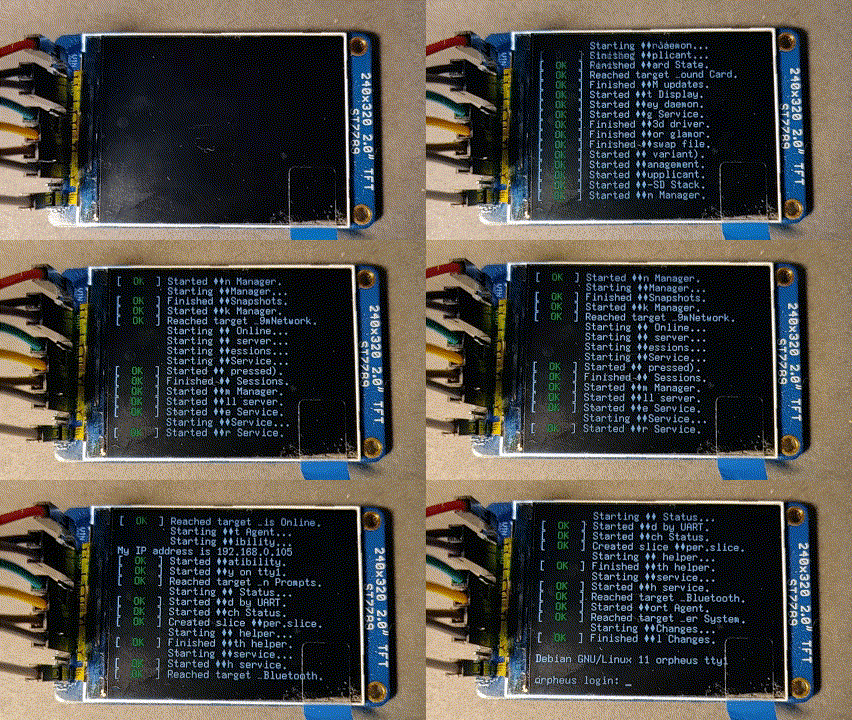
<p>It took a while to get the right colour format for the display,
but after tweaking it and running it as a system service 
on startup I got the display to work for tty terminals.</p>

<p><img src="/assets/img/posts/tft-display/tty-on.gif" alt="video of tty terminal working" /></p>

<h2 id="x11-display">X11 Display</h2>

<p>Next I wanted to be able to use the display with a
desktop environment.</p>

<p>With X we can’t use the framebuffer directly,
we must request an image of the display each frame with xlib,
then copy it to the tft. Unfortunately X uses a different default resolution and bit depth
when there is no monitor plugged in, so one needs to add
a manual config to X11 that forces the correct settings.</p>

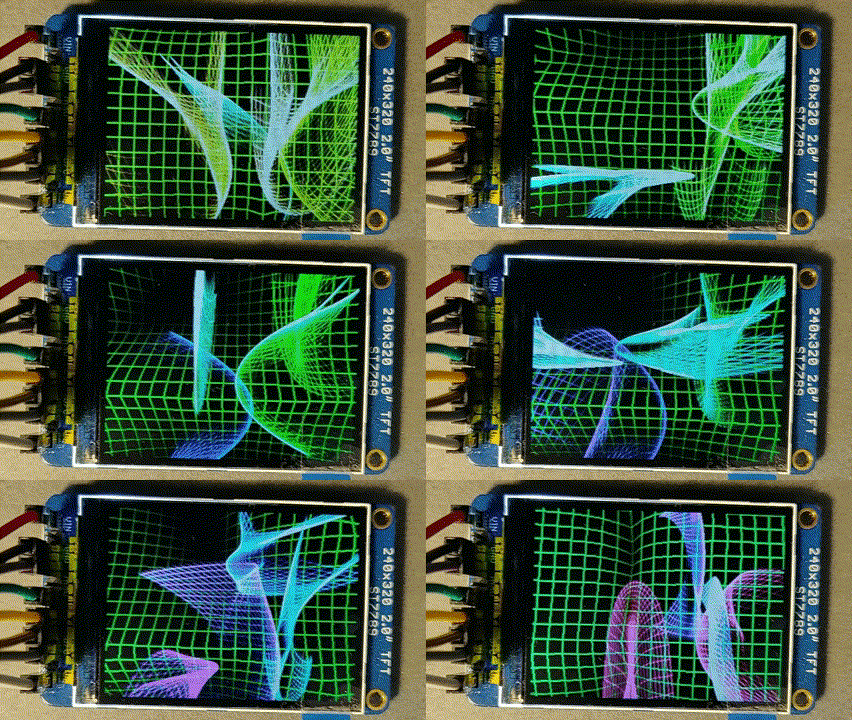
<p>With everything set up correctly, here is a graphics demo running in X.</p>

<p><img src="/assets/img/posts/tft-display/x-ss-2.gif" alt="wobbly graph lines graphics demo" /></p>

<h4 id="cursor">Cursor</h4>

<p>X11 does not display the cursor on the image we grab, 
making a mouse unusable.
To fix this I draw a simple pointer graphic on top of the image data
where X11 says the mouse is.</p>

<p>With that the code for mirroring the X display looks like:</p>

<pre><code class="language-C">XImage *img = XGetImage(display, window,
    0, 0, DISPLAY_HORIZONTAL, DISPLAY_VERTICAL,
    AllPlanes, ZPixmap);

int x, y;
get_mouse_pos(display, window, &amp;x, &amp;y);

draw_mouse((uint8_t *)img-&gt;data, x, y);
	
display_draw((uint8_t*)img-&gt;data, BUFF_SIZE, 0);
XDestroyImage(img);
</code></pre>

<p>In the real code the mouse is only drawn 
if it hasn’t been moved for a few seconds.</p>

<p>Here’s what the mouse looks like:</p>

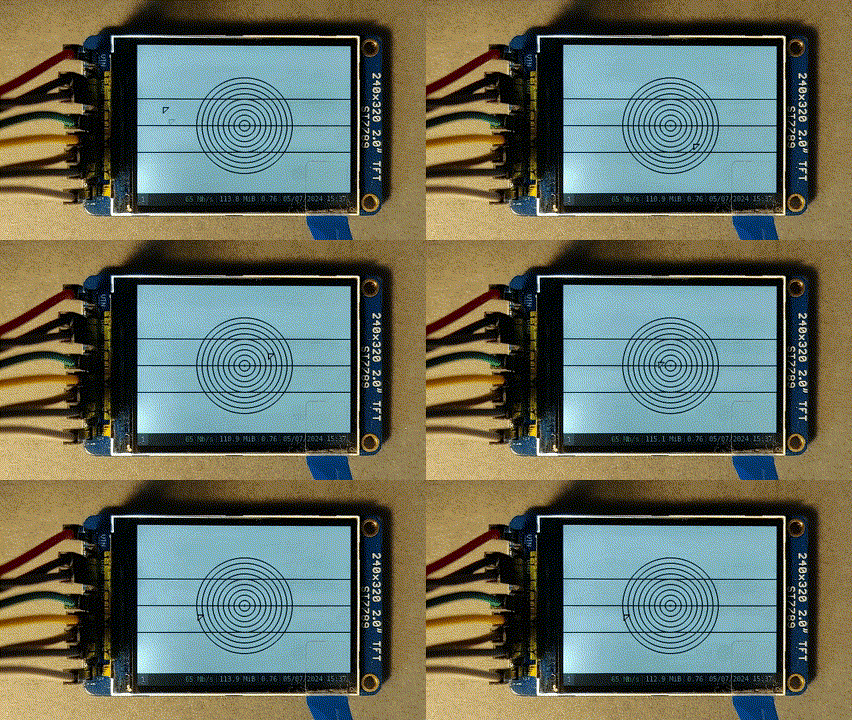
<p><img src="/assets/img/posts/tft-display/x-mouse.gif" alt="mouse on x11 display" /></p>

<h2 id="the-mirroring-program">The Mirroring Program</h2>

<p>Using the previous code for mirroring the display, 
I wrote a program that runs as a system service and 
show the currently active display.
It monitors whether the user is in a tty terminal, 
or in a desktop environment and switches rendering modes accordingly.</p>

<p>The program spawns two threads. 
One thread (the renderer) either draws from the framebuffer or from X depending on which draw mode it is in.
The other thread (the manager) is in charge of determining which mode to 
draw in and sleeps most of the time.</p>

<p>If X is not open, it the manager tries to open it. 
If successful, it stores which tty X is using with the command:</p>
<div class="language-plaintext highlighter-rouge"><div class="highlight"><pre class="highlight"><code>ps -e -o tty -o fname | grep Xorg
</code></pre></div></div>

<p>While X is open the manager thread monitors the active tty.</p>
<div class="language-plaintext highlighter-rouge"><div class="highlight"><pre class="highlight"><code>/sys/class/tty/tty0/active
</code></pre></div></div>
<p>If the active tty is the same as X started in, 
then we use the X11 screen drawing mode. 
Otherwise we use the framebuffer drawing mode.</p>

<p>The manager also checks whether the X 
display power management system (dpms) has put the display to sleep. 
If it has, the render thread is in sleeping mode and sleeps until it is active again.
While asleep the display is disabled and the backlight is turned off, so it consumes 
very little power.</p>

<h3 id="x-errors">X errors</h3>

<p>When X encounters an error, it tends to crash the program. 
This is a nuisance for the mirroring program, as when X is exited,
the program would crash, and the normal terminal would be unable to be seen.</p>

<p>Luckily X allows us to register an error handler, 
unluckily X expects the handler to exit, and if it doesn’t,
X will exit the program itself.</p>

<p>To get around this, we have to resort to a bit of a hack.</p>

<p>We stop the error handler from exiting by using <code class="language-plaintext highlighter-rouge">longjmp</code> to return to
code that will handle x being closed.</p>

<div class="language-plaintext highlighter-rouge"><div class="highlight"><pre class="highlight"><code>jmp_buf x_err_env;

static int x_error_handler(Display *dpy) { 
    longjmp(x_err_env, 1); // return 1
}
</code></pre></div></div>

<p>Before we call our X functions for drawing the screen, 
we use <code class="language-plaintext highlighter-rouge">setjmp</code> to store in a global variable the current environment.
<code class="language-plaintext highlighter-rouge">setjmp</code> returns with a 0 normally, but returns with a non-zero value
if a <code class="language-plaintext highlighter-rouge">longjmp</code> jumped to it. So we use an if statement. 
If <code class="language-plaintext highlighter-rouge">longjmp</code> was called, we set all our X pointers to NULL and switch
the draw mode to framebuffer.</p>

<div class="language-plaintext highlighter-rouge"><div class="highlight"><pre class="highlight"><code>if(setjmp(x_err_env)) {
    active_mode = FRAMEBUFFER;
    display_ptr = NULL;
}
</code></pre></div></div>

<p>Then the manager thread can try to reconnect to X if it is still open.</p>

<h1 id="setup-instructions">Setup Instructions</h1>

<p>The following are instructions to follow if you have the nessecary hardware
and want to use the display mirroring program.</p>

<p><img src="/assets/img/posts/tft-display/pi-side.jpg" alt="picture of pi connected to power" /></p>

<h3 id="wiring-1">Wiring</h3>

<p>For a guide of raspberry pi pins check out <a href="https://pinout.xyz/">pinout.xyz</a></p>

<p>I’m using spi0.0, and pwm0, as well as gpio 25 for data/command
and gpio 24 for reset.
Theses specifics can be changed in <code class="language-plaintext highlighter-rouge">pi_wiring_consts.h</code>.</p>

<div class="language-plaintext highlighter-rouge"><div class="highlight"><pre class="highlight"><code>pi             | display
--------------------------
3v or 5v       | V in
ground         | ground
19 (spi0 mosi) | MOSI
23 (spi0 SCLK) | SCK
24 (spi0 ce0)  | CS
22 (gpio 25)   | D/C
32 (pwm0)      | backlight pwm
18 (gpio 24)   | Reset
</code></pre></div></div>

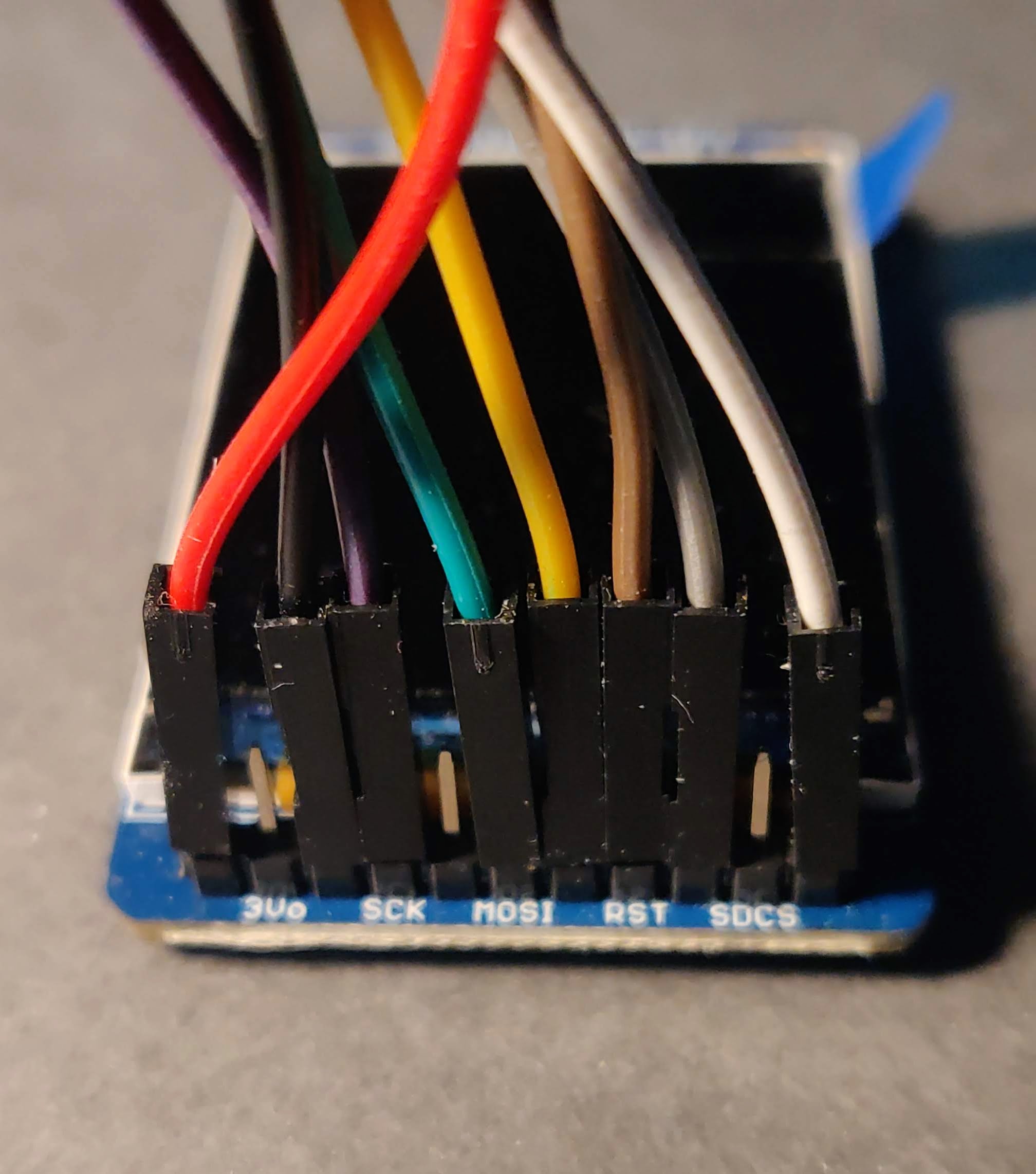
<p>Here are photos of the default wiring setup.</p>

<p><img src="/assets/img/posts/tft-display/tft-wiring.jpg" alt="display wiring" /></p>

<p><img src="/assets/img/posts/tft-display/pi-wiring.jpg" alt="pi wiring" /></p>

<ul>
  <li>(optional) Increase spi buffer size (default is 4096)
by adding the following to your <code class="language-plaintext highlighter-rouge">boot/cmdline.txt</code> into the single line of settings
    <div class="language-plaintext highlighter-rouge"><div class="highlight"><pre class="highlight"><code>spidev.buffsiz=65536
</code></pre></div>    </div>
    <p>reboot and check that buff size increased, <code class="language-plaintext highlighter-rouge">cat /sys/module/spidev/parameters/bufsiz</code> should give <code class="language-plaintext highlighter-rouge">65536</code>.</p>
  </li>
  <li>Alternatively change the <code class="language-plaintext highlighter-rouge">DISPLAY_TRANSFER_BUFFER_SIZE</code> in <code class="language-plaintext highlighter-rouge">pi_wiring_consts.h</code> to 4096</li>
</ul>

<p>You’ll also need to install <a href="https://github.com/WiringPi/WiringPi">WiringPi</a> 
for a nice wrapper around the pi’s hardware interfaces.</p>

<h3 id="enable-spi">Enable Spi</h3>

<p>Before we begin wiring anything, make sure you can connect to your pi from another
computer via ssh. This will mean we can fiddle with the display output without
relying on seeing the pi’s display directly.</p>

<p>The display is controlled using serial peripheral interface (spi).
On the pi spi drivers are not loaded by default, so we will need to change
the settings. Spi can be enabled by using the <code class="language-plaintext highlighter-rouge">raspi-config</code> terminal tool.
We can also change the settings directly in <code class="language-plaintext highlighter-rouge">boot/config.txt</code>. 
The following line must be added to that file:</p>
<div class="language-plaintext highlighter-rouge"><div class="highlight"><pre class="highlight"><code>dtparam=spi=on
</code></pre></div></div>

<h3 id="set-framebuffer-size">Set Framebuffer Size</h3>

<p>In the pi config file <code class="language-plaintext highlighter-rouge">/boot/config.txt</code> I added the following.</p>

<div class="language-plaintext highlighter-rouge"><div class="highlight"><pre class="highlight"><code># force hdmi active
hdmi_force_hotplug=1
# force DMT for hdmi (digital display mode)
hdmi_group=2
# use a custom mode
hdmi_mode=87
# custom mode 
# https://forums.raspberrypi.com/viewtopic.php?f=29&amp;t=24679
hdmi_cvt=320 240 60 1 0 0 0
</code></pre></div></div>

<h3 id="set-x-display-size">Set X Display Size</h3>

<p>You’ll need to install two libraries:</p>

<ul>
  <li><code class="language-plaintext highlighter-rouge">libx11-dev</code> - for interfacing with X11</li>
  <li><code class="language-plaintext highlighter-rouge">libxext-dev</code> - for checking dpms to put the display to sleep</li>
</ul>

<p>To make X use the right display settings, add a manual config file at:</p>

<p><code class="language-plaintext highlighter-rouge">/etc/X11/10-monitor.conf</code></p>

<p>with the following contents:</p>

<div class="language-plaintext highlighter-rouge"><div class="highlight"><pre class="highlight"><code>Section "Screen"
	Identifier "tft"
	Device "card0"
	DefaultDepth 16
	SubSection "Display"
		Modes "320x240"
	EndSubSection
EndSection
</code></pre></div></div>

<h3 id="install-as-system-service">Install as system service</h3>

<p>Make sure you have gcc and make.
Clone the <a href="https://github.com/NoamZeise/pi-spi-display.git">git repo for the program</a>
and in the root directory of the repo run</p>
<div class="language-plaintext highlighter-rouge"><div class="highlight"><pre class="highlight"><code>make CFLAGS="-O3 -DNDEBUG"
</code></pre></div></div>
<p>Store the <code class="language-plaintext highlighter-rouge">display</code> binary, found in <code class="language-plaintext highlighter-rouge">build/</code>,
somewhere where it can be pointed to, eg.</p>

<p><code class="language-plaintext highlighter-rouge">/home/me/scripts/display</code></p>

<p>Now to add a systemd service, create the file</p>

<p><code class="language-plaintext highlighter-rouge">/etc/systemd/system/tft-display.service</code></p>

<p>with contents</p>

<div class="language-plaintext highlighter-rouge"><div class="highlight"><pre class="highlight"><code>[Unit]
Description=Tft Display

[Service]
Type=exec
Environment=XAUTHORITY=/home/me/.Xauthority
ExecStart=/home/me/scripts/display
Restart=on-failure
RestartSec=4
KillSignal=SIGINT

[Install]
</code></pre></div></div>

<p>Then do</p>

<div class="language-plaintext highlighter-rouge"><div class="highlight"><pre class="highlight"><code>systemctl enable tft-display
</code></pre></div></div>

<p>And it will run on start up every time the pi turns on.</p>

<p><img src="/assets/img/posts/tft-display/pi.jpg" alt="image of the pi zero 2 w from the back" /></p>]]></content><author><name></name></author><summary type="html"><![CDATA[This post outlines how I used a small 2 inch display as a monitor for my pi. Where it can display tty terminals and X desktops and applications as if it was a normal screen connected over hdmi. My overall goal is to have a sort of handheld “console” that I can connect a keyboard to and use as a normal computer. This post implements the display functionality needed to fulfill part of the goal. I lay out the steps needed for interacting with the display over spi and the issues I encountered trying to use it like a monitor. The end result is a system service that runs on startup, consuming 2.5 mb of ram and ~2% of the CPU. It also respects the X display power management system (dpms) to save on battery life by going to sleep and turning the backlight off.]]></summary><media:thumbnail xmlns:media="http://search.yahoo.com/mrss/" url="https://noamzeise.com/assets/img/posts/thumbnails/tft-display.png" /><media:content medium="image" url="https://noamzeise.com/assets/img/posts/thumbnails/tft-display.png" xmlns:media="http://search.yahoo.com/mrss/" /></entry><entry><title type="html">Extracting RSS from webpages</title><link href="https://noamzeise.com/2024/03/28/extract-rss.html" rel="alternate" type="text/html" title="Extracting RSS from webpages" /><published>2024-03-28T00:00:00+00:00</published><updated>2024-03-28T00:00:00+00:00</updated><id>https://noamzeise.com/2024/03/28/extract-rss</id><content type="html" xml:base="https://noamzeise.com/2024/03/28/extract-rss.html"><![CDATA[<p>A program in Common Lisp that, by defining two functions, 
one can extract the relevant features from a webpage and 
get an RSS feed out of it. 
There is also a script that will update the feeds and push them to
an external git repository.</p>

<p>By running this as a cron job (say on a constantly running single board computer), 
or through a CI pipeline (such as github actions), one can have their own 
RSS feeds accesible from anywhere with an internet connection.
One can then point their rss reader to these public git repositories to subscribe to the rss feeds</p>

<!-- more -->

<div class="language-xml highlighter-rouge"><div class="highlight"><pre class="highlight"><code><span class="cp">&lt;?xml version="1.0" encoding="utf-8"?&gt;</span><span class="nt">&lt;feed</span> <span class="na">xmlns=</span><span class="s">"http://www.w3.org/2005/Atom"</span><span class="nt">&gt;</span>
<span class="nt">&lt;link</span> <span class="na">href=</span><span class="s">"https://www.leagueoflegends.com/en-us/news/dev/"</span> <span class="na">rel=</span><span class="s">"self"</span> <span class="na">type=</span><span class="s">"application/atom+xml"</span><span class="nt">/&gt;</span>
<span class="nt">&lt;generator</span> <span class="na">uri=</span><span class="s">"https://github.com/NoamZeise/extract-rss"</span><span class="nt">&gt;</span>extract-rss<span class="nt">&lt;/generator&gt;</span>
<span class="nt">&lt;updated&gt;</span>2024-04-08T15:00:00.000Z<span class="nt">&lt;/updated&gt;</span>
<span class="nt">&lt;id&gt;</span>https://www.leagueoflegends.com/en-us/news/dev/<span class="nt">&lt;/id&gt;</span>
<span class="nt">&lt;title&gt;</span>League of Legends Dev Blog<span class="nt">&lt;/title&gt;</span>

<span class="nt">&lt;entry&gt;</span>
<span class="nt">&lt;title</span> <span class="na">type=</span><span class="s">"html"</span><span class="nt">&gt;</span>/dev: Ranked Rewards in 2024<span class="nt">&lt;/title&gt;</span>
<span class="nt">&lt;link</span> <span class="na">href=</span><span class="s">"https://www.leagueoflegends.com//en-us/news/dev/dev-ranked-rewards-in-2024/"</span><span class="nt">/&gt;</span>
<span class="nt">&lt;id&gt;</span>https://www.leagueoflegends.com//en-us/news/dev/dev-ranked-rewards-in-2024/<span class="nt">&lt;/id&gt;</span>
<span class="nt">&lt;updated&gt;</span>2024-04-08T15:00:00.000Z<span class="nt">&lt;/updated&gt;</span>
<span class="nt">&lt;summary&gt;&lt;/summary&gt;</span>
<span class="nt">&lt;category</span> <span class="na">term=</span><span class="s">"Dev"</span><span class="nt">/&gt;</span>
<span class="nt">&lt;author&gt;&lt;name&gt;</span>CRUX Team, Riot Sakaar<span class="nt">&lt;/name&gt;&lt;/author&gt;</span>
<span class="nt">&lt;media:thumbnail</span> <span class="na">xmlns:media=</span><span class="s">"https://images.contentstack.io/v3/assets/blt731acb42bb3d1659/blte16971378f061abf/660f10b1dd5b9e4d51a8ac09/040824_Ranked_Rewards_Update_Article_Header.jpg?quality=80"</span><span class="nt">/&gt;</span>
<span class="nt">&lt;/entry&gt;</span>

<span class="c">&lt;!-- ... --&gt;</span>

<span class="nt">&lt;/feed&gt;</span>
</code></pre></div></div>

<p><a href="https://github.com/NoamZeise/extract-rss.git">Source code on GitHub</a></p>

<p>This project uses:</p>
<ul>
  <li><a href="https://github.com/fukamachi/dexador">dexador</a> - http client</li>
  <li><a href="https://github.com/Shinmera/plump">plump</a> - DOM parsing</li>
  <li><a href="http://edicl.github.io/cl-ppcre/">cl-ppcre</a> - regex</li>
</ul>

<h2 id="rationale">Rationale</h2>

<p>RSS (Really Simple Syndication) feeds are standard for internet post syndication. 
It allows you to be updated when a blog or podcast you have subscribed to publishes new content. 
Some modern websites do not support rss feeds. 
Mailing lists can be an alternative, but it is undesirable to give your email out to strangers.</p>

<p>There are online services that do the job of turning web pages into rss feeds, but will cost money or have strict limits.
When these services stop working, the only recourse is to search the web for a replacement.
You then have the hassle of porting all of your subscriptions over. 
With this tool you have complete control over your feeds and can host them hovever you like.</p>

<h2 id="details">Details</h2>

<p>The code works by fetching the web page, splitting it into articles, 
then processing these articles to get the details needed to make 
the rss feed xml file.</p>

<p>The user defines a webpage with a name, link, and supplies two functions.
One function takes in the root node of the web page, and returns a list of 
items. Each item is supposed to contain all the info about a post/article.</p>

<p>The second function takes in one of the items returned by the first function
and returns an instance of the article class. 
Articles should have a title, link, image, date, etc.</p>

<p>An xml file is created that uses the details of the webpage and has an entry for
each article.</p>

<h2 id="walkthrough">Walkthrough</h2>

<p>I will go through implementing a feed for an example website. 
Here I am choosing the lexaloffe bulletin board, and will created a feed 
showing cartridges for the newly public picotron fantasy computer. 
This ended up being difficult to do as the article details aren’t saved
in the html, but are instead generated by some javascript code.</p>

<p>Here’s the link to the webpage:</p>

<p><a href="https://www.lexaloffle.com/bbs/?cat=8#sub=2">https://www.lexaloffle.com/bbs/?cat=8#sub=2</a></p>

<p>Unlike the pico-8, the picotron does not yet have a way to search for cartridges from 
within the program.</p>

<p>First we inspect the html and see how we might isolate each post entry individually.
By searching for key terms we see on each post, we see that data for posts are within a script.</p>

<div class="language-javascript highlighter-rouge"><div class="highlight"><pre class="highlight"><code><span class="nx">pdat</span><span class="o">=</span><span class="p">[</span>

	<span class="p">[</span><span class="dl">'</span><span class="s1">144632</span><span class="dl">'</span><span class="p">,</span> <span class="mi">141137</span><span class="p">,</span> 
	<span class="s2">`Contra 3 The Alien Wars intro`</span><span class="p">,</span>
	<span class="dl">"</span><span class="s2">/bbs/thumbs/pico64_contra3-0.png</span><span class="dl">"</span><span class="p">,</span><span class="mi">96</span><span class="p">,</span><span class="mi">64</span><span class="p">,</span>
	<span class="dl">"</span><span class="s2">2024-03-27 05:57:51</span><span class="dl">"</span> <span class="p">,</span><span class="mi">52360</span><span class="p">,</span> <span class="dl">"</span><span class="s2">Turbochop</span><span class="dl">"</span><span class="p">,</span>
	<span class="dl">"</span><span class="s2">2024-03-27 12:35:35</span><span class="dl">"</span> <span class="p">,</span><span class="mi">52360</span><span class="p">,</span> <span class="dl">"</span><span class="s2">Turbochop</span><span class="dl">"</span>
	<span class="p">,</span><span class="mi">1</span><span class="p">,</span><span class="mi">3</span><span class="p">,</span><span class="mi">0</span><span class="p">,</span><span class="mi">8</span><span class="p">,</span><span class="mi">2</span><span class="p">,</span><span class="dl">'</span><span class="s1">0</span><span class="dl">'</span><span class="p">,[],</span><span class="mi">0</span><span class="p">,</span><span class="mi">21</span><span class="p">,,</span><span class="s2">``</span><span class="p">,</span><span class="s2">``</span><span class="p">],</span>
    
	<span class="p">[</span><span class="dl">'</span><span class="s1">142940</span><span class="dl">'</span><span class="p">,</span> <span class="mi">140647</span><span class="p">,</span> 
	<span class="s2">`PICOTRON 0.1 Release Bug Thread!`</span><span class="p">,</span>
	<span class="dl">"</span><span class="s2">https://www.lexaloffle.com</span><span class="dl">"</span>
	<span class="dl">"</span><span class="s2">/bbs/files/32135/ck.jpg</span><span class="dl">"</span><span class="p">,</span><span class="mi">96</span><span class="p">,</span><span class="mi">48</span><span class="p">,</span>
	<span class="dl">"</span><span class="s2">2024-03-14 20:06:50</span><span class="dl">"</span> <span class="mi">32135</span><span class="p">,</span> <span class="dl">"</span><span class="s2">thattomhall</span><span class="dl">"</span><span class="p">,</span>
	<span class="dl">"</span><span class="s2">2024-03-27 12:26:26</span><span class="dl">"</span><span class="p">,</span><span class="mi">27691</span><span class="p">,</span> <span class="dl">"</span><span class="s2">pancelor</span><span class="dl">"</span>
	<span class="p">,</span><span class="mi">39</span><span class="p">,</span><span class="mi">276</span><span class="p">,</span><span class="mi">0</span><span class="p">,</span><span class="mi">8</span><span class="p">,</span><span class="mi">6</span><span class="p">,</span><span class="dl">'</span><span class="s1">0</span><span class="dl">'</span><span class="p">,</span>
	<span class="p">[</span><span class="dl">"</span><span class="s2">picotron</span><span class="dl">"</span><span class="p">,</span><span class="dl">"</span><span class="s2">bugs</span><span class="dl">"</span><span class="p">,],</span><span class="mi">0</span><span class="p">,</span><span class="mi">16</span><span class="p">,,</span><span class="s2">``</span><span class="p">,</span><span class="s2">``</span><span class="p">],</span>
	
	<span class="c1">// ...</span>
</code></pre></div></div>

<p>Note that the webpage gives us non-cartridge results too. 
The javascript will filter out the relevant category based on the url <code class="language-plaintext highlighter-rouge">#sub=2</code>.
By going through the code we find that the position 16 in the array holds the category.</p>

<div class="language-javascript highlighter-rouge"><div class="highlight"><pre class="highlight"><code><span class="c1">// ...</span>
<span class="k">else</span> <span class="k">if</span> <span class="p">(</span><span class="nx">dat</span><span class="p">[</span><span class="mi">16</span><span class="p">]</span> <span class="o">==</span> <span class="mi">2</span><span class="p">)</span> <span class="nx">label</span> <span class="o">+=</span> <span class="dl">'</span><span class="s1">Cartridges</span><span class="dl">'</span><span class="p">;</span>
<span class="k">else</span> <span class="k">if</span> <span class="p">(</span><span class="nx">dat</span><span class="p">[</span><span class="mi">16</span><span class="p">]</span> <span class="o">==</span> <span class="mi">3</span><span class="p">)</span> <span class="nx">label</span> <span class="o">+=</span> <span class="dl">'</span><span class="s1">Work in Progress</span><span class="dl">'</span><span class="p">;</span>
<span class="k">else</span> <span class="k">if</span> <span class="p">(</span><span class="nx">dat</span><span class="p">[</span><span class="mi">16</span><span class="p">]</span> <span class="o">==</span> <span class="mi">4</span><span class="p">)</span> <span class="nx">label</span> <span class="o">+=</span> <span class="dl">'</span><span class="s1">Collaboration</span><span class="dl">'</span><span class="p">;</span>
<span class="c1">// ...			</span>
</code></pre></div></div>

<p>So we need to take each element of the array and ignore any posts 
that aren’t in the release category.</p>

<p>We create a parser by defining a method for extracting article nodes, 
this does not have to be an html node, it can be anything. 
What is extracted is then passed to the second function one must define,
which fills out the details of the article from the information extracted
by the first function.</p>

<p>Now we write these functions. Open sly or slime and load the <code class="language-plaintext highlighter-rouge">extract-rss.asd</code> file,
then do <code class="language-plaintext highlighter-rouge">(ql:quickload :extract-rss)</code> to load the library. 
This makes it easy to test functions and try and extract the relevant info about a post.</p>

<p>We make a new webpage instance to represent this new xml feed and fill it in with the
details of the webpage. For now the two functions we need are blank.</p>

<div class="language-lisp highlighter-rouge"><div class="highlight"><pre class="highlight"><code><span class="p">(</span><span class="nb">defparameter</span>
 <span class="vg">*picotron-carts*</span>
 <span class="p">(</span><span class="nb">make-instance</span>
  <span class="ss">'extract-rss:webpage</span>
  <span class="ss">:title</span> <span class="s">"Picotron Cartridges"</span>
  <span class="ss">:url</span> <span class="s">"https://www.lexaloffle.com/bbs/?cat=8#sub=2"</span>
  <span class="ss">:xml-file</span> <span class="s">"picotron-carts"</span>
  <span class="ss">:extract-article-nodes</span>
  <span class="p">(</span><span class="k">lambda</span> <span class="p">(</span><span class="nv">node</span><span class="p">)</span> <span class="p">())</span> <span class="c1">; dummy function</span>
  <span class="ss">:make-article</span>
  <span class="p">(</span><span class="k">lambda</span> <span class="p">(</span><span class="nv">data</span><span class="p">)</span> <span class="p">())))</span> <span class="c1">; dummy function</span>
</code></pre></div></div>

<p>First node that the script with the info has an id <code class="language-plaintext highlighter-rouge">cart_data_script</code>. 
This means we can get the script node we need into a variable. 
<code class="language-plaintext highlighter-rouge">extract-rss</code> includes the <a href="https://github.com/Shinmera/plump">plump</a> 
library for traversing the dom.</p>

<p>To figure out how to parse the page to get what we want here are some
helpful functions.</p>

<div class="language-lisp highlighter-rouge"><div class="highlight"><pre class="highlight"><code><span class="c1">;; We can get the webpage root with</span>
<span class="p">(</span><span class="nb">defparameter</span> <span class="vg">*root*</span> 
  <span class="p">(</span><span class="nv">extract-rss:get-page-root</span> 
    <span class="s">"https://www.lexaloffle.com/bbs/?cat=8#sub=2"</span>

<span class="c1">;; the text for the script containing cart data</span>
<span class="p">(</span><span class="nb">defparameter</span> <span class="vg">*script-data*</span>
  <span class="p">(</span><span class="nv">plump:text</span>
    <span class="p">(</span><span class="nv">plump:get-element-by-id</span> <span class="nv">root-node</span> <span class="s">"cart_data_script"</span><span class="p">)))</span>
</code></pre></div></div>

<p>Using that with some regex and string manipulation
we can write a function that returns an array of article data. 
we replace the first dummy function with this.</p>

<div class="language-lisp highlighter-rouge"><div class="highlight"><pre class="highlight"><code><span class="ss">:extract-article-nodes</span>
<span class="p">(</span><span class="k">lambda</span> <span class="p">(</span><span class="nv">root-node</span><span class="p">)</span>
  <span class="p">(</span><span class="k">let*</span> <span class="p">((</span><span class="nv">script-node</span>
	  <span class="p">(</span><span class="nv">plump:get-element-by-id</span> <span class="nv">root-node</span> <span class="s">"cart_data_script"</span><span class="p">))</span>
	 <span class="p">(</span><span class="nv">raw-text</span>
	  <span class="p">(</span><span class="k">if</span> <span class="nv">script-node</span> <span class="p">(</span><span class="nv">plump:text</span> <span class="nv">script-node</span><span class="p">)</span> <span class="s">""</span><span class="p">))</span>
	 <span class="p">(</span><span class="nv">start-array</span> <span class="p">(</span><span class="nv">cl-ppcre:scan</span> <span class="s">"pdat=\\["</span> <span class="nv">raw-text</span><span class="p">))</span>
	 <span class="p">(</span><span class="nv">end-array</span> <span class="p">(</span><span class="nb">nth-value</span> <span class="mi">1</span> <span class="p">(</span><span class="nv">cl-ppcre:scan</span> <span class="s">"\\];"</span> <span class="nv">raw-text</span><span class="p">)))</span>
	 <span class="p">(</span><span class="nv">array-text</span> <span class="p">(</span><span class="nb">subseq</span> <span class="nv">raw-text</span> <span class="nv">start-array</span> <span class="nv">end-array</span><span class="p">)))</span>
    <span class="p">(</span><span class="nb">loop</span> <span class="nv">for</span> <span class="nv">s</span> <span class="nv">in</span> 
	  <span class="p">(</span><span class="nv">uiop:split-string</span>
	   <span class="nv">array-text</span>
	   <span class="ss">:separator</span> <span class="nv">uiop:+lf+</span><span class="p">)</span>
	   <span class="c1">;; if cartridge post</span>
	  <span class="nb">when</span> <span class="p">(</span><span class="nv">cl-ppcre:scan</span> <span class="s">",2,'"</span> <span class="nv">s</span><span class="p">)</span>
	  <span class="nv">collect</span> <span class="nv">s</span><span class="p">)))</span>
</code></pre></div></div>

<p>We can then use this function to help figure out how to write the next one</p>

<div class="language-lisp highlighter-rouge"><div class="highlight"><pre class="highlight"><code><span class="c1">;; get a list of the extracted article data</span>
<span class="c1">;; from the function we just defined</span>
<span class="p">(</span><span class="nv">extract-rss:get-article-nodes</span> <span class="vg">*picotron-carts*</span><span class="p">)</span>
</code></pre></div></div>

<p>To parse I first wrote a function to take the input of an array and parse out the
individual elements and return it. I won’t print it here as it is long and simple.
After that we can write the function we need to create an article given the text we 
extracted for each article.</p>

<div class="language-lisp highlighter-rouge"><div class="highlight"><pre class="highlight"><code><span class="ss">:make-article</span>
<span class="p">(</span><span class="k">lambda</span> <span class="p">(</span><span class="nv">text</span><span class="p">)</span>
  <span class="p">(</span><span class="k">let</span> <span class="p">((</span><span class="nv">article</span>
	 <span class="p">(</span><span class="nb">make-instance</span> <span class="ss">'extract-rss:article</span><span class="p">))</span>
	<span class="p">(</span><span class="nv">data</span>
	 <span class="c1">;; parse string into array</span>
	 <span class="c1">;; of strings for each element</span>
	 <span class="c1">;; in javascript array string</span>
	 <span class="p">(</span><span class="nv">get-picotron-article-data</span> <span class="nv">text</span><span class="p">)))</span>
    <span class="p">(</span><span class="nb">loop</span>
     <span class="nv">for</span> <span class="nv">e</span> <span class="nv">in</span> <span class="nv">data</span> <span class="nb">and</span> <span class="nv">i</span> <span class="nv">from</span> <span class="mi">0</span> <span class="nb">do</span>
     <span class="c1">;; clean up string</span>
     <span class="p">(</span><span class="k">let</span> <span class="p">((</span><span class="nv">dat</span> <span class="p">(</span><span class="nb">string-trim</span> <span class="s">" '\"`"</span> <span class="nv">e</span><span class="p">)))</span>
       <span class="c1">;; get attribs we store in article class</span>
       <span class="p">(</span><span class="nb">cond</span>
	<span class="p">((</span><span class="nb">=</span> <span class="nv">i</span> <span class="mi">1</span><span class="p">)</span>
	 <span class="p">(</span><span class="nb">setf</span>
	  <span class="p">(</span><span class="nv">extract-rss::link</span> <span class="nv">article</span><span class="p">)</span>
	  <span class="p">(</span><span class="nb">format</span>
	   <span class="no">nil</span>
	   <span class="s">"https://www.lexaloffe.com/bbs/?tid=~a"</span>
	   <span class="nv">dat</span><span class="p">)))</span>
	<span class="p">((</span><span class="nb">=</span> <span class="nv">i</span> <span class="mi">2</span><span class="p">)</span>
	 <span class="p">(</span><span class="nb">setf</span> <span class="p">(</span><span class="nv">extract-rss::title</span> <span class="nv">article</span><span class="p">)</span> <span class="nv">dat</span><span class="p">))</span>
	<span class="p">((</span><span class="nb">=</span> <span class="nv">i</span> <span class="mi">3</span><span class="p">)</span>
	 <span class="p">(</span><span class="nb">setf</span>
	  <span class="p">(</span><span class="nv">extract-rss::image</span> <span class="nv">article</span><span class="p">)</span>
	  <span class="p">(</span><span class="nb">format</span>
	   <span class="no">nil</span>
	   <span class="s">"https://www.lexaloffe.com~a"</span>
	   <span class="nv">dat</span><span class="p">)))</span>
	<span class="p">((</span><span class="nb">=</span> <span class="nv">i</span> <span class="mi">8</span><span class="p">)</span>
	 <span class="p">(</span><span class="nb">setf</span> <span class="p">(</span><span class="nv">extract-rss::author</span> <span class="nv">article</span><span class="p">)</span> <span class="nv">dat</span><span class="p">))</span>
	<span class="p">((</span><span class="nb">=</span> <span class="nv">i</span> <span class="mi">9</span><span class="p">)</span>
	 <span class="p">(</span><span class="nb">setf</span> <span class="p">(</span><span class="nv">extract-rss::date</span> <span class="nv">article</span><span class="p">)</span> <span class="nv">dat</span><span class="p">))</span>
	<span class="p">((</span><span class="nb">=</span> <span class="nv">i</span> <span class="mi">18</span><span class="p">)</span>
	 <span class="p">(</span><span class="nb">setf</span> <span class="p">(</span><span class="nv">extract-rss::category</span> <span class="nv">article</span><span class="p">)</span> <span class="nv">dat</span><span class="p">)))))</span>
    <span class="nv">article</span><span class="p">))</span>
</code></pre></div></div>

<p>And with that we can generate an rss feed xml file in the current directory with</p>

<div class="language-lisp highlighter-rouge"><div class="highlight"><pre class="highlight"><code><span class="p">(</span><span class="nv">extract-rss:extract-rss</span> <span class="vg">*picotron-carts*</span><span class="p">)</span>
</code></pre></div></div>

<p>Here is the feed we generated in an rss reader:
<img src="/assets/img/posts/extract-rss/picotron-feed.jpg" alt="Pictron RSS feed" /></p>

<p>and the raw rss xml, which you can subscribe to <a href="https://raw.githubusercontent.com/NoamZeise/xml-feeds/master/picotron-carts.xml">here</a></p>

<div class="language-xml highlighter-rouge"><div class="highlight"><pre class="highlight"><code>
<span class="cp">&lt;?xml version="1.0" encoding="utf-8"?&gt;</span><span class="nt">&lt;feed</span> <span class="na">xmlns=</span><span class="s">"http://www.w3.org/2005/Atom"</span><span class="nt">&gt;</span>
<span class="nt">&lt;link</span> <span class="na">href=</span><span class="s">"https://www.lexaloffle.com/bbs/?cat=8#sub=2"</span> <span class="na">rel=</span><span class="s">"self"</span> <span class="na">type=</span><span class="s">"application/atom+xml"</span><span class="nt">/&gt;</span>
<span class="nt">&lt;generator</span> <span class="na">uri=</span><span class="s">"https://github.com/NoamZeise/extract-rss"</span><span class="nt">&gt;</span>extract-rss<span class="nt">&lt;/generator&gt;</span>
<span class="nt">&lt;updated&gt;</span>2024-04-22 20:43:16<span class="nt">&lt;/updated&gt;</span>
<span class="nt">&lt;id&gt;</span>https://www.lexaloffle.com/bbs/?cat=8#sub=2<span class="nt">&lt;/id&gt;</span>
<span class="nt">&lt;title&gt;</span>Picotron Cartridges<span class="nt">&lt;/title&gt;</span>

<span class="nt">&lt;entry&gt;</span>
<span class="nt">&lt;title</span> <span class="na">type=</span><span class="s">"html"</span><span class="nt">&gt;</span>Snowfall (demo)<span class="nt">&lt;/title&gt;</span>
<span class="nt">&lt;link</span> <span class="na">href=</span><span class="s">"https://www.lexaloffle.com/bbs/?tid=141503"</span><span class="nt">/&gt;</span>
<span class="nt">&lt;id&gt;</span>https://www.lexaloffle.com/bbs/?tid=141503<span class="nt">&lt;/id&gt;</span>
<span class="nt">&lt;updated&gt;</span>2024-04-22 20:43:16<span class="nt">&lt;/updated&gt;</span>
<span class="nt">&lt;summary&gt;&lt;/summary&gt;</span>
<span class="nt">&lt;category</span> <span class="na">term=</span><span class="s">"[&amp;quot;demos&amp;quot;,&amp;quot;screensavers&amp;quot;,]"</span><span class="nt">/&gt;</span>
<span class="nt">&lt;author&gt;&lt;name&gt;</span>josiebreck<span class="nt">&lt;/name&gt;&lt;/author&gt;</span>
<span class="nt">&lt;media:thumbnail</span> <span class="na">xmlns:media=</span><span class="s">"https://www.lexaloffle.com/bbs/thumbs/pico64_snowfall-1.png"</span><span class="nt">/&gt;</span>
<span class="nt">&lt;/entry&gt;</span>

<span class="nt">&lt;entry&gt;</span>
<span class="nt">&lt;title</span> <span class="na">type=</span><span class="s">"html"</span><span class="nt">&gt;</span>flapperDuck<span class="nt">&lt;/title&gt;</span>
<span class="nt">&lt;link</span> <span class="na">href=</span><span class="s">"https://www.lexaloffle.com/bbs/?tid=141885"</span><span class="nt">/&gt;</span>
<span class="nt">&lt;id&gt;</span>https://www.lexaloffle.com/bbs/?tid=141885<span class="nt">&lt;/id&gt;</span>
<span class="nt">&lt;updated&gt;</span>2024-04-22 21:19:01<span class="nt">&lt;/updated&gt;</span>
<span class="nt">&lt;summary&gt;&lt;/summary&gt;</span>
<span class="nt">&lt;category</span> <span class="na">term=</span><span class="s">"[&amp;quot;bbs&amp;quot;,&amp;quot;picotron&amp;quot;,&amp;quot;cartridges&amp;quot;,]"</span><span class="nt">/&gt;</span>
<span class="nt">&lt;author&gt;&lt;name&gt;</span>playerMan<span class="nt">&lt;/name&gt;&lt;/author&gt;</span>
<span class="nt">&lt;media:thumbnail</span> <span class="na">xmlns:media=</span><span class="s">"https://www.lexaloffle.com/bbs/thumbs/pico64_flapperduck-0.png"</span><span class="nt">/&gt;</span>
<span class="nt">&lt;/entry&gt;</span>

<span class="nt">&lt;entry&gt;</span>
<span class="nt">&lt;title</span> <span class="na">type=</span><span class="s">"html"</span><span class="nt">&gt;</span>Rat Maze 3D Screensaver v1.0<span class="nt">&lt;/title&gt;</span>
<span class="nt">&lt;link</span> <span class="na">href=</span><span class="s">"https://www.lexaloffle.com/bbs/?tid=141402"</span><span class="nt">/&gt;</span>
<span class="nt">&lt;id&gt;</span>https://www.lexaloffle.com/bbs/?tid=141402<span class="nt">&lt;/id&gt;</span>
<span class="nt">&lt;updated&gt;</span>2024-04-23 06:46:22<span class="nt">&lt;/updated&gt;</span>
<span class="nt">&lt;summary&gt;&lt;/summary&gt;</span>
<span class="nt">&lt;category</span> <span class="na">term=</span><span class="s">"[&amp;quot;screensaver&amp;quot;,&amp;quot;3d&amp;quot;,]"</span><span class="nt">/&gt;</span>
<span class="nt">&lt;author&gt;&lt;name&gt;</span>Snail_God<span class="nt">&lt;/name&gt;&lt;/author&gt;</span>
<span class="nt">&lt;media:thumbnail</span> <span class="na">xmlns:media=</span><span class="s">"https://www.lexaloffle.com/bbs/thumbs/pico64_rat_maze-5.png"</span><span class="nt">/&gt;</span>
<span class="nt">&lt;/entry&gt;</span>

<span class="nt">&lt;entry&gt;</span>
<span class="nt">&lt;title</span> <span class="na">type=</span><span class="s">"html"</span><span class="nt">&gt;</span>Bells<span class="nt">&lt;/title&gt;</span>
<span class="nt">&lt;link</span> <span class="na">href=</span><span class="s">"https://www.lexaloffle.com/bbs/?tid=140919"</span><span class="nt">/&gt;</span>
<span class="nt">&lt;id&gt;</span>https://www.lexaloffle.com/bbs/?tid=140919<span class="nt">&lt;/id&gt;</span>
<span class="nt">&lt;updated&gt;</span>2024-04-23 16:00:17<span class="nt">&lt;/updated&gt;</span>
<span class="nt">&lt;summary&gt;&lt;/summary&gt;</span>
<span class="nt">&lt;category</span> <span class="na">term=</span><span class="s">"[]"</span><span class="nt">/&gt;</span>
<span class="nt">&lt;author&gt;&lt;name&gt;</span>zep<span class="nt">&lt;/name&gt;&lt;/author&gt;</span>
<span class="nt">&lt;media:thumbnail</span> <span class="na">xmlns:media=</span><span class="s">"https://www.lexaloffle.com/bbs/thumbs/pico64_bells-0.png"</span><span class="nt">/&gt;</span>
<span class="nt">&lt;/entry&gt;</span>

<span class="nt">&lt;entry&gt;</span>
<span class="nt">&lt;title</span> <span class="na">type=</span><span class="s">"html"</span><span class="nt">&gt;</span>Charactron, a little character maker<span class="nt">&lt;/title&gt;</span>
<span class="nt">&lt;link</span> <span class="na">href=</span><span class="s">"https://www.lexaloffle.com/bbs/?tid=141851"</span><span class="nt">/&gt;</span>
<span class="nt">&lt;id&gt;</span>https://www.lexaloffle.com/bbs/?tid=141851<span class="nt">&lt;/id&gt;</span>
<span class="nt">&lt;updated&gt;</span>2024-04-23 21:01:54<span class="nt">&lt;/updated&gt;</span>
<span class="nt">&lt;summary&gt;&lt;/summary&gt;</span>
<span class="nt">&lt;category</span> <span class="na">term=</span><span class="s">"[]"</span><span class="nt">/&gt;</span>
<span class="nt">&lt;author&gt;&lt;name&gt;</span>berry_sauvage<span class="nt">&lt;/name&gt;&lt;/author&gt;</span>
<span class="nt">&lt;media:thumbnail</span> <span class="na">xmlns:media=</span><span class="s">"https://www.lexaloffle.com/bbs/thumbs/pico64_charactron-1.png"</span><span class="nt">/&gt;</span>
<span class="nt">&lt;/entry&gt;</span>

<span class="nt">&lt;entry&gt;</span>
<span class="nt">&lt;title</span> <span class="na">type=</span><span class="s">"html"</span><span class="nt">&gt;</span>Conway<span class="ni">&amp;apos;</span>s Game of Life<span class="nt">&lt;/title&gt;</span>
<span class="nt">&lt;link</span> <span class="na">href=</span><span class="s">"https://www.lexaloffle.com/bbs/?tid=141892"</span><span class="nt">/&gt;</span>
<span class="nt">&lt;id&gt;</span>https://www.lexaloffle.com/bbs/?tid=141892<span class="nt">&lt;/id&gt;</span>
<span class="nt">&lt;updated&gt;</span>2024-04-23 21:33:55<span class="nt">&lt;/updated&gt;</span>
<span class="nt">&lt;summary&gt;&lt;/summary&gt;</span>
<span class="nt">&lt;category</span> <span class="na">term=</span><span class="s">"[]"</span><span class="nt">/&gt;</span>
<span class="nt">&lt;author&gt;&lt;name&gt;</span>Soupster<span class="nt">&lt;/name&gt;&lt;/author&gt;</span>
<span class="nt">&lt;media:thumbnail</span> <span class="na">xmlns:media=</span><span class="s">"https://www.lexaloffle.com/bbs/thumbs/pico64_cgol-2.png"</span><span class="nt">/&gt;</span>
<span class="nt">&lt;/entry&gt;</span>

<span class="nt">&lt;entry&gt;</span>
<span class="nt">&lt;title</span> <span class="na">type=</span><span class="s">"html"</span><span class="nt">&gt;</span>Lens<span class="nt">&lt;/title&gt;</span>
<span class="nt">&lt;link</span> <span class="na">href=</span><span class="s">"https://www.lexaloffle.com/bbs/?tid=141911"</span><span class="nt">/&gt;</span>
<span class="nt">&lt;id&gt;</span>https://www.lexaloffle.com/bbs/?tid=141911<span class="nt">&lt;/id&gt;</span>
<span class="nt">&lt;updated&gt;</span>2024-04-23 22:23:30<span class="nt">&lt;/updated&gt;</span>
<span class="nt">&lt;summary&gt;&lt;/summary&gt;</span>
<span class="nt">&lt;category</span> <span class="na">term=</span><span class="s">"[&amp;quot;tool&amp;quot;,&amp;quot;logging&amp;quot;,]"</span><span class="nt">/&gt;</span>
<span class="nt">&lt;author&gt;&lt;name&gt;</span>bitmat<span class="nt">&lt;/name&gt;&lt;/author&gt;</span>
<span class="nt">&lt;media:thumbnail</span> <span class="na">xmlns:media=</span><span class="s">"https://www.lexaloffle.com/bbs/thumbs/pico64_lens-3.png"</span><span class="nt">/&gt;</span>
<span class="nt">&lt;/entry&gt;</span>

<span class="nt">&lt;entry&gt;</span>
<span class="nt">&lt;title</span> <span class="na">type=</span><span class="s">"html"</span><span class="nt">&gt;</span>ASTROYD<span class="nt">&lt;/title&gt;</span>
<span class="nt">&lt;link</span> <span class="na">href=</span><span class="s">"https://www.lexaloffle.com/bbs/?tid=141906"</span><span class="nt">/&gt;</span>
<span class="nt">&lt;id&gt;</span>https://www.lexaloffle.com/bbs/?tid=141906<span class="nt">&lt;/id&gt;</span>
<span class="nt">&lt;updated&gt;</span>2024-04-24 05:10:47<span class="nt">&lt;/updated&gt;</span>
<span class="nt">&lt;summary&gt;&lt;/summary&gt;</span>
<span class="nt">&lt;category</span> <span class="na">term=</span><span class="s">"[]"</span><span class="nt">/&gt;</span>
<span class="nt">&lt;author&gt;&lt;name&gt;</span>wanp<span class="nt">&lt;/name&gt;&lt;/author&gt;</span>
<span class="nt">&lt;media:thumbnail</span> <span class="na">xmlns:media=</span><span class="s">"https://www.lexaloffle.com/bbs/thumbs/pico64_astroyd-1.png"</span><span class="nt">/&gt;</span>
<span class="nt">&lt;/entry&gt;</span>

<span class="nt">&lt;entry&gt;</span>
<span class="nt">&lt;title</span> <span class="na">type=</span><span class="s">"html"</span><span class="nt">&gt;</span>Font Utils<span class="nt">&lt;/title&gt;</span>
<span class="nt">&lt;link</span> <span class="na">href=</span><span class="s">"https://www.lexaloffle.com/bbs/?tid=141244"</span><span class="nt">/&gt;</span>
<span class="nt">&lt;id&gt;</span>https://www.lexaloffle.com/bbs/?tid=141244<span class="nt">&lt;/id&gt;</span>
<span class="nt">&lt;updated&gt;</span>2024-04-24 09:15:28<span class="nt">&lt;/updated&gt;</span>
<span class="nt">&lt;summary&gt;&lt;/summary&gt;</span>
<span class="nt">&lt;category</span> <span class="na">term=</span><span class="s">"[]"</span><span class="nt">/&gt;</span>
<span class="nt">&lt;author&gt;&lt;name&gt;</span>drakmaniso<span class="nt">&lt;/name&gt;&lt;/author&gt;</span>
<span class="nt">&lt;media:thumbnail</span> <span class="na">xmlns:media=</span><span class="s">"https://www.lexaloffle.com/bbs/thumbs/pico64_font_utils-0.png"</span><span class="nt">/&gt;</span>
<span class="nt">&lt;/entry&gt;</span>

<span class="nt">&lt;entry&gt;</span>
<span class="nt">&lt;title</span> <span class="na">type=</span><span class="s">"html"</span><span class="nt">&gt;</span>Kawaiiculator<span class="nt">&lt;/title&gt;</span>
<span class="nt">&lt;link</span> <span class="na">href=</span><span class="s">"https://www.lexaloffle.com/bbs/?tid=141416"</span><span class="nt">/&gt;</span>
<span class="nt">&lt;id&gt;</span>https://www.lexaloffle.com/bbs/?tid=141416<span class="nt">&lt;/id&gt;</span>
<span class="nt">&lt;updated&gt;</span>2024-04-24 09:34:54<span class="nt">&lt;/updated&gt;</span>
<span class="nt">&lt;summary&gt;&lt;/summary&gt;</span>
<span class="nt">&lt;category</span> <span class="na">term=</span><span class="s">"[&amp;quot;calculator&amp;quot;,&amp;quot;picotron&amp;quot;,&amp;quot;cute&amp;quot;,&amp;quot;app&amp;quot;,]"</span><span class="nt">/&gt;</span>
<span class="nt">&lt;author&gt;&lt;name&gt;</span>profpatonildo<span class="nt">&lt;/name&gt;&lt;/author&gt;</span>
<span class="nt">&lt;media:thumbnail</span> <span class="na">xmlns:media=</span><span class="s">"https://www.lexaloffle.com/bbs/thumbs/pico64_kawaiiculator-0.png"</span><span class="nt">/&gt;</span>
<span class="nt">&lt;/entry&gt;</span>

<span class="nt">&lt;entry&gt;</span>
<span class="nt">&lt;title</span> <span class="na">type=</span><span class="s">"html"</span><span class="nt">&gt;</span>pct-2 Fantasy Console in Picotron<span class="nt">&lt;/title&gt;</span>
<span class="nt">&lt;link</span> <span class="na">href=</span><span class="s">"https://www.lexaloffle.com/bbs/?tid=141821"</span><span class="nt">/&gt;</span>
<span class="nt">&lt;id&gt;</span>https://www.lexaloffle.com/bbs/?tid=141821<span class="nt">&lt;/id&gt;</span>
<span class="nt">&lt;updated&gt;</span>2024-04-24 11:25:17<span class="nt">&lt;/updated&gt;</span>
<span class="nt">&lt;summary&gt;&lt;/summary&gt;</span>
<span class="nt">&lt;category</span> <span class="na">term=</span><span class="s">"[]"</span><span class="nt">/&gt;</span>
<span class="nt">&lt;author&gt;&lt;name&gt;</span>auex<span class="nt">&lt;/name&gt;&lt;/author&gt;</span>
<span class="nt">&lt;media:thumbnail</span> <span class="na">xmlns:media=</span><span class="s">"https://www.lexaloffle.com/bbs/thumbs/pico64_pct2-1.png"</span><span class="nt">/&gt;</span>
<span class="nt">&lt;/entry&gt;</span>

<span class="nt">&lt;entry&gt;</span>
<span class="nt">&lt;title</span> <span class="na">type=</span><span class="s">"html"</span><span class="nt">&gt;</span>VGFX (Vector Graphics Library and Editor)<span class="nt">&lt;/title&gt;</span>
<span class="nt">&lt;link</span> <span class="na">href=</span><span class="s">"https://www.lexaloffle.com/bbs/?tid=141774"</span><span class="nt">/&gt;</span>
<span class="nt">&lt;id&gt;</span>https://www.lexaloffle.com/bbs/?tid=141774<span class="nt">&lt;/id&gt;</span>
<span class="nt">&lt;updated&gt;</span>2024-04-24 17:57:38<span class="nt">&lt;/updated&gt;</span>
<span class="nt">&lt;summary&gt;&lt;/summary&gt;</span>
<span class="nt">&lt;category</span> <span class="na">term=</span><span class="s">"[&amp;quot;vector&amp;quot;,&amp;quot;art&amp;quot;,&amp;quot;editor&amp;quot;,&amp;quot;veditor&amp;quot;,]"</span><span class="nt">/&gt;</span>
<span class="nt">&lt;author&gt;&lt;name&gt;</span>SophieHoulden<span class="nt">&lt;/name&gt;&lt;/author&gt;</span>
<span class="nt">&lt;media:thumbnail</span> <span class="na">xmlns:media=</span><span class="s">"https://www.lexaloffle.com/bbs/thumbs/pico64_veditor-5.png"</span><span class="nt">/&gt;</span>
<span class="nt">&lt;/entry&gt;</span>

<span class="nt">&lt;entry&gt;</span>
<span class="nt">&lt;title</span> <span class="na">type=</span><span class="s">"html"</span><span class="nt">&gt;</span>PICOPHONE 7 tools in 1<span class="nt">&lt;/title&gt;</span>
<span class="nt">&lt;link</span> <span class="na">href=</span><span class="s">"https://www.lexaloffle.com/bbs/?tid=141568"</span><span class="nt">/&gt;</span>
<span class="nt">&lt;id&gt;</span>https://www.lexaloffle.com/bbs/?tid=141568<span class="nt">&lt;/id&gt;</span>
<span class="nt">&lt;updated&gt;</span>2024-04-24 23:48:41<span class="nt">&lt;/updated&gt;</span>
<span class="nt">&lt;summary&gt;&lt;/summary&gt;</span>
<span class="nt">&lt;category</span> <span class="na">term=</span><span class="s">"[&amp;quot;utility&amp;quot;,&amp;quot;tools&amp;quot;,]"</span><span class="nt">/&gt;</span>
<span class="nt">&lt;author&gt;&lt;name&gt;</span>369369369<span class="nt">&lt;/name&gt;&lt;/author&gt;</span>
<span class="nt">&lt;media:thumbnail</span> <span class="na">xmlns:media=</span><span class="s">"https://www.lexaloffle.com/bbs/thumbs/pico64_phone-13.png"</span><span class="nt">/&gt;</span>
<span class="nt">&lt;/entry&gt;</span>

<span class="nt">&lt;entry&gt;</span>
<span class="nt">&lt;title</span> <span class="na">type=</span><span class="s">"html"</span><span class="nt">&gt;</span>GORGON (deluxe)<span class="nt">&lt;/title&gt;</span>
<span class="nt">&lt;link</span> <span class="na">href=</span><span class="s">"https://www.lexaloffle.com/bbs/?tid=141948"</span><span class="nt">/&gt;</span>
<span class="nt">&lt;id&gt;</span>https://www.lexaloffle.com/bbs/?tid=141948<span class="nt">&lt;/id&gt;</span>
<span class="nt">&lt;updated&gt;</span>2024-04-25 16:45:06<span class="nt">&lt;/updated&gt;</span>
<span class="nt">&lt;summary&gt;&lt;/summary&gt;</span>
<span class="nt">&lt;category</span> <span class="na">term=</span><span class="s">"[&amp;quot;apple2&amp;quot;,&amp;quot;gorgon&amp;quot;,&amp;quot;defender&amp;quot;,&amp;quot;arcade&amp;quot;,]"</span><span class="nt">/&gt;</span>
<span class="nt">&lt;author&gt;&lt;name&gt;</span>BGelais<span class="nt">&lt;/name&gt;&lt;/author&gt;</span>
<span class="nt">&lt;media:thumbnail</span> <span class="na">xmlns:media=</span><span class="s">"https://www.lexaloffle.com/bbs/thumbs/pico64_gorgondel-0.png"</span><span class="nt">/&gt;</span>
<span class="nt">&lt;/entry&gt;</span>

<span class="nt">&lt;entry&gt;</span>
<span class="nt">&lt;title</span> <span class="na">type=</span><span class="s">"html"</span><span class="nt">&gt;</span>pgui - a GUI library for Picotron! (Immediate Mode)<span class="nt">&lt;/title&gt;</span>
<span class="nt">&lt;link</span> <span class="na">href=</span><span class="s">"https://www.lexaloffle.com/bbs/?tid=141913"</span><span class="nt">/&gt;</span>
<span class="nt">&lt;id&gt;</span>https://www.lexaloffle.com/bbs/?tid=141913<span class="nt">&lt;/id&gt;</span>
<span class="nt">&lt;updated&gt;</span>2024-04-25 17:52:36<span class="nt">&lt;/updated&gt;</span>
<span class="nt">&lt;summary&gt;&lt;/summary&gt;</span>
<span class="nt">&lt;category</span> <span class="na">term=</span><span class="s">"[&amp;quot;gui&amp;quot;,&amp;quot;library&amp;quot;,&amp;quot;immediate&amp;quot;,&amp;quot;mode&amp;quot;,]"</span><span class="nt">/&gt;</span>
<span class="nt">&lt;author&gt;&lt;name&gt;</span>ssergiorodriguezz<span class="nt">&lt;/name&gt;&lt;/author&gt;</span>
<span class="nt">&lt;media:thumbnail</span> <span class="na">xmlns:media=</span><span class="s">"https://www.lexaloffle.com/bbs/thumbs/pico64_pgui-1.png"</span><span class="nt">/&gt;</span>
<span class="nt">&lt;/entry&gt;</span>

<span class="nt">&lt;/feed&gt;</span>
</code></pre></div></div>]]></content><author><name></name></author><summary type="html"><![CDATA[A program in Common Lisp that, by defining two functions, one can extract the relevant features from a webpage and get an RSS feed out of it. There is also a script that will update the feeds and push them to an external git repository. By running this as a cron job (say on a constantly running single board computer), or through a CI pipeline (such as github actions), one can have their own RSS feeds accesible from anywhere with an internet connection. One can then point their rss reader to these public git repositories to subscribe to the rss feeds]]></summary><media:thumbnail xmlns:media="http://search.yahoo.com/mrss/" url="https://noamzeise.com/assets/img/posts/thumbnails/extract-xml.png" /><media:content medium="image" url="https://noamzeise.com/assets/img/posts/thumbnails/extract-xml.png" xmlns:media="http://search.yahoo.com/mrss/" /></entry><entry><title type="html">Orbbit - Duck Sauce Games 2024</title><link href="https://noamzeise.com/gamejam/2024/02/27/Orbbit.html" rel="alternate" type="text/html" title="Orbbit - Duck Sauce Games 2024" /><published>2024-02-27T00:00:00+00:00</published><updated>2024-02-27T00:00:00+00:00</updated><id>https://noamzeise.com/gamejam/2024/02/27/Orbbit</id><content type="html" xml:base="https://noamzeise.com/gamejam/2024/02/27/Orbbit.html"><![CDATA[<iframe width="560" height="315" src="https://www.youtube.com/embed/YuE8c7EGIEU?si=27yVk5yDeZxzWQLr" title="YouTube video player" frameborder="0" allow="accelerometer; autoplay; clipboard-write; encrypted-media; gyroscope; picture-in-picture; web-share" allowfullscreen=""></iframe>

<p>Physics based puzzles, launch a green satellite with an initial velocity and watch as it 
is affected by and affect how a solar system moves. The goal is to have the satellite dock with
the red planet present in each level.</p>

<p>Made in 48 Hours for <a href="https://www.ducksauce.games/duck-sauce-jam-2024">Duck Sauce Games Jam 2024</a>
Using my graphics library built in C++ with Vulkan and OpenGL rendering backends.</p>

<!-- more -->

<p><a href="https://noamzeise.itch.io/orbbit">download from itch</a></p>

<p><a href="https://github.com/NoamZeise/dsg-2024">source code</a></p>

<h3 id="camera-tracking">Camera Tracking</h3>

<p>The camera orbits a planet and tracks the movement of a different target planet.
When the camera is on the green satellite it is focused on the nearest planet.
Otherwise the camera tracks the green satellite when it is on any other planet.
Here is the code that handles that.</p>

<pre><code class="language-C++">vec3 camForward(0); // ideal cam forward

if(target == player)
     camForward = target.pos - nearest.pos; // point cam to nearest planet
else
    camForward = target.pos - player.pos; // point cam to player
	
// have the camera raised up a bit so cam looks down on target slightly
camForward += vec3(0, 0, 0.4)*length(camForward);

// interpolate camera towards calculated forward
float diff = 0.00005f*dt;
cam.setForward(camFoward*diff + (1-diff)*cam.getForward());
</code></pre>]]></content><author><name></name></author><category term="GameJam" /><summary type="html"><![CDATA[Physics based puzzles, launch a green satellite with an initial velocity and watch as it is affected by and affect how a solar system moves. The goal is to have the satellite dock with the red planet present in each level. Made in 48 Hours for Duck Sauce Games Jam 2024 Using my graphics library built in C++ with Vulkan and OpenGL rendering backends.]]></summary><media:thumbnail xmlns:media="http://search.yahoo.com/mrss/" url="https://noamzeise.com/assets/img/posts/Orbbit/title.png" /><media:content medium="image" url="https://noamzeise.com/assets/img/posts/Orbbit/title.png" xmlns:media="http://search.yahoo.com/mrss/" /></entry><entry><title type="html">Cat Flat - Global Game Jam 2024</title><link href="https://noamzeise.com/gamejam/2024/01/29/CatFlat.html" rel="alternate" type="text/html" title="Cat Flat - Global Game Jam 2024" /><published>2024-01-29T00:00:00+00:00</published><updated>2024-01-29T00:00:00+00:00</updated><id>https://noamzeise.com/gamejam/2024/01/29/CatFlat</id><content type="html" xml:base="https://noamzeise.com/gamejam/2024/01/29/CatFlat.html"><![CDATA[<iframe width="560" height="315" src="https://www.youtube.com/embed/xaMMslSxFks?si=VrLFwqZXW4tGrfKj" title="YouTube video player" frameborder="0" allow="accelerometer; autoplay; clipboard-write; encrypted-media; gyroscope; picture-in-picture; web-share" allowfullscreen=""></iframe>

<p>A game about frying fish for a hungry cat. Made in 48 hours for global game jam 2024 using my <a href="https://github.com/NoamZeise/Graphics-Environment">Graphics-Environment</a> library built using C++ on vulkan and opengl.</p>

<!-- more -->

<p><a href="https://noamzeise.itch.io/cat-flat">download on itch</a></p>

<p><a href="https://github.com/NoamZeise/GGJ2024">view source code on github</a></p>

<p>Aim to cook as much fish as you can before the timer runs out! Once a fish has been cooked all the way through it will turn yellow, leaving it to rest will grant more time to cook.
The longer the fish cook the more points received</p>

<h4 id="credits">Credits:</h4>
<ul>
  <li>
    <p><a href="https://gerbzies.itch.io/">Laura King</a> - Art and Game Design</p>
  </li>
  <li>
    <p>Noam Zeise - Programming and Game Design</p>
  </li>
</ul>

<h3 id="implementation-details">Implementation Details</h3>

<p>The game uses a light warp effect on the screen applied to the final rendered image, you can control the intensity with the plus and minus buttons. It distorts the uv coordinates of the final texture by a function of sine and cosine to get a periodic distortion.</p>

<p>I render the final image as a texture on a square to the screen’s backbuffer. The texture which holds the rendered frame is sampled between the coordinates of 0 and 1 along the x and y axes, no matter the resolution of the game window, or the internal resolution of the final frame’s texture.</p>

<p>The shader must keep the four corners of the screen at their same positions when the warp is applied (ie (0, 0), (0, 1), (1, 0), (1, 1)). I used an exponential function with base x, as this ensures that as long as the exponent is greater than 0, we have x=0 gives f(x)=0, x=1 gives f(x)=1. I raise x to the power of some sines and cosines for a periodic warping, there is also some offsets and scaling to ensure the result is always greater than 0. The warp amount is a linear interpolation of the original position and the new warped position. Here is the shader code.</p>

<div class="language-glsl highlighter-rouge"><div class="highlight"><pre class="highlight"><code>  <span class="n">uv</span><span class="p">.</span><span class="n">x</span> <span class="o">=</span> <span class="p">(</span><span class="mi">1</span> <span class="o">-</span> <span class="n">warp</span><span class="p">)</span> <span class="o">*</span> <span class="n">uv</span><span class="p">.</span><span class="n">x</span> 
           <span class="o">+</span> <span class="n">warp</span> <span class="o">*</span> <span class="nf">pow</span><span class="p">(</span><span class="n">uv</span><span class="p">.</span><span class="n">x</span><span class="p">,</span> <span class="n">f</span><span class="o">*</span><span class="p">(</span><span class="n">a</span> <span class="o">+</span> <span class="n">sin</span><span class="p">(</span><span class="o">-</span><span class="n">time</span><span class="p">)</span> <span class="o">+</span> <span class="n">cos</span><span class="p">(</span><span class="n">time</span><span class="p">)));</span>
  <span class="n">uv</span><span class="p">.</span><span class="n">y</span> <span class="o">=</span> <span class="p">(</span><span class="mi">1</span> <span class="o">-</span> <span class="n">warp</span><span class="p">)</span> <span class="o">*</span> <span class="n">uv</span><span class="p">.</span><span class="n">y</span> 
           <span class="o">+</span> <span class="n">warp</span> <span class="o">*</span> <span class="nf">pow</span><span class="p">(</span><span class="n">uv</span><span class="p">.</span><span class="n">y</span><span class="p">,</span> <span class="n">f</span><span class="o">*</span><span class="p">(</span><span class="n">a</span> <span class="o">+</span> <span class="n">cos</span><span class="p">(</span><span class="o">-</span><span class="n">time</span><span class="p">)</span> <span class="o">+</span> <span class="n">sin</span><span class="p">(</span><span class="n">time</span><span class="p">)));</span>
</code></pre></div></div>

<p>Many objects in the game are also squashed and squished by a scaling matrix with a periodic size to give the game a “bouncy” feel.</p>

<p>The pan and fish are all modelled as lines with an arbitrary rotation, so collision is easy to test.</p>]]></content><author><name></name></author><category term="GameJam" /><summary type="html"><![CDATA[A game about frying fish for a hungry cat. Made in 48 hours for global game jam 2024 using my Graphics-Environment library built using C++ on vulkan and opengl.]]></summary><media:thumbnail xmlns:media="http://search.yahoo.com/mrss/" url="https://noamzeise.com/assets/img/posts/CatFlat/title.png" /><media:content medium="image" url="https://noamzeise.com/assets/img/posts/CatFlat/title.png" xmlns:media="http://search.yahoo.com/mrss/" /></entry><entry><title type="html">Meditative Marble (Bigmode Jam 23)</title><link href="https://noamzeise.com/gamejam/2023/12/16/Meditative-Marble.html" rel="alternate" type="text/html" title="Meditative Marble (Bigmode Jam 23)" /><published>2023-12-16T00:00:00+00:00</published><updated>2023-12-16T00:00:00+00:00</updated><id>https://noamzeise.com/gamejam/2023/12/16/Meditative-Marble</id><content type="html" xml:base="https://noamzeise.com/gamejam/2023/12/16/Meditative-Marble.html"><![CDATA[<iframe width="560" height="315" src="https://www.youtube.com/embed/pU02fDs-UJo?si=Cn56UndYAdpAfMaf" title="YouTube video player" frameborder="0" allow="accelerometer; autoplay; clipboard-write; encrypted-media; gyroscope; picture-in-picture; web-share" allowfullscreen=""></iframe>

<p>Roll a marble through a grassy landscape. A simulation of ball physics in a procedurally generating continuous world. I used this project to learn about on the fly 3D model generation, accurate 3D collisions, seamless swapping of models, 3rd person cameras, and noise functions.</p>

<!-- more -->

<p>Made in two weeks for <a href="https://itch.io/jam/bigmode-2023">bigmode game jam 2023</a>.</p>

<ul>
  <li>
    <p>Check out the <a href="https://github.com/NoamZeise/MeditativeMarble">Source Code</a></p>
  </li>
  <li>
    <p>Download a <a href="https://noamzeise.itch.io/meditative-marble">build</a></p>
  </li>
</ul>

<p>This game was made using my 
<a href="https://github.com/NoamZeise/Graphics-Environment">graphics rendering library</a>.
<br />
<br /></p>
<hr />

<p>I saw a trailer for a game called <a href="https://www.youtube.com/watch?v=BDWNDdmwzAs">Exo One</a> a while ago and the concept stuck in my head, so I’ve always wanted to try to implement ball physics in a wide open world to roll around. As this was a longer game jam, I thought it was the perfect opportunity to explore the kinds of maths involved and try and come up with my own solutions.</p>

<p>First, a high level description of the game before I dive into the technical details.</p>

<p>The game describes the map with a function of the form <code class="language-plaintext highlighter-rouge">f(x, y) = z</code>. 
Using this function I generate a 3D mesh based on the player’s position and load it while they are playing. Once the mesh is loaded I swap the current one for the new one so the player sees the world as one continous mesh without noticing the swap.
For the world’s shape I use simplex noise of various resolutions combined to create the rolling hills with mountains effect.</p>

<p>The marble has acceleration, velocity, position and spin to create the illusion of a real ball. The player can add directional acceleration to the ball based on the camera’s view. 
The camera follows the player without clipping through the map, pulling back when the player speeds up and pointing in the direction the player moves.</p>

<p>Below are the details of the above overview.</p>

<h1 id="3rd-person-camera">3rd Person Camera</h1>

<p><a href="https://github.com/NoamZeise/MeditativeMarble/blob/master/src/third_person_cam.cpp">Link to the code file that this section discusses</a></p>

<p>The first part of this project I worked on was the third person camera. The goal is a camera that keeps a subject in frame and can rotate around it to view it from various angles. First I will describe the view matrix in general, then I will apply this to a 3rd person camera.</p>

<p>We can define a camera’s view matrix using a set of basis vectors (axes). We need a vector pointing towards the target (<code class="language-plaintext highlighter-rouge">F</code>), a vector pointing up (<code class="language-plaintext highlighter-rouge">U</code>), and one pointing to the side (<code class="language-plaintext highlighter-rouge">S</code>). We also need a camera’s position (<code class="language-plaintext highlighter-rouge">P</code>) in the world.</p>

<p><img src="/assets/img/posts/Meditative-Marble/camera-axes.png" alt="Camera Axes Image" /></p>

<p>Our goal is a matrix which transforms a vector from it’s position in the world, to it’s position in relation to the camera. This is a change of basis (we want a vector in terms of the camera’s axes), which can be represented by matrix multiplication with the new basis vectors as the rows of a 3x3 matrix, which we expand to 4x4 so that we can translate the view by the position of the camera. The translation ensures moving the position of camera without it’s basis chaning will move a vertex in relation to the camera. This kind of matrix is called a view matrix, and it is the result of the following calculation.</p>

<p><img alt="Matrix Multiplication for view matrix" src="/assets/img/posts/Meditative-Marble/mat-mul/mat.png" style="outline-style: none; width: 90vmin;" /></p>

<p>Note that we can simplify this to a single matrix, as the transform matrix on the right of the multiplication will only affect the last column of the view matrix. Each entry in the last column is given by the dot product of the position (<code class="language-plaintext highlighter-rouge">P</code>) and each basis vector along that row. If we do the full matrix multiplication, the result is clear.</p>

<p><img alt="Show matrix multiplication leads to dot products on rightmost column" src="/assets/img/posts/Meditative-Marble/mat/mat.png" style="outline-style: none; width: 90vmin;" /></p>

<p>Now that we know how to represent a camera’s state in 3D, we have to restrict the axes and positions to be consistently pointing towards a moving target as we rotate around it. To make this simpler I store the camera’s position as a unit vector from the origin (I will call this local space) and only consider the target’s position when I build the view matrix.</p>

<p>By considering a sphere around a target and a single point on the sphere’s surface, we can treat that point as the position of a camera that points towards the centre of the sphere to look at the target.</p>

<p>We start with a position representing a point on the sphere’s surface in local space, so the centre being observed is at position <code class="language-plaintext highlighter-rouge">(0, 0, 0)</code>, as well as a radius for how far away from the target the camera should be. We also need a world up direction, this is because a third person camera doesn’t have any roll, it is always horizontal to the world, so we must have a consistent up facing direction (this is an arbitrary choice, but should probably be one of the world space’s basis vectors e.g <code class="language-plaintext highlighter-rouge">(0, 0, 1)</code>).  We can now calculate the camera’s basis vectors.</p>

<p>Forward is just our position vector, as the target is at <code class="language-plaintext highlighter-rouge">(0, 0, 0)</code>. We can then get a side-facing vector by doing the cross product of the world up vector and our target vector. Recall that the cross product gives a new vector perpendicular to the other two, but becauase world up and forward will usually not themselves be perpendicular, we need to normalize the side vector to ensure it has unit length. If this isn’t done, the camera would look like it was getting further away as the camera neared the top or bottom of the sphere. We can then recalculate our ideal perpendicular up vector with the cross product of the forward and side vectors. This gives us our three basis vectors for view space.</p>

<p><img src="/assets/img/posts/Meditative-Marble/camera-rot.png" alt="The axes of our camera" /></p>

<p>Finally we use the position of the target to get the last column’s values. The position of the camera is our position in local space times a distance value plus the position of the target. The distance value allows us to change the size of the sphere the camera is on. Putting it all together, the final view matrix can be built with the following code.</p>

<div class="language-c++ highlighter-rouge"><div class="highlight"><pre class="highlight"><code>    <span class="n">forward</span> <span class="o">=</span> <span class="n">localpos</span><span class="p">;</span>
    <span class="n">vec3</span> <span class="n">worldpos</span> <span class="o">=</span> <span class="n">localpos</span> <span class="o">*</span> <span class="n">radius</span> <span class="o">+</span> <span class="n">target</span><span class="p">;</span>
    <span class="n">left</span> <span class="o">=</span> <span class="n">normalize</span><span class="p">(</span><span class="n">cross</span><span class="p">(</span><span class="n">worldUp</span><span class="p">,</span> <span class="n">forward</span><span class="p">));</span>
    <span class="n">up</span> <span class="o">=</span> <span class="n">cross</span><span class="p">(</span><span class="n">forward</span><span class="p">,</span> <span class="n">left</span><span class="p">);</span>
	
    <span class="n">view</span> <span class="o">=</span> <span class="n">mat4</span><span class="p">(</span><span class="mi">1</span><span class="p">);</span> <span class="c1">//start with 4x4 identity matrix</span>
    <span class="n">view</span><span class="p">[</span><span class="mi">0</span><span class="p">][</span><span class="mi">0</span><span class="p">]</span> <span class="o">=</span> <span class="n">left</span><span class="p">.</span><span class="n">x</span><span class="p">;</span>
    <span class="n">view</span><span class="p">[</span><span class="mi">1</span><span class="p">][</span><span class="mi">0</span><span class="p">]</span> <span class="o">=</span> <span class="n">left</span><span class="p">.</span><span class="n">y</span><span class="p">;</span>
    <span class="n">view</span><span class="p">[</span><span class="mi">2</span><span class="p">][</span><span class="mi">0</span><span class="p">]</span> <span class="o">=</span> <span class="n">left</span><span class="p">.</span><span class="n">z</span><span class="p">;</span>
    <span class="n">view</span><span class="p">[</span><span class="mi">3</span><span class="p">][</span><span class="mi">0</span><span class="p">]</span> <span class="o">=</span> <span class="o">-</span><span class="n">dot</span><span class="p">(</span><span class="n">left</span><span class="p">,</span> <span class="n">worldpos</span><span class="p">);</span>
    <span class="n">view</span><span class="p">[</span><span class="mi">0</span><span class="p">][</span><span class="mi">1</span><span class="p">]</span> <span class="o">=</span> <span class="n">up</span><span class="p">.</span><span class="n">x</span><span class="p">;</span>
    <span class="n">view</span><span class="p">[</span><span class="mi">1</span><span class="p">][</span><span class="mi">1</span><span class="p">]</span> <span class="o">=</span> <span class="n">up</span><span class="p">.</span><span class="n">y</span><span class="p">;</span>
    <span class="n">view</span><span class="p">[</span><span class="mi">2</span><span class="p">][</span><span class="mi">1</span><span class="p">]</span> <span class="o">=</span> <span class="n">up</span><span class="p">.</span><span class="n">z</span><span class="p">;</span>
    <span class="n">view</span><span class="p">[</span><span class="mi">3</span><span class="p">][</span><span class="mi">1</span><span class="p">]</span> <span class="o">=</span> <span class="o">-</span><span class="n">dot</span><span class="p">(</span><span class="n">up</span><span class="p">,</span> <span class="n">worldpos</span><span class="p">);</span>
    <span class="n">view</span><span class="p">[</span><span class="mi">0</span><span class="p">][</span><span class="mi">2</span><span class="p">]</span> <span class="o">=</span> <span class="n">forward</span><span class="p">.</span><span class="n">x</span><span class="p">;</span>
    <span class="n">view</span><span class="p">[</span><span class="mi">1</span><span class="p">][</span><span class="mi">2</span><span class="p">]</span> <span class="o">=</span> <span class="n">forward</span><span class="p">.</span><span class="n">y</span><span class="p">;</span>
    <span class="n">view</span><span class="p">[</span><span class="mi">2</span><span class="p">][</span><span class="mi">2</span><span class="p">]</span> <span class="o">=</span> <span class="n">forward</span><span class="p">.</span><span class="n">z</span><span class="p">;</span>
    <span class="n">view</span><span class="p">[</span><span class="mi">3</span><span class="p">][</span><span class="mi">2</span><span class="p">]</span> <span class="o">=</span> <span class="o">-</span><span class="n">dot</span><span class="p">(</span><span class="n">forward</span><span class="p">,</span> <span class="n">worldpos</span><span class="p">);</span>
</code></pre></div></div>

<p>Now the only thing left is moving the camera around the sphere. With a third person camera one usually uses the input to manipulate it’s position around a subject. This means we need to track 2d input to 3d rotations around the sphere’s surface. As we have a fixed world up direction (ie no roll) we can simply track Y input to up and down motion and X input to sideways motion on the sphere.</p>

<p>Up and down motion is exactly rotation around the camera’s side axis, side-to-side motion is rotation around the up axis. Quaternions can be built using a rotation axis and an angle, then we can conjugate our camera’s position with that quaternion to rotate it around the sphere. For a given frame we get a 2D vector for the input direction, build a quaternion that encompasses rotation around the two axes by the input amount, then update the camera’s position using the quaternion.</p>

<div class="language-plaintext highlighter-rouge"><div class="highlight"><pre class="highlight"><code>quat qx = quat( cos(input.x), sin(input.x) * up);
quat qy = quat( cos(input.y), sin(input.y) * left);
quat q = qx * qy;
pos = q * pos * conjugate(q);
</code></pre></div></div>

<p>Note that at extreme angles, when the camera is at the very top or bottom of the sphere, the cross product of forward and world up will be 0, which cannot be normalized, leading to some jittery behaviour. This means we must limit our angle to some cutoff value at the extremes. I do this before I update the position.</p>

<div class="language-c++ highlighter-rouge"><div class="highlight"><pre class="highlight"><code><span class="kt">float</span> <span class="n">updot</span> <span class="o">=</span> <span class="n">dot</span><span class="p">(</span><span class="n">forward</span><span class="p">,</span> <span class="n">worldUp</span><span class="p">);</span> <span class="c1">// == 1 if parallel, as these are unit vectors</span>
<span class="c1">// if above lim and moving up, or below -lim and moving down, don't move that way</span>
<span class="k">if</span><span class="p">(</span><span class="n">updot</span> <span class="o">&gt;</span> <span class="n">lim</span> <span class="o">&amp;&amp;</span> <span class="n">input</span><span class="p">.</span><span class="n">y</span> <span class="o">&lt;</span> <span class="mi">0</span> <span class="o">||</span> <span class="o">-</span><span class="n">updot</span> <span class="o">&gt;</span> <span class="n">lim</span> <span class="o">&amp;&amp;</span> <span class="n">input</span><span class="p">.</span><span class="n">y</span> <span class="o">&gt;</span> <span class="mi">0</span><span class="p">)</span>
	<span class="n">input</span><span class="p">.</span><span class="n">y</span> <span class="o">=</span> <span class="mi">0</span><span class="p">;</span>
</code></pre></div></div>

<h1 id="generating-3d-models-with-code">Generating 3D Models With Code</h1>

<p><a href="https://github.com/NoamZeise/MeditativeMarble/blob/master/src/model_gen.cpp">Link to the code file that this section discusses</a></p>

<p>I wanted to learn about generating meshes with code so my goal was to take an arbitrary surface function and use it to generate a 3d model I could display in the game.</p>

<p>A surface in 3D is a two dimensional “part” of the space. So we can describe a surface using two parameters. Give a value for each parameter we can output a point in 3d space. By moving through the two parameters we can draw a surface (a graph of this function). If we use a continous (ie no breaks) function we can go through a range of inputs for the two parameters and get out a continous surface in 3D space. This is what I do to generate a mesh for a given function.</p>

<p>The mesh generation code can take any function of the form <code class="language-plaintext highlighter-rouge">f(float, float) = vec3</code>, as well as the starting and ending points of the two inputs, and a step value for how detailed the mesh should be.</p>

<div class="container">
	<div class="item">
		<img src="/assets/img/posts/Meditative-Marble/ss-highres.png" />
		<h3> Small Step Values </h3>
	</div>
	<div class="item">
		<img src="/assets/img/posts/Meditative-Marble/ss-lowres.png" />
		<h3> Large Step Values </h3>
	</div>
</div>

<p>You can also specify the uv density, which is how big or small a texture applied to the surface will look.
There is an option to use smooth shading or not. With smooth shading off, vertices at the edges of  triangles are not shared between neighbouring triangles. This give a visible polygon look.</p>

<div class="container">
	<div class="item">
		<img src="/assets/img/posts/Meditative-Marble/ss-smooth.png" />
		<h3> Smooth Shading </h3>
	</div>
	<div class="item">
		<img src="/assets/img/posts/Meditative-Marble/ss-no-smooth.png" />
		<h3> No Smooth Shading </h3>
	</div>
</div>

<p>The structure of the mesh and how it is generated is illustrated well with the image that does 
not use smooth shading. I generate the meshes in a gridlike manner, for each step of each parameter there is a seperate square, which is made of two triangles. With smooth shading there is only one new vertex for each new square 90% of the time, as the other 3 vertices are shared with the neighbouring squares.</p>

<p><img src="/assets/img/posts/Meditative-Marble/mesh-structure.png" alt="Mesh Structure Picture" /></p>

<p>To generate a given square of the surface of the function, we determine the 4 verts by either making new ones, or using preexisting ones. To make a vertex we run the surface function on the values of the parameters for that corner, then we assign the vertex position that function’s return value. So the square has corners given by <code class="language-plaintext highlighter-rouge">f(a, b), f(a + step_a, b), f(a, b + step_b), f(a + step_a, b + step_b)</code> for our surface function <code class="language-plaintext highlighter-rouge">f</code>. Then the normal for that vertex is given by the average of the normals of the triangles that that vertex is shared between.</p>

<p>With all of the vertices build, the last thing to do is fill the index buffer with the indices of the square’s vertices. We need 6 indices to fully describe the two triangles making up the square. The only thing to be careful of is to be consistent with the winding order of the verts, as on most renderers only one side of a mesh is actually drawn. In this case I go with <code class="language-plaintext highlighter-rouge">(3, 2, 1, 2, 3, 4)</code> so that each triangle has the same winding order (anticlockwise). The user supplied surface  function can always change the direction the mesh is generated in to turn a given surface inside out.</p>

<p>Now we have a vertex and index array that estimates the surface function within a range, giving us a mesh to draw. With the explaination finished, here are some examples of shapes generated by this technique.</p>

<div class="container">
	<div class="item">
	<pre class="highlight" style="text-align: left">
	<code>
genSurface([](float a, float b){
  float rad = 5;
  return glm::vec3(
    rad*sin(a)*cos(b),
    rad*sin(a)*sin(b),
    rad*cos(a));
}, true, 10.0f,
{0.0f, 3.1415 /* PI  */, 0.1f},
{0.0f, 6.283f /* 2PI */, 0.1f});
	</code>
	</pre>
	</div>
	<div class="item">
	<img src="/assets/img/posts/Meditative-Marble/sphere.png" />
	</div>
</div>
<div class="container">
	<div class="item">
	<pre class="highlight" style="text-align: left">
	<code>
genSurface([](float a, float b){
  return glm::vec3(
    0.5*a*cos(b),
    0.5*a*sin(b),
    -a);
}, true, 10.0f,
{0.0f, 3.1415 /* PI  */, 0.1f},
{0.0f, 10.0f, 0.1f});
	</code>
	</pre>
	</div>
	<div class="item">
	<img src="/assets/img/posts/Meditative-Marble/cone.png" />
	</div>
</div>
<div class="container">
	<div class="item">
	<pre class="highlight" style="text-align: left">
	<code>
genSurface([](float x, float y){
  return glm::vec3(x, y, sin(x)*cos(y));
}, true, 10.0f,
{0.0f, 10.0f, 0.4f},
{0.0f, 10.0f, 0.4f});
	</code>
	</pre>
	</div>
	<div class="item">
		<img src="/assets/img/posts/Meditative-Marble/sincos.png" />
	</div>
</div>
<div class="container">
	<div class="item">
	<pre class="highlight" style="text-align: left">
	<code>
genSurface([](float x, float y){
  float i[] = {x*0.5f, y*0.5f, 1.0f}; 
  return glm::vec3(x, y, 
    noise::simplex&lt;3&gt;(i));
}, true, 10.0f,
{0.0f, 10.0f, 0.1f},
{0.0f, 10.0f, 0.1f});
	</code>
	</pre>
	</div>
	<div class="item">
	<img src="/assets/img/posts/Meditative-Marble/noise-sf.png" />
	</div>
</div>

<h1 id="noise-functions">Noise Functions</h1>

<p><a href="https://github.com/NoamZeise/MeditativeMarble/blob/master/src/noise.cpp">Link to the code file that this section discusses</a></p>

<p>I wanted to use this game as an opportunity to explore methods of procedural generation. After I got the mesh generation part working, I wanted to generate a map for the world. To make collision easier, the function to generate the map should take in an x and y coordinate and output a z coordinate for the height at that point. The drawback is that there can be no caves or overhanging terrain, but I think this simplification makes the code easier.</p>

<p>I decided to go with simplex noise to generate the height at each point. The final map uses multiple calls to a 3D simplex noise function added together. The first two inputs are the x and y coordinates for that point, and the third input is a random value that is fixed for the runtime of the program. This means there is a unique map each time the game is run.</p>

<p>Simplex noise is a smooth noise generating algorithm designed by ken perlin, which is an improvement on perlin noise that works with any number of dimensions. 
<a href="https://www.csee.umbc.edu/~olano/s2002c36/ch02.pdf">Here is the original description, and my main resource for this implementation</a>. 
There are a few open source implementations, but I felt wrong to use this code without having any understanding for how it worked. As well as this, the implementations I could find had a unique function with different code for each dimension, for the sake of efficiency. I wanted to have function that would work for any arbitrary number of dimensions. The implementation I referenced the most is one for 1-4 dimensions by Stefan Gustavon, found <a href="https://web.archive.org/web/20221112031018/https://weber.itn.liu.se/~stegu/aqsis/aqsis-newnoise/">here</a>. I also used <a href="https://mrl.cs.nyu.edu/~perlin/noise/">a hash array found here</a>, by Ken Perlin. This is an array of 256 randomly distributed ints for use when generating the final random output.</p>

<p>The explainations below will omit the skewing and unskewing steps for finding the correct hypercube the input lies in and obtaining the unskewed simplex verticies.</p>

<h2 id="simplifed-2d-simplex-noise-explaination">Simplifed 2D Simplex Noise Explaination</h2>

<p>Consider a grid of squares with whole number coordinates for each vertex. Our two inputs <code class="language-plaintext highlighter-rouge">x, y</code> define a point in this space.</p>

<p><img src="/assets/img/posts/Meditative-Marble/grid.png" alt="2D grid with point" /></p>

<p>We then look at the grid square that the point falls into. If we start at the vertex on the top right, we can reach the bottom left corner by travelling through one other vertex (either <code class="language-plaintext highlighter-rouge">(1, 0)</code> or <code class="language-plaintext highlighter-rouge">(0, 1)</code>). These two paths each represent a different triangle. We then choose the triangle that our scaled point is lying in.</p>

<p><img src="/assets/img/posts/Meditative-Marble/2d-simplex.png" alt="2D Simplex square" /></p>

<p>We then calculate the distance between our point and each of the vertices of the triangle. We input the resulting distances into a function with some pseudo-randomness and outputting a new number. Adding up all these outputs with some factor gives the final result of the noise function.</p>

<p><img src="/assets/img/posts/Meditative-Marble/2d-simple-ans.png" alt="2D Simplex result" /></p>

<h2 id="in-n-dimensions">In N-Dimensions</h2>

<p>Try to keep the 2D example in mind and consider what this means in 3D as we go over simplex noise with an arbitrary number of dimensions. We take our space and partition it into a grid (honeycomb) of hypercubes (n-dimensional squares) with integer vertices. We take n reals as input <code class="language-plaintext highlighter-rouge">(x1, x2, ..., xn)</code> and work out which hypercube it lies in. A simplex is an n-dimensional triangle, and we can partition a hypercube into distinct simplices (<a href="https://en.wikipedia.org/wiki/Schl%C3%A4fli_orthoscheme">more details</a>). We want to get the simplex that our input lies in, say our input is in hypercube with smallest coordinate <code class="language-plaintext highlighter-rouge">(i1, i2, i3, ..., in)</code>. We consider a hypercube at the origin with vertex <code class="language-plaintext highlighter-rouge">v1 = (0, 0, ..., 0)</code>. We sort our input by size, for example <code class="language-plaintext highlighter-rouge">[x3, x2, xn, ..., x1]</code>, then we can get the vertices of the simplex by taking the next smallest of our inputs and adding 1 to the coordinate it corresponds to. Our input ordering would give <code class="language-plaintext highlighter-rouge">v2 = (0, 0, 1, ..., 0)</code> (as x3 was the smallest coord), <code class="language-plaintext highlighter-rouge">v3 = (0, 1, 1, ..., 0)</code> (x2 next smallest), <code class="language-plaintext highlighter-rouge">v4 = (0, 1, 1, ..., 1)</code> (xn next smallest), and so on until we get the last one which must be all 1s, <code class="language-plaintext highlighter-rouge">vn+1 = (1, 1, 1, ..., 1)</code>. These vertices are then guarenteed to be for the simplex our point lies in within the hypercube. Finally for each simplex vertex we calculate the vector from the vertex to our input, for example for v3 we get <code class="language-plaintext highlighter-rouge">d3 = &lt;x1 - i1 + 0, x2 - i2 + 1, x3 - i3 + 1, ..., xn - in + 0&gt;</code>. We then take some randomness function (ie <code class="language-plaintext highlighter-rouge">f</code>) and input this vector <code class="language-plaintext highlighter-rouge">o3 = f(d3)</code>. The final result is given by <code class="language-plaintext highlighter-rouge">out = o1 + o2 + o3 + .. + on</code></p>

<h1 id="collisions-with-surface-functions">Collisions with Surface Functions</h1>

<ul>
  <li><a href="https://github.com/NoamZeise/MeditativeMarble/blob/master/src/physics.cpp">physics code file</a></li>
  <li><a href="https://github.com/NoamZeise/MeditativeMarble/blob/master/src/world.cpp#L238">surface fn collision</a></li>
</ul>

<p>In the code below we approximate the closest point on a surface given a point in 3d space.</p>

<div class="language-c++ highlighter-rouge"><div class="highlight"><pre class="highlight"><code><span class="k">struct</span> <span class="nc">fnArgs</span> <span class="p">{</span><span class="kt">float</span> <span class="n">a</span><span class="p">;</span> <span class="kt">float</span> <span class="n">b</span><span class="p">;</span> <span class="p">};</span>

<span class="c1">/// Approximates local minimum of f</span>
<span class="n">fnArgs</span> <span class="n">localMinimum</span><span class="p">(</span><span class="kt">float</span> <span class="n">a</span><span class="p">,</span> <span class="kt">float</span> <span class="n">b</span><span class="p">,</span> <span class="n">std</span><span class="o">::</span><span class="n">function</span><span class="o">&lt;</span><span class="kt">float</span> <span class="p">(</span><span class="kt">float</span><span class="p">,</span> <span class="kt">float</span><span class="p">)</span><span class="o">&gt;</span> <span class="n">f</span><span class="p">)</span> <span class="p">{</span>
    <span class="kt">float</span> <span class="n">h</span> <span class="o">=</span> <span class="mf">0.1</span><span class="n">f</span><span class="p">;</span> <span class="c1">// small change in input to f</span>
    <span class="kt">float</span> <span class="n">step</span> <span class="o">=</span> <span class="mf">0.1</span><span class="n">f</span><span class="p">;</span> <span class="c1">// step toward local minimum</span>
    <span class="k">const</span> <span class="kt">int</span> <span class="n">ITERS</span> <span class="o">=</span> <span class="mi">10</span><span class="p">;</span> <span class="c1">// how many steps to take</span>
    <span class="k">for</span><span class="p">(</span><span class="kt">int</span> <span class="n">i</span> <span class="o">=</span> <span class="mi">0</span><span class="p">;</span> <span class="n">i</span> <span class="o">&lt;</span> <span class="n">ITERS</span><span class="p">;</span> <span class="n">i</span><span class="o">++</span><span class="p">)</span> <span class="p">{</span>
		<span class="c1">// approximate del(f(a, b)) </span>
		<span class="kt">float</span> <span class="n">ap</span> <span class="o">=</span> <span class="n">f</span><span class="p">(</span><span class="n">a</span> <span class="o">+</span> <span class="n">h</span><span class="p">,</span> <span class="n">b</span><span class="p">);</span> <span class="c1">// positive change in f</span>
		<span class="kt">float</span> <span class="n">bp</span> <span class="o">=</span> <span class="n">f</span><span class="p">(</span><span class="n">a</span><span class="p">,</span> <span class="n">b</span> <span class="o">+</span> <span class="n">h</span><span class="p">);</span> 
		<span class="kt">float</span> <span class="n">an</span> <span class="o">=</span> <span class="n">f</span><span class="p">(</span><span class="n">a</span> <span class="o">-</span> <span class="n">h</span><span class="p">,</span> <span class="n">b</span><span class="p">);</span> <span class="c1">// negative change in f</span>
		<span class="kt">float</span> <span class="n">bn</span> <span class="o">=</span> <span class="n">f</span><span class="p">(</span><span class="n">a</span><span class="p">,</span> <span class="n">b</span> <span class="o">-</span> <span class="n">h</span><span class="p">);</span>
		<span class="c1">// gradient in a, b direction</span>
		<span class="kt">float</span> <span class="n">da</span> <span class="o">=</span> <span class="p">(</span><span class="n">ap</span> <span class="o">-</span> <span class="n">an</span><span class="p">)</span><span class="o">/</span><span class="p">(</span><span class="mi">2</span><span class="o">*</span><span class="n">h</span><span class="p">);</span> <span class="c1">// divided by size of change</span>
		<span class="kt">float</span> <span class="n">db</span> <span class="o">=</span> <span class="p">(</span><span class="n">bp</span> <span class="o">-</span> <span class="n">bn</span><span class="p">)</span><span class="o">/</span><span class="p">(</span><span class="mi">2</span><span class="o">*</span><span class="n">h</span><span class="p">);</span>
		<span class="c1">// update a, b by a step in direction of least gradient</span>
		<span class="n">a</span> <span class="o">-=</span> <span class="n">step</span><span class="o">*</span><span class="n">da</span><span class="p">;</span>
		<span class="n">b</span> <span class="o">-=</span> <span class="n">step</span><span class="o">*</span><span class="n">db</span><span class="p">;</span>
    <span class="p">}</span>
    <span class="k">return</span> <span class="p">{</span><span class="n">a</span><span class="p">,</span> <span class="n">b</span><span class="p">};</span>
<span class="p">}</span>

<span class="c1">/// Approximates nearest point to pos on fn </span>
<span class="n">glm</span><span class="o">::</span><span class="n">vec3</span> <span class="n">nearestPoint</span><span class="p">(</span><span class="n">glm</span><span class="o">::</span><span class="n">vec3</span> <span class="n">pos</span><span class="p">,</span> <span class="n">std</span><span class="o">::</span><span class="n">function</span><span class="o">&lt;</span><span class="n">glm</span><span class="o">::</span><span class="n">vec3</span> <span class="p">(</span><span class="kt">float</span><span class="p">,</span> <span class="kt">float</span><span class="p">)</span><span class="o">&gt;</span> <span class="n">fn</span><span class="p">)</span> <span class="p">{</span>
    <span class="c1">// dist between our input pos and the surface pos squared</span>
    <span class="n">std</span><span class="o">::</span><span class="n">function</span><span class="o">&lt;</span><span class="kt">float</span> <span class="p">(</span><span class="kt">float</span><span class="p">,</span> <span class="kt">float</span><span class="p">)</span><span class="o">&gt;</span> <span class="n">d2</span> <span class="o">=</span> <span class="p">[</span><span class="o">&amp;</span><span class="n">pos</span><span class="p">,</span> <span class="o">&amp;</span><span class="n">fn</span><span class="p">](</span><span class="kt">float</span> <span class="n">a</span><span class="p">,</span> <span class="kt">float</span> <span class="n">b</span><span class="p">)</span> <span class="p">{</span>
		<span class="n">glm</span><span class="o">::</span><span class="n">vec3</span> <span class="n">d</span> <span class="o">=</span> <span class="n">pos</span> <span class="o">-</span> <span class="n">fn</span><span class="p">(</span><span class="n">a</span><span class="p">,</span> <span class="n">b</span><span class="p">);</span>
		<span class="k">return</span> <span class="n">glm</span><span class="o">::</span><span class="n">dot</span><span class="p">(</span><span class="n">d</span><span class="p">,</span> <span class="n">d</span><span class="p">);</span>
    <span class="p">};</span>
	<span class="c1">// inital guess of closest point is point corresponding to a = x, b = y</span>
    <span class="n">fnArgs</span> <span class="n">g</span> <span class="o">=</span> <span class="n">localMinimum</span><span class="p">(</span><span class="n">pos</span><span class="p">.</span><span class="n">x</span><span class="p">,</span> <span class="n">pos</span><span class="p">.</span><span class="n">y</span><span class="p">,</span> <span class="n">d2</span><span class="p">);</span>
    <span class="k">return</span> <span class="n">fn</span><span class="p">(</span><span class="n">g</span><span class="p">.</span><span class="n">a</span><span class="p">,</span> <span class="n">g</span><span class="p">.</span><span class="n">b</span><span class="p">);</span>
<span class="p">}</span>
</code></pre></div></div>

<h1 id="loading-the-world-as-the-player-moves">Loading the World as the Player Moves</h1>

<p><a href="https://github.com/NoamZeise/MeditativeMarble/blob/master/src/world.cpp#L173">link to the code that this section discusses</a></p>

<p>TODO</p>]]></content><author><name></name></author><category term="gamejam" /><summary type="html"><![CDATA[Roll a marble through a grassy landscape. A simulation of ball physics in a procedurally generating continuous world. I used this project to learn about on the fly 3D model generation, accurate 3D collisions, seamless swapping of models, 3rd person cameras, and noise functions.]]></summary></entry><entry><title type="html">Making a 3D Space Sim (GBJam11)</title><link href="https://noamzeise.com/gamejam/2023/09/25/Space-Flight.html" rel="alternate" type="text/html" title="Making a 3D Space Sim (GBJam11)" /><published>2023-09-25T00:00:00+00:00</published><updated>2023-09-25T00:00:00+00:00</updated><id>https://noamzeise.com/gamejam/2023/09/25/Space-Flight</id><content type="html" xml:base="https://noamzeise.com/gamejam/2023/09/25/Space-Flight.html"><![CDATA[<iframe width="560" height="315" src="https://www.youtube.com/embed/qJSZGmeCxVg?si=aNNL3S1dxg86xzKK" title="YouTube video player" frameborder="0" allow="accelerometer; autoplay; clipboard-write; encrypted-media; gyroscope; picture-in-picture; web-share" allowfullscreen=""></iframe>

<p>Set in a solar system full of planets. Lost ship logs litter key areas, rewarding exploration. The game uses Vulkan or OpenGL for rendering. Written in C++.</p>

<p>Here I go over a lot of the 3D maths involved in creating a space sim.
This includes getting directions from world space to screen space and 
quaternion rotation for 6DOF ship movement. This is my second 3D game,
and I feel I’ve learned a lot over the past week.</p>

<!-- more -->

<p><a href="https://github.com/NoamZeise/gbjam11">Here’s the source code on GitHub</a></p>

<p><a href="https://noamzeise.itch.io/space-flight">Download a build on itch</a></p>

<h1 id="jam-details">Jam Details</h1>

<p>GBJam (GameBoy jam) is a week-long game jam with the restriction of having the same resolution as a Gameboy (160×144) and using only 4 colours at once. The game must also use the same input system (dpad + A + B + start + select).</p>

<div class="captioned">
<img src="/assets/img/posts/SpaceFlight/gba.jpg" />
<h4>GameBoy Advance Playing a GameBoy Game</h4>
</div>

<p>Because The game is made for playing on the computer, we are afforded much more freedom as compared to developing for the original hardware. 
Firstly the   screen is much larger, and secondly we must map the computer’s input to the limited input of a gameboy.</p>

<p>The jam itself had a secondary theme of space. I really played into this, making a 3D space flight sim taking place in a large solar system.</p>

<h1 id="palettes">Palettes</h1>

<p>The rules of the gamejam allow 4 colours to be used on screen at once, but they don’t have to match the actual colours of a Gameboy. The game’s palette is the specific colours being used to draw the game. A goal of mine was to implement an easy palette swapping system. This would allow the look of the game to be changed at runtime, and for new palettes to be added without recompiling.</p>

<div class="captioned">
  <img src="/assets/img/posts/SpaceFlight/palettes.gif" />
  <h4>Palette Swapping in Action</h4>
</div>

<p>Because of the differences in the shaders for 2D and 3D rendering, I decided to limit the colours in different ways for each pipeline.</p>

<h3 id="2d">2D</h3>

<p>I limited all of the game’s 2D textures to 4 gray-scale colours, I could then render the textures as normal. The current palette is sent to the fragment shader and whichever of the 4 gray shades the fragment is, the colour can be swapped with the corresponding palette colour.</p>

<div class="language-glsl highlighter-rouge"><div class="highlight"><pre class="highlight"><code><span class="kt">int</span> <span class="n">col</span> <span class="o">=</span> <span class="kt">int</span><span class="p">(</span><span class="n">outColour</span><span class="p">.</span><span class="n">r</span> <span class="o">*</span> <span class="mi">100</span><span class="p">);</span>
<span class="k">switch</span><span class="p">(</span><span class="n">col</span><span class="p">)</span> <span class="p">{</span>
<span class="k">case</span> <span class="n">COLOUR0</span><span class="p">:</span>
	<span class="n">outColour</span> <span class="o">=</span> <span class="n">palette</span><span class="p">.</span><span class="n">col0</span><span class="p">;</span>
	<span class="k">break</span><span class="p">;</span>
<span class="k">case</span> <span class="n">COLOUR1</span><span class="p">:</span>
	<span class="n">outColour</span> <span class="o">=</span> <span class="n">palette</span><span class="p">.</span><span class="n">col1</span><span class="p">;</span>
	<span class="k">break</span><span class="p">;</span>
<span class="k">case</span> <span class="n">COLOUR2</span><span class="p">:</span>
	<span class="n">outColour</span> <span class="o">=</span> <span class="n">palette</span><span class="p">.</span><span class="n">col2</span><span class="p">;</span>
	<span class="k">break</span><span class="p">;</span>
<span class="k">case</span> <span class="n">COLOUR3</span><span class="p">:</span>
	<span class="n">outColour</span> <span class="o">=</span> <span class="n">palette</span><span class="p">.</span><span class="n">col3</span><span class="p">;</span>
	<span class="k">break</span><span class="p">;</span>
<span class="p">}</span>
</code></pre></div></div>

<p><img src="/assets/img/posts/SpaceFlight/2d-palette-swap.png" alt="2d palette shading" /></p>

<h3 id="3d">3D</h3>

<p>In 3D I didn’t want to limit the textures to four colours, and I wanted to use lighting, which usually produces many different shades. The approach I took here was to do everything as normal, then at the end of the fragment shader I calculate the intensity of the final colour. I use the intensity as a threshold value to choose one of the 4 colours from the palette.</p>

<div class="language-glsl highlighter-rouge"><div class="highlight"><pre class="highlight"><code><span class="kt">float</span> <span class="n">intensity</span> <span class="o">=</span> <span class="p">(</span><span class="n">outColour</span><span class="p">.</span><span class="n">x</span> <span class="o">+</span> <span class="n">outColour</span><span class="p">.</span><span class="n">y</span> <span class="o">+</span> <span class="n">outColour</span><span class="p">.</span><span class="n">z</span><span class="p">)</span> <span class="o">*</span> <span class="mi">33</span><span class="p">;</span>
<span class="k">if</span><span class="p">(</span><span class="n">intensity</span> <span class="o">&lt;</span> <span class="n">COLOUR0</span><span class="p">)</span>
	<span class="n">outColour</span> <span class="o">=</span> <span class="n">palette</span><span class="p">.</span><span class="n">col0</span><span class="p">;</span>
<span class="k">else</span> <span class="k">if</span><span class="p">(</span><span class="n">intensity</span> <span class="o">&lt;</span> <span class="n">COLOUR1</span><span class="p">)</span>
	<span class="n">outColour</span> <span class="o">=</span> <span class="n">palette</span><span class="p">.</span><span class="n">col1</span><span class="p">;</span>
<span class="k">else</span> <span class="k">if</span><span class="p">(</span><span class="n">intensity</span> <span class="o">&lt;</span> <span class="n">COLOUR2</span><span class="p">)</span>
	<span class="n">outColour</span> <span class="o">=</span> <span class="n">palette</span><span class="p">.</span><span class="n">col2</span><span class="p">;</span>
<span class="k">else</span>
	<span class="n">outColour</span> <span class="o">=</span> <span class="n">palette</span><span class="p">.</span><span class="n">col3</span><span class="p">;</span>
</code></pre></div></div>

<p><img src="/assets/img/posts/SpaceFlight/3d-palette-swap.png" alt="3d palette shading" /></p>

<h1 id="the-solar-system">The Solar System</h1>

<p>The planets are hand placed around the sun, which is source of the light for everything. I placed it at the origin of the world to make the maths behind shading the planets easier.
The planets are a 3D sphere with the model’s texture swapped out to make different ones look distinct. Planets also have a custom rotation speed, so that they slowly spin as you look at them, but the effect can be subtle.</p>

<div class="captioned">
  <img src="/assets/img/posts/SpaceFlight/planet-spin.gif" />
  <h4>A planet's spin sped up</h4>
</div>

<p>Logs that tell the story of the game are scattered around key locations, this gives the player an incentive to explore. Their text guides you to other locations to get the next piece of the story. Logs are just defined as text files with coordinates, a title, and some text. The logs themselves are a cylinder with a sphere which get a random rotational axis when the game starts. When the ship gets close to a log the player gets a popup and the log is automatically targeted for them. When the player is within pickup range of the log it disappears and text is added to the player’s log menu on the ship.</p>

<h1 id="ship-camera-controls-using-quaternions">Ship Camera Controls Using Quaternions</h1>

<p>Quaternions are mathematical objects that can be thought of as a 4D extension to the complex numbers. In this case they are useful because they make combining 3D rotations easier, and avoid a lot of the complexity when dealing with the simpler to conceptualise Euler angles. I still use Euler angles in some parts of the code, but I convert them to quaternions to perform the rotation of the camera. The three directions of rotation usually go by pitch (for up/down), yaw (for left/right), and roll (for clockwise/anticlockwise). In the game the player can change their pitch and roll velocities with the dpad. These velocities are used to rotate the ship each frame. The code also has yaw support, but that is uncontrollable in-game.</p>

<p>The 3D camera has three vectors that form it’s basis, the up, left and right vectors. These vectors are used to calculate the view matrix of the camera. Rotating these vectors changes the pitch, yaw, and roll of the camera. For example, thinking of pitch, we have the up and down motion, which would be around the left pointing vector. So given the angle of rotation, and the left vector, we can build a quaternion for that motion. Doing the same for each of the axis of rotation and multiplying them together results in a rotation that encapsulates the whole motion for that frame. Quaternions are applied by left-multiplying the vector to be rotated by the quaternion, and right-multiplying by that quaternion’s conjugate. We do this operation to each of the basis vectors for the camera resulting in the camera getting all of the rotations for that frame.</p>

<div class="container">

<!-- each img -->
<div class="item">
  <img src="/assets/img/posts/SpaceFlight/pitch.gif" />
  <h3>Pitch</h3>
</div>

<div class="item">
  <img src="/assets/img/posts/SpaceFlight/yaw.gif" />
  <h3>Yaw</h3>
</div>

<div class="item">
  <img src="/assets/img/posts/SpaceFlight/roll.gif" />
  <h3>Roll</h3>
</div>

</div>

<p>The code that handles the rotations is actually quite short compared to the explanation of what is happening and why it works.</p>

<pre><code class="language-C++">// calculate the quaternion for each axis of rotation
quat pitch(pitchVel * frameTime, leftVec );
quat yaw  (yawVel   * frameTime, upVec   );
quat roll (rollVel  * frameTime,  frontVec);

// combined rotation
quat rot  = pitch * yaw * roll;
quat conj = conjugate(rot);

// rotate the axis of rotation 
// by the combined quaternion
leftVec  = rot * leftVec  * conj;
upVec    = rot * upVec    * conj;
frontVec = rot * frontVec * conj;
</code></pre>

<h1 id="targeting-3d-objects-in-2d">Targeting 3D Objects in 2D</h1>

<p>The game features a targeting system that makes navigating easier. The ship can target 3D positions in the world, which are shown in the ship’s 2D overlay with circles around where that position is in the world. When that object is offscreen, there is an arrow pointing in the closest direction.</p>

<p><img src="/assets/img/posts/SpaceFlight/targeting.gif" alt="Shows targeting system in action" /></p>

<p>Because the ship is really just a 3D camera, the ship has access to the game’s view and projection matrices. These matrices work by transforming points from our 3D world, first into a position relative to the camera (the view matrix), then a position when that point is ‘projected’ onto a 2D screen (the projection matrix). These matrices are normally used by the vertex shader to render the 3D models, but given that it can get use from a target in 3D space to a point on the screen, we can use this for the targeting system. So given a view-projection matrix and a target, we can get the distance of the target from the camera, and the screen coordinates of the target.</p>

<pre><code class="language-C++">vec4 clip = viewProj * vec4(target.x, target.y, target.z, 1); // target with w-component 1 (as it is a position and not a vector)
vec2 screen(clip.x / clip.w, -clip.y / clip.w); // x, y screen coords of the target in the range [-1, 1]
float dist = clip.z; // distance from the camera
</code></pre>

<p>This gives us x and y values in the range of [-1, 1] for the position of that point on the screen. values above that indicate an offscreen target. Currently, if we were looking directly away from the target it would give us screen coordinates within [-1, 1] as well. This is because that point would be projected on the ‘other side’ of the screen. To fix this we can use the distance from the camera to the target, which we get for free with the z component of the target in projection space. With a negative distance we know that the target is behind the camera. We know that if the target is behind us, then it is definitely offscreen, even if the screen coords indicate otherwise. For this reason we can split the rendering of the target into two state, onscreen and offscreen. The onscreen rendering is simple.</p>

<pre><code class="language-C++">if(fabs(screen.x) &lt;= 1 &amp;&amp; fabs(screen.y) &lt;= 1 &amp;&amp; dist &gt; 0) { //if onscreen
	// use the onscreen circle sprite
	setTex(onscreen);
	// convert to range [0, 1]
	vec2 screenPos = vec2(screen.x + 1, screen.y + 1) / 2;
	// multiply by screen dimension
	screenPos *= vec2(GB_WIDTH, GB_HEIGHT);
	// then offset tex by half of it's dimensions to center it
	screenPos -= offscreen.tex.dim / 2;
	setPos(screenPos);
}
</code></pre>

<p>With the offscreen rendering we need to treat negative distance differently, and to keep the target cursor at the border of the screen even if the screen position is within [-1, 1]. We also need to rotate the sprite so the arrow points in the right direction. When the camera is pointing around 90 degrees away from the target, values for the screen clip coordinates get very large. This can lead to visual issues with the target when the camera is moving around. To fix, we can clamp the larger coordinate to a magnitude of 1 and correct the other coordinate based off this, making it much smoother. Because one of the clip coordinates are clamped to -1 or 1, we automatically have the target at the edge of the screen at all times. We can think of corrected coordinate gives a vector pointing from the middle of the screen out to the edge. Working out the angle of this vector in relation to a vector pointing up from the middle gives us a rotation value to use for the arrow sprite.</p>

<pre><code class="language-C++">else {
	//use the offscreen arrow sprite (pointing up)
	setTex(offscreen); 
	
	// fix the magnitude of the larger position to 1 or -1
	// and correct the other direction accordingly
	float* fixed = &amp;screen.y;
	float *variable = &amp;screen.x;
	if(fabs(screen.x) &gt; fabs(screen.y)) {
		fixed = &amp;screen.x;
		variable = &amp;screen.y;
	}
	if(*fixed != 0) {
		*variable /= fabs(*fixed); 
		*fixed = sign(fixed); 
	}
	
	// get the angle of the vector pointing towards the target
	// from the center of the screen
	vec2 norm = normalize(screen);
	// offset angle by 90, as the texture is pointing up
	float angle = atan2(norm.y, norm.x) + (PI / 2);
	
	// set texture rotation
	setBaseRot(angle * 180 / PI); //convert to degrees
	// limit screen pos to [0, 1] then multiply by screen dimensions
	vec2 texPos(
		((screen.x + 1) / 2) * GB_WIDTH,
		((screen.y + 1) / 2) * GB_HEIGHT);
	// clamp to the border of the screen
	if(texPos.x &gt; GB_WIDTH - offscreen.dim.x)
	    texPos.x = GB_WIDTH - offscreen.dim.x;
	if(texPos.y &gt; GB_HEIGHT - offscreen.dim.y)
	    texPos.y = GB_HEIGHT - offscreen.dim.y;
	setPos(texPos);
}
</code></pre>

<p>With that working for a single target, it becomes trivial to add for multiple targets when it is abstracted properly.</p>]]></content><author><name></name></author><category term="GameJam" /><summary type="html"><![CDATA[Set in a solar system full of planets. Lost ship logs litter key areas, rewarding exploration. The game uses Vulkan or OpenGL for rendering. Written in C++. Here I go over a lot of the 3D maths involved in creating a space sim. This includes getting directions from world space to screen space and quaternion rotation for 6DOF ship movement. This is my second 3D game, and I feel I’ve learned a lot over the past week.]]></summary></entry></feed>